
10 Best AI Art Prompts to Master in 2025
In the world of AI art, moving beyond simple descriptions like "a cat in space" is the key to creating truly breathtaking and unique visuals. The difference between a generic, muddy image and a professional-grade masterpiece often lies in the structure, detail, and strategic wording of the prompt itself. A well-crafted prompt acts as a precise blueprint for the AI, guiding it to generate images that align perfectly with your creative vision.
This guide dives deep into the best AI art prompts and template structures used by top artists and prompt engineers to achieve consistent, high-quality results. We'll move past basic keywords and into the realm of structured prompting, where every element-from subject and style to camera angles and lighting-is deliberately controlled.
You will gain access to a curated collection of 10 powerful, copy-paste templates designed for specific use cases, including:
- Character Design Sheets
- Environmental Scene Building
- Fantasy Creature Generation
- Product & Object Showcases
Each template is broken down with actionable insights, model-specific adjustments for Midjourney, Stable Diffusion, and DALL-E 3, and practical examples to demonstrate their power. We will also cover the strategic use of negative prompts to refine your outputs and eliminate unwanted artifacts. Whether you are a concept artist building a portfolio, a marketer creating stunning ad visuals, or a creative hobbyist looking to level up your skills, mastering these advanced prompt structures will unlock a new level of precision and artistic expression in your AI-generated art. Let's get started.
1. Character Design Sheet Prompt Template
Generating a single, striking character image is one thing; creating a consistent character across multiple scenes is a professional-level challenge. The Character Design Sheet prompt template is one of the best ai art prompts for achieving this consistency, acting as a detailed blueprint for the AI to follow. It’s a comprehensive structure that combines visual, personality, and contextual details into a single, powerful prompt.
This method moves beyond simple descriptions like "fantasy elf" by specifying every critical element. It forces the AI to render a character from multiple angles or in various poses, all while maintaining core features like facial structure, clothing, and color palette. This is invaluable for projects requiring a cohesive visual identity, such as in game development, animation storyboarding, or webtoon creation.
How to Implement This Prompt
A successful character sheet prompt is built on layers of specificity. You start with a core identity and then add detailed descriptors for appearance, attire, and emotional expression.
- Core Template:
character design sheet, [character name/archetype], multiple views (front, side, back), various expressions (happy, sad, angry), full body, plain background. - Detailed Descriptors: Add specifics like
(cyberpunk rogue with neon-laced trench coat),wearing tactical gear #333333 gray and #FF5733 orange accents,athletic build, mid-20s, sharp jawline, andstoic but observant expression. - Style and Medium: Always define the artistic style. Use terms like
anime concept art,realistic digital painting,cel-shaded video game model, orstyle of [specific artist].
Pro-Tip: Use parentheses () to increase the weight or importance of a specific detail. For example, ((glowing blue cybernetic eye)) tells the AI this feature is non-negotiable. This simple trick dramatically improves consistency across generated images.
For those looking to master this technique, PromptDen offers a deep dive into more advanced structures. You can explore a variety of powerful character design prompts for AI artists here on PromptDen to refine your creations.
2. Environmental Scene Builder Prompt Template
Crafting an immersive world requires more than just a subject; it demands a richly detailed environment that tells a story on its own. The Environmental Scene Builder prompt template is one of the best ai art prompts for this purpose, allowing artists to construct complex scenes with precise control over lighting, atmosphere, and composition. It’s a foundational technique for world-building, transforming a simple idea into a breathtaking vista.
This approach is essential for generating anything from sprawling sci-fi cityscapes to serene fantasy landscapes. By systematically layering details like geography, architecture, weather, and time of day, you provide the AI with a clear blueprint. This method is a favorite among concept artists for film, video games, and book covers because it consistently produces scenes with a strong sense of place and mood.

How to Implement This Prompt
A powerful environmental prompt is built by describing the scene from the background to the foreground, which helps the AI establish depth and scale. Start with the big picture and progressively add smaller, more specific details.
- Core Template:
[Style], [Subject/Location], [Composition], [Lighting], [Atmosphere/Weather], [Color Palette]. - Detailed Descriptors: Layer in specifics like
epic fantasy landscape of a forgotten valley,ancient moss-covered ruins in the foreground,towering mountains in the background shrouded in mist, anda single, gnarled tree on a cliff edge. - Lighting and Atmosphere: Be highly specific with lighting and weather terms. Use phrases like
golden hour sunlight filtering through the canopy,volumetric light rays,ethereal morning fog,dramatic storm clouds gathering, andatmospheric haze creating depth.
Pro-Tip: Use real-world locations, film styles, or famous landscape painters as stylistic anchors. For instance, in the style of a Studio Ghibli film or inspired by the landscapes of Iceland gives the AI a powerful and coherent visual library to draw from, ensuring a more consistent and professional result.
For creators looking to push their Midjourney skills further, PromptDen offers a comprehensive guide. You can find more expert tips for building stunning AI art scenes in this Midjourney prompts guide on PromptDen.
3. Portrait and Headshot Precision Template
Creating lifelike, publication-ready portraits is a true test of an AI's detail-rendering capabilities. The Portrait and Headshot Precision Template is one of the best ai art prompts for this task, focusing on the nuanced elements that define professional photography, from lighting and camera specifics to subtle facial expressions. It provides the AI with a photographer's shot list, ensuring results are crisp, emotive, and technically sound.
This approach is essential for anyone generating images for corporate profiles, personal branding, or character-focused art where realism is key. Instead of a generic "portrait of a person," this template commands the AI to replicate the conditions of a professional photoshoot, including lens choice, lighting setup, and desired mood. This level of control is what separates a simple AI-generated face from a compelling, high-quality headshot.

How to Implement This Prompt
Success with this template comes from thinking like a photographer and providing the AI with technical specifications. You combine a subject description with camera, lighting, and quality-focused keywords to guide the generation process.
- Core Template:
professional headshot of a [subject description], [lighting style], [emotion/expression], shot on [camera and lens details], plain studio background. - Detailed Descriptors: Add specifics like
(confident female CEO in her 40s),professional but approachable smile, andwearing a dark navy blazer. Technical details are crucial:studio photography,shot on Canon 5D Mark IV with 85mm f/1.8 lens,soft Rembrandt lighting. - Style and Quality: Define the final output's standard. Use terms like
magazine cover quality,award-winning photography,hyperrealistic,4K, andsharp focus.
Pro-Tip: Use specific, well-known lighting names to guide the AI effectively. Terms like "Rembrandt lighting," "butterfly lighting," or "three-point lighting" are understood by most models and produce consistent, professional-looking shadows and highlights that add depth and character to the portrait.
4. Fantasy Creature & Monster Generator Template
Moving beyond humanoid figures, the Fantasy Creature & Monster Generator template is one of the best ai art prompts for breathing life into unique, non-human entities. This approach is perfect for populating fantasy worlds, designing video game enemies, or illustrating book covers. It works by combining familiar animal anatomy with otherworldly modifications, magical elements, and environmental adaptations.
This method allows creators to generate truly imaginative beings that feel grounded and believable. Instead of a generic "dragon," you can specify a "bioluminescent abyssal dragon with crystalline scales and a coral-like horn structure." This level of detail is crucial for projects like Dungeons & Dragons campaigns, trading card game illustrations, or creature design for indie games, where originality is paramount.
How to Implement This Prompt
A powerful creature prompt builds upon a real-world biological foundation and then layers on fantastical attributes. You start with a base animal or concept and then introduce unique textures, abilities, and environmental traits.
- Core Template:
[animal/insect] fused with [mythical/fantastical element], [key features], [habitat/environment], [art style]. - Detailed Descriptors: Add specifics like
(A massive arctic wolf with fur made of jagged ice shards),translucent wings like a dragonfly,glowing ethereal antlers, andemerging from a misty, enchanted forest. - Style and Medium: Define the visual tone clearly. Use terms like
D&D monster manual art style,hyperrealistic digital painting,creature concept art for a FromSoftware game, orstyle of Guillermo del Toro.
Pro-Tip: Anchor your creature in a specific environment to guide the AI's design choices. For example, adding deep sea hydrothermal vent creature will naturally lead the AI to incorporate features like bioluminescence, pressure-resistant anatomy, and eyeless forms, making the design more cohesive and intelligent.
This structured approach transforms a simple idea into a fully realized monster. For those looking to create entire bestiaries, PromptDen features a wide array of creature and monster prompts to kickstart your world-building efforts, which you can find by exploring their marketplace.
5. Product and Object Showcase Template
Generating professional-grade product imagery without expensive photoshoots is a game-changer for e-commerce and marketing. The Product and Object Showcase template is one of the best ai art prompts for this purpose, designed to create clean, high-fidelity visuals of commercial goods. It focuses on the key elements of professional photography: lighting, material texture, and composition.
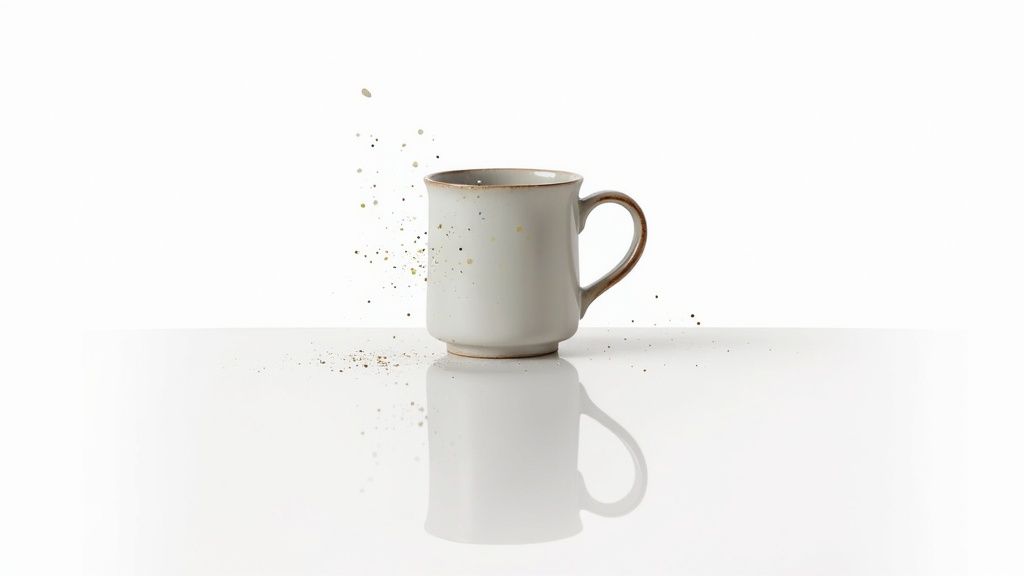
This method moves beyond a simple photo of a product by incorporating specific commercial photography and design language. It allows entrepreneurs, marketers, and designers to create everything from crisp e-commerce listings on a seamless white background to dynamic lifestyle shots for social media. This template is essential for anyone needing to visualize a product for a Shopify store, pitch deck, or marketing campaign quickly and affordably.
How to Implement This Prompt
A powerful product showcase prompt is built by combining precise object details with professional presentation keywords. You start with the core product and then layer in descriptors for material, lighting, and setting.
- Core Template:
professional product photography of [product name], [style], [background type], studio lighting, commercial quality. - Detailed Descriptors: Add specific material and design details like
(a sleek smartwatch with a brushed aluminum casing and a black silicone band),a handmade ceramic mug with a soft matte finish, orluxury leather handbag with gold-plated hardware. - Style and Setting: Define the context and visual style. Use terms like
minimalist 3D render,on a clean white seamless background,lifestyle photo in a modern kitchen setting, ordramatic cinematic lighting.
Pro-Tip: Use professional photography and design terminology to guide the AI. Phrases like softbox lighting, macro shot, sharp focus, high resolution, and cinematic shot push the generator toward a more polished and intentional result, mimicking the output of a professional studio.
For those looking to craft compelling product visuals, PromptDen provides a curated selection of prompts for commercial use. You can find ready-to-use product showcase prompts for AI artists here on PromptDen to elevate your marketing assets.
6. Landscape and Nature Photography Template
While AI can generate fantastical worlds, one of its most powerful applications is recreating the breathtaking beauty of our own planet. The Landscape and Nature Photography Template is one of the best ai art prompts for producing hyper-realistic and cinematically composed natural scenes. It goes far beyond a simple "forest" or "beach" command by layering details about geography, lighting, weather, and even camera settings.
This structured approach allows artists and content creators to generate stunning, photorealistic images suitable for stock photography, travel blogs, or high-resolution prints. By specifying elements like time of day, season, and atmospheric conditions, you guide the AI to capture a specific mood, whether it's the serene calm of a misty morning or the dramatic power of an approaching storm. This level of control is crucial for creating commercially viable and emotionally resonant imagery.
How to Implement This Prompt
A great landscape prompt is built by describing the scene from background to foreground. Start with the big picture (the sky and distant features) and work your way closer to the viewer.
- Core Template:
photograph of [location/environment], [weather/sky conditions], [time of day], [focal point], [composition style]. - Detailed Descriptors: Layer in specifics like
dramatic storm lighting over Icelandic cliffs,serene golden hour light filtering through redwood forest canopy,misty morning in the Scottish Highlands, orvibrant turquoise water on a tropical beach. - Camera and Style: Define the technical aspects to enhance realism. Use terms like
shot on a mirrorless camera, wide-angle 24mm lens,long exposure, silky water effect,cinematic composition, orNational Geographic photography style.
Pro-Tip: Think like a painter by describing your scene in layers. Start with the sky, then move to the distant mountains or horizon, then the mid-ground elements like trees or rivers, and finally the foreground details like rocks or flowers. This layered thinking helps the AI build a more coherent and deep composition.
For those using specific models like Stable Diffusion, understanding how to structure these complex environmental prompts is key. You can find more in-depth guidance in this complete Stable Diffusion prompt guide here on PromptDen to further master your landscape generations.
7. Fashion and Clothing Design Template
Conceptualizing fashion and apparel requires a unique blend of creativity and technical detail, from the silhouette down to the fabric texture. The Fashion and Clothing Design Template is one of the best ai art prompts for this niche, offering a structured approach to generate everything from haute couture to ready-to-wear concepts. It guides the AI to focus on garment construction, material properties, and stylistic presentation.
This method is a game-changer for designers, students, and brands. Instead of vague requests like "futuristic jacket," it provides the AI with a professional vocabulary to render specific cuts, fabrics, and details accurately. This precision is essential for creating cohesive lookbooks, developing clothing line concepts, designing costumes for film, or even visualizing upcycled fashion pieces.
How to Implement This Prompt
A powerful fashion prompt is built on a foundation of industry-specific terminology. Start with the core garment and then layer in details about its form, material, and unique features.
- Core Template:
fashion design concept, [garment type], [silhouette], full-body fashion shot, on a [model description] model, [presentation style]. - Detailed Descriptors: Use specific fashion terms like
(asymmetrical A-line dress with a dropped waist),oversized structured blazer, orflowing silk charmeuse blouse. Describe materials likeheavy linen,distressed denim, orsequined tulle. - Style and Setting: Define the overall aesthetic and context. Use phrases like
haute couture runway show,minimalist studio background,street style photography, orbohemian festival setting.
Pro-Tip: Specify the model's pose to control how the garment drapes and moves. Terms like runway walk, dynamic motion pose, or elegant sitting position will produce dramatically different and more realistic results, showcasing the clothing's intended function and form.
The emergence of AI is not only revolutionizing art generation but also transforming fashion, with tools like a personal AI fashion stylist changing how we interact with clothing. This prompt template empowers creators to be at the forefront of this digital shift, bringing their most ambitious designs to life with stunning clarity.
8. Concept Art and Storyboard Template
Visualizing a narrative scene requires more than just describing its contents; it demands a focus on storytelling, composition, and emotion. The Concept Art and Storyboard Template is one of the best ai art prompts for this task, transforming a simple idea into a cinematic frame. It’s a structured approach that guides the AI to produce images with clear narrative intent, perfect for pre-visualization in film, gaming, or comics.
This method excels by combining scene descriptions with cinematic language. Instead of just "a character in a forest," it specifies the shot type, mood, and action, effectively turning the AI into a virtual director. This is essential for creators who need to establish a consistent visual and emotional tone across a sequence of images, such as for storyboarding an animated series or developing key art for a video game.
How to Implement This Prompt
A strong storyboard prompt layers narrative context over visual details. You start with the core scene and then inject cinematic terms, emotional cues, and compositional directives to guide the AI’s focus.
- Core Template:
storyboard frame, [scene description], [shot type], [emotional tone], [style]. - Detailed Descriptors: Add specific actions and context like
(a lone detective discovers a hidden clue in a rain-soaked alley),tense and dramatic mood, andnoir-inspired lighting with deep shadows. - Cinematic Language: Use professional terms to control the composition. Specify
wide establishing shot,dutch angle for disorientation,dramatic close-up on character's shocked expression, orover-the-shoulder shot. - Style and Medium: Define the visual style clearly. Use phrases like
Studio Ghibli anime style,gritty graphic novel art,photorealistic film still, orconcept art by [specific artist].
Pro-Tip: Use color and lighting to reinforce the mood. Phrases like lit by a single flickering streetlamp, warm, nostalgic amber tones, or cold, desaturated blue color palette provide the AI with powerful emotional context, ensuring the final image tells the right story.
9. Architecture and Interior Design Template
Moving from character art to the built environment, the Architecture and Interior Design Template is one of the best ai art prompts for visualizing spaces that don't yet exist. It allows architects, designers, and real estate professionals to generate photorealistic renderings of building exteriors and interior concepts with incredible precision. This prompt template focuses on the key elements that define a space: light, material, form, and function.
This method is a game-changer for client presentations, marketing materials, and personal projects. Instead of relying on expensive 3D modeling software for early concepts, you can rapidly iterate on designs, from modern minimalist lofts to traditional farmhouse kitchens. The AI can generate convincing visuals that capture specific moods and styles, making it an invaluable tool for both conceptualization and final-look presentations.
How to Implement This Prompt
A powerful architectural prompt is built on a foundation of spatial logic and stylistic detail. You define the type of space and then layer it with specific materials, lighting conditions, and furnishing styles.
- Core Template:
photorealistic rendering of a [room type/architectural style] space, [key features], [lighting conditions], [perspective/camera angle]. - Detailed Descriptors: Add specifics like
(industrial chic living room with exposed brick walls),furnished with mid-century modern leather sofas,polished concrete floors, andfloor-to-ceiling windows. - Style and Medium: Define the output style clearly. Use terms like
architectural visualization,Unreal Engine 5 render,interior design magazine photograph, orstyle of Zaha Hadid.
Pro-Tip: Lighting is everything in architecture. Be extremely specific with your lighting prompts. Use phrases like warm ambient light from recessed LEDs, dramatic afternoon sunbeams casting long shadows, or soft, diffuse morning light to control the mood and realism of your final image.
For those focusing on interior designs, exploring how AI is specifically applied in the field can significantly enhance your prompt creation. You can find more specialized techniques and insights on AI for interior design to bring your virtual spaces to life.
10. Illustration and Editorial Art Template
Editorial and book illustrations must do more than just look good; they need to tell a story and evoke a specific emotion. The Illustration and Editorial Art Template is one of the best ai art prompts for this purpose because it structures your request around narrative context and artistic intent. It’s designed to produce artwork that feels purposeful and conceptually rich, perfect for complementing text.
This approach guides the AI to think like an illustrator, considering composition, color psychology, and theme. Instead of just generating an image of a subject, it creates a scene with a clear message or mood. This is crucial for applications like book covers, magazine spreads, or album art, where the visual must immediately communicate the essence of the content it represents.
How to Implement This Prompt
A powerful illustration prompt blends narrative cues with stylistic directives. You establish a scene and then layer it with details that define its emotional tone, artistic style, and compositional structure.
- Core Template:
[Style] illustration for a [medium type], depicting [narrative scene], [emotional tone], [color palette], [composition guide]. - Detailed Descriptors: Add specifics like
(A mysterious figure overlooking a futuristic city at dusk),in the style of a vintage sci-fi book cover,melancholy and contemplative mood,using a palette of deep blues and neon purples, anddynamic diagonal composition. - Style and Medium: Specify the artistic tradition and final format. Use terms like
whimsical children's book watercolor style,gritty graphic novel ink illustration,art deco poster design, orsurrealist oil painting.
Pro-Tip: Explicitly state the emotional intent and narrative moment. Instead of "a wizard in a forest," try "an anxious young wizard hiding from an unseen threat in a dark, ominous forest." This contextual detail provides the AI with a stronger creative direction, resulting in a more compelling and thematically resonant image.
For creators looking to dive deeper into narrative visuals, PromptDen's marketplace offers a wide array of illustration-focused prompts. You can explore and adapt these professional-grade templates here on PromptDen to quickly generate high-quality artwork for your publishing or editorial projects.
Top 10 AI Art Prompt Templates Comparison
| Item | Implementation 🔄 (complexity) | Resources ⚡ (requirements / efficiency) | Expected Quality ⭐ (effectiveness) | Results / Impact 📊 | Ideal Use Cases |
|---|---|---|---|---|---|
| Character Design Sheet Prompt Template | High 🔄 — long, structured multi-part prompts | Medium ⚡ — reference images, iterations | ⭐⭐⭐⭐ — consistent across poses/angles | 📊 Strong brand/asset consistency; fewer revisions | Games, animation, comics, visual novels |
| Environmental Scene Builder Prompt Template | High 🔄 — layered composition, lighting & atmosphere | High ⚡ — many refs, compute, token-heavy prompts | ⭐⭐⭐⭐ — cinematic, immersive backgrounds | 📊 Rich worldbuilding; reusable environment assets | Open-world games, film concept, book covers |
| Portrait and Headshot Precision Template | Medium-High 🔄 — precise facial, lens & lighting specs | Medium ⚡ — studio lighting refs, retouching | ⭐⭐⭐⭐ — publication-ready when tuned | 📊 Professional headshots and portfolio-grade images | LinkedIn, actor portfolios, stock headshots |
| Fantasy Creature & Monster Generator Template | Medium 🔄 — anatomical bases + fantastical modifiers | Low-Medium ⚡ — creative refs, iterative prompts | ⭐⭐⭐⭐ — highly unique and inspiring designs | 📊 Large variation sets for games/RPGs; creative fuel | RPG monster manuals, game creature rosters |
| Product and Object Showcase Template | Medium 🔄 — material, finish & perspective details | Medium-High ⚡ — high-res renders, accurate refs | ⭐⭐⭐⭐ — commercial mockups; good visual fidelity | 📊 Cuts photography costs; fast product iterations | E‑commerce, marketing mockups, pitch decks |
| Landscape and Nature Photography Template | Medium 🔄 — layered scene + camera specs | Medium ⚡ — location refs, lighting/time-of-day | ⭐⭐⭐⭐ — magazine-quality landscapes possible | 📊 Stock imagery, wallpapers, travel marketing | Travel blogs, stock sites, calendars, wallpapers |
| Fashion and Clothing Design Template | Medium-High 🔄 — garment construction and fit details | Medium ⚡ — fabric refs, model poses | ⭐⭐⭐⭐ — strong concept visuals; moodboards | 📊 Rapid collection ideation; lookbook drafts | Fashion lookbooks, costume design, trendboards |
| Concept Art and Storyboard Template | Medium 🔄 — scene sequencing and narrative focus | Medium ⚡ — shot lists, character placement | ⭐⭐⭐ — excellent for ideation; needs polish | 📊 Speeds pre-production and visual planning | Film/game pre-viz, animation storyboards, comics |
| Architecture and Interior Design Template | High 🔄 — spatial proportions, materials, viewpoints | High ⚡ — dimension refs, material samples | ⭐⭐⭐ — useful conceptually; not production-ready | 📊 Client visualizations; design exploration | Real estate, interior design, renovation planning |
| Illustration and Editorial Art Template | Medium 🔄 — style, narrative and composition control | Low-Medium ⚡ — style refs, thematic direction | ⭐⭐⭐⭐ — versatile and creative illustrations | 📊 Fast editorial/cover variants; publishing use | Book covers, magazine spreads, posters |
Turn Your Prompts into a Platform on PromptDen
You've journeyed through ten distinct, powerful templates designed to transform your creative visions into tangible AI art. From crafting detailed character design sheets to generating breathtaking environmental scenes and precise architectural renders, you now possess a structured framework for commanding AI image models with confidence and creativity. The core takeaway is that the most impactful results don't come from simple, one-line requests. They emerge from thoughtful, layered instructions that guide the AI with specificity and nuance.
We explored how combining subject details, stylistic influences, technical parameters like camera angles and lighting, and model-specific nuances unlocks a new echelon of generative potential. Mastering these templates moves you beyond being a casual user and positions you as an architect of digital aesthetics. You have learned not just what to ask for, but how to ask for it in a language the AI understands intimately. This skill is the fundamental difference between generic outputs and creating some of the best AI art prompts that produce truly unique and compelling visuals.
From Creation to Community and Commerce
The journey, however, doesn't end with mastering creation. The true power of this new artistic frontier lies in its collaborative and economic ecosystem. Your ability to craft high-performing prompts is a valuable skill, one that can be shared, refined, and even monetized. This is where a dedicated platform becomes essential for your growth as a prompt engineer and digital creator.
Think of each template in this guide as a starting point:
- A foundation for your unique style: Adapt the Fashion and Clothing Design Template with your specific aesthetic, perhaps blending futuristic elements with historical textiles.
- A tool for specific projects: Use the Concept Art and Storyboard Template to rapidly visualize a narrative for a comic book, video game, or film pitch.
- An asset to be shared: Refine the Landscape and Nature Photography Template to generate a series of hyper-realistic digital prints for an online store.
The real evolution of your skill set begins when you start iterating, customizing, and contributing back to the community. Platforms designed for prompt engineers provide the infrastructure for this evolution, connecting you with peers, potential clients, and a marketplace hungry for high-quality, pre-tested prompts.
Key Insight: The value of a prompt isn't just in the image it creates, but in its reliability, adaptability, and the time it saves other creators. This is the foundation of the prompt economy.
Your Next Step: Monetize Your Expertise
Mastering the art of prompt engineering is more than a creative hobby; it's a marketable expertise. Every refined prompt you develop is a solution, a shortcut, and a creative key for someone else. By sharing your creations on a dedicated marketplace, you not only help other artists and designers but also build a reputation and a potential revenue stream.
The best AI art prompts are those that are tested, proven, and easily adaptable. As you use the templates from this article to build your own library of unique and effective prompts, consider taking the next step. Share your work, see what resonates with the community, and participate in the burgeoning economy built around generative AI. Your expertise is in high demand.
Ready to turn your prompting skills into a valuable asset? Join a community of creators and start sharing, selling, and discovering the best AI art prompts on the market. Explore the PromptDen marketplace to find inspiration or list your own creations today.