
10 Masterful Midjourney Styles Prompts for 2025
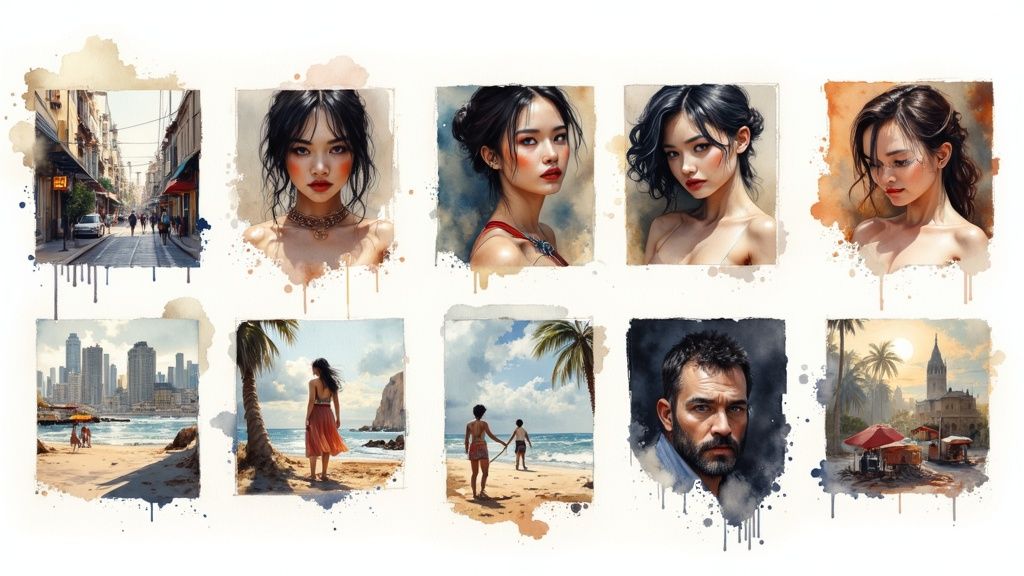
Midjourney's power lies not just in creating images, but in controlling their aesthetic. The key to unlocking truly breathtaking, professional-grade visuals is mastering the language of style. A well-crafted style descriptor can transform a simple idea into a photorealistic masterpiece, a whimsical watercolor, or a gritty cyberpunk scene. But with an infinite canvas of artistic possibilities, where do you begin?
This guide cuts through the noise, providing a curated collection of ten essential and powerful Midjourney styles prompts. We'll move beyond generic terms and dive deep into what makes each aesthetic unique. For those looking to understand the core mechanics behind these creations, a practical guide on how to generate images with AI can provide invaluable techniques for moving beyond basic prompts.
This roundup is your roadmap to becoming a more versatile and intentional AI artist. We'll break down each style, providing not just copy-and-paste examples, but the underlying concepts, key artists, and advanced parameters you need to take full control. You will learn how to structure effective prompts and leverage modifiers like --v, --stylize, and --ar to achieve consistent, high-quality results. From the cinematic flair of a Hollywood blockbuster to the delicate brushstrokes of a Renaissance master, this collection is designed to equip you with the specific tools needed to consistently generate stunning, style-consistent artwork for any project.
1. Cinematic Photography
The Cinematic Photography style in Midjourney is designed to replicate the visual aesthetics of professional filmmaking. It goes beyond a simple photo, incorporating sophisticated elements like professional lighting, shallow depth of field, specific color grading, and intentional composition. This approach is perfect for generating images that look like stills from a high-budget movie, a dramatic TV series, or a premium commercial. It's one of the most powerful midjourney styles prompts for achieving a high-production, polished look.
This style elevates your AI art by mimicking the techniques used by world-renowned cinematographers like Roger Deakins and directors like Christopher Nolan. The resulting images carry emotional weight and narrative depth, making them ideal for storytelling, concept art, and high-impact marketing visuals.
Key Modifiers and Techniques
To effectively use the Cinematic Photography style, integrate specific filmmaking terminology into your prompts. This gives the AI clear instructions on the mood and quality you're aiming for.
- Lighting: Use terms like
volumetric lighting,rim lighting,golden hour cinematography, ordramatic studio lighting. - Camera & Lens: Specify camera types and lenses for a distinct look. Try
shot on RED Komodo with an 85mm lensoranamorphic lens flare. - Color Grading: Guide the color palette with phrases such as
moody cool tones,warm vintage film grade, ordesaturated color palette. - Composition: Add camera movement or framing cues like
dolly zoom,slow tracking shot, orextreme close-up.
Example Cinematic Prompts
Here are a few examples that demonstrate how to combine these elements for stunning results:
- Portrait:
cinematic film still, a detective in a dimly lit office, dramatic film noir lighting, volumetric smoke, shot on ARRI Alexa, 35mm lens --ar 16:9 --style raw - Landscape:
cinematic wide shot of a lone traveler on a misty mountain peak at sunrise, golden hour cinematography, epic and atmospheric, shot on RED Dragon, anamorphic lens --ar 21:9 - Action:
cinematic action shot, a high-speed car chase on a rain-slicked neon-lit city street at night, motion blur, dynamic angle, vibrant cyberpunk color grading --ar 16:9
This style is invaluable when you need an image to tell a story or evoke a specific emotion instantly. For a deeper dive into crafting prompts like these, you can explore this comprehensive Midjourney prompt guide to further refine your skills.
2. Oil Painting Renaissance
The Oil Painting Renaissance style in Midjourney empowers you to generate images that emulate the timeless masterpieces of the Old Masters. This style focuses on replicating the rich textures, dramatic lighting, and deep emotional resonance of European painting from the Renaissance and Baroque periods. It's perfect for creating images with a classical, painterly quality, characterized by visible brushwork, chiaroscuro lighting, and traditional artistic compositions. This is one of the most effective midjourney styles prompts for achieving a sophisticated, fine art aesthetic.
This approach brings the techniques of legendary artists like Caravaggio, Rembrandt, and Vermeer into the digital realm. The resulting images possess a sense of history, gravitas, and masterful craftsmanship. This style is ideal for creating elegant portraits, dramatic historical scenes, or classical still life compositions that feel as though they belong in a prestigious art gallery.
Key Modifiers and Techniques
To master the Oil Painting Renaissance style, incorporate specific art historical terms and techniques into your prompts. This provides the AI with precise instructions to capture the essence of classical oil painting.
- Artist Influence: Reference specific Old Masters to guide the style. Use phrases like
in the style of Caravaggio,Rembrandt lighting, orVermeer's use of light. - Painting Techniques: Mention physical painting methods for added realism. Try including
thick impasto brushstrokes,sfumato technique for soft edges, orglazing oil paint texture. - Lighting & Mood: Emphasize the dramatic lighting characteristic of the era. Use terms like
chiaroscuro,tenebrism, ordramatic side lighting from a single source. - Texture & Period: Ground the image with physical details. Add
visible canvas texture,cracked oil paint, or specify a period like17th-century Baroque painting.
Example Oil Painting Prompts
Here are a few examples that show how to combine these elements to create stunning, classical artwork:
- Portrait:
oil painting portrait of an old scholar in his study, chiaroscuro lighting, deep shadows, in the style of Rembrandt, visible canvas texture, detailed and realistic --ar 3:4 - Historical Scene:
a dramatic baroque oil painting of a naval battle on a stormy sea, tenebrism, high contrast, dynamic composition in the style of J. M. W. Turner --ar 16:9 - Figure Study:
classical figure study, oil on canvas, a woman reading a letter by a sunlit window, soft light, in the style of Vermeer, intricate details, serene mood --ar 4:5 --style raw
3. Anime and Manga Style
The Anime and Manga style in Midjourney taps into the rich visual language of Japanese animation and comics. This style is defined by its characteristic aesthetics, such as large, expressive eyes, dynamic line work, vibrant or specific color palettes, and stylized character designs. It’s perfect for generating everything from powerful action sequences to delicate, emotional portraits that capture the essence of beloved series and artists. Using midjourney styles prompts for anime allows creators to produce high-quality, genre-specific illustrations with remarkable accuracy.

This style allows you to channel the work of legendary creators like Studio Ghibli or Akira Toriyama. By specifying genres, eras, or even particular shows, you can guide Midjourney to produce images that feel authentic to the Japanese animation tradition. It is an incredibly versatile style for character concept art, fan art, and unique narrative scenes.
Key Modifiers and Techniques
To create authentic-looking anime and manga art, using specific terminology and references in your prompts is crucial. This helps the AI pinpoint the exact aesthetic you are looking for.
- Genre and Era: Specify a sub-genre like
shounen action style,nostalgic shoujo aesthetic,dark seinen manga, or90s retro anime style. - Artist & Studio References: Naming specific sources gives the AI a strong visual anchor. Use phrases like
in the style of Studio Ghibli,art by Akira Toriyama, orMakoto Shinkai-inspired background. - Visual Elements: Detail specific anime tropes like
dynamic speed lines,dramatic close-up on eyes,cel shading, orsoft watercolor anime background. - Character Descriptors: Use terms that define character archetypes and emotions, such as
tsundere expression,genki girl with twin-tails, orbrooding anti-hero.
Example Anime and Manga Prompts
Here are a few examples showcasing how to combine these modifiers for diverse anime-style visuals:
- Character Design:
1990s shoujo anime style, a magical girl with pastel pink hair and sparkling blue eyes, holding a celestial staff, confident expression, full body portrait, clean line art --ar 2:3 --niji 5 - Action Scene:
dynamic shounen manga panel, two samurai clashing katanas, intense energy aura and speed lines, black and white with screentones, dramatic diagonal composition --ar 3:2 - Romantic Scene:
a couple sitting on a park bench under a blooming sakura tree, soft evening light, gentle and emotional moment, in the style of a modern romance anime film, beautiful detailed background --ar 16:9
4. Digital Illustration (Vector Style)
The Digital Illustration (Vector Style) in Midjourney emulates the clean, scalable graphics produced by software like Adobe Illustrator. This style is characterized by sharp lines, flat color planes, geometric shapes, and a lack of rasterized texture, resulting in a modern and polished aesthetic. It is perfect for creating brand assets, icons, user interface mockups, and corporate illustrations that require clarity and precision. Using these midjourney styles prompts allows you to generate art that looks professionally designed for the digital world.
This approach draws inspiration from the minimalist and functional design principles seen in modern tech companies like Airbnb and Slack. The resulting images are highly versatile, easily adaptable for logos, web design, or marketing materials. They communicate ideas clearly and effectively, making them a go-to choice for business and design-focused projects.
Key Modifiers and Techniques
To achieve a convincing vector look, you need to guide Midjourney with specific design terminology. This helps the AI understand the precise, non-photorealistic style you're aiming for.
- Core Style: Start with direct keywords like
vector illustration,flat design,2D art, orcorporate illustration style. - Line & Shape: Use modifiers such as
clean lines,bold outlines,geometric shapes, orminimalist designto define the composition. - Color Palette: Specify the color scheme to set the mood. Try
vibrant color palette,pastel colors,monochromatic color scheme, orcorporate blue and orange. - Detail & Texture: Explicitly request a lack of texture with terms like
no gradients,smooth shading, orno texture.
Example Vector Style Prompts
Here are a few examples demonstrating how to combine these modifiers for clean, professional results:
- Business Concept:
vector illustration of a team collaborating on a project, flat design characters, corporate blue and green color palette, minimalist, clean lines, on a white background --ar 16:9 - Iconography:
a set of 4 simple vector icons for a weather app, sun, clouds, rain, lightning, minimalist icon design, flat 2D art, vibrant colors, on a neutral background --ar 1:1 - Character Design:
flat design character illustration of an astronaut floating in space, bold outlines, simple geometric shapes, retro color palette, no texture --ar 3:4 --style raw
This style is indispensable when you need clean, modern, and scalable graphics for branding, user interfaces, or any context where clarity is paramount.
5. Photorealism and Hyperrealism
The Photorealism and Hyperrealism style in Midjourney pushes the AI to create images that are virtually indistinguishable from high-resolution photographs. This style aims for maximum visual accuracy, focusing on extreme detail, precise lighting, and flawless textures to produce visuals that often appear more real than reality itself. It's an essential tool for anyone needing imagery with uncompromising clarity and believability, making it one of the most sought-after midjourney styles prompts for professional applications.
This approach is perfect for generating images that look like they were captured with professional-grade camera equipment. It mimics the work of hyperrealist artists like Paul Cadden and modern product visualization studios, where every detail is rendered with meticulous precision. The resulting images are ideal for product mockups, architectural visualizations, and lifelike portraits where every nuance matters.
Key Modifiers and Techniques
To achieve a photorealistic or hyperrealistic look, your prompt must guide the AI with specific photographic and technical terms. This tells Midjourney to prioritize detail and accuracy above all else.
- Core Keywords: Start with
photorealistic,hyperrealistic, orultra-realisticto set the primary style. - Resolution & Detail: Add terms like
8K resolution,insanely detailed,sharp focus, andintricate detailsto demand high fidelity. - Camera & Lighting: Mention specific gear like
shot on a Sony A7R IV with a 100mm macro lensor use lighting descriptors likesoft natural lightorprofessional studio lighting. - Post-Processing: Use phrases like
Unreal Engine 5 renderorOctane Renderto simulate the look of high-end 3D rendering software, which often produces hyperrealistic results.
Example Photorealistic Prompts
Here are a few examples showing how to combine these elements to generate incredibly realistic images:
- Product Shot:
photorealistic product shot of a luxury watch on a marble surface, studio lighting, macro photography, 8k, insanely detailed, sharp focus --ar 4:5 --style raw - Portrait:
hyperrealistic close-up portrait of an elderly woman with deep wrinkles and kind eyes, soft window light, shot on Canon EOS R5 with a 50mm f/1.2 lens, incredibly detailed skin texture --ar 3:4 - Architecture:
photorealistic architectural render of a modern minimalist house in a forest, golden hour light filtering through the trees, volumetric lighting, 8k resolution, Unreal Engine 5 --ar 16:9
This style is invaluable when you need to create convincing visuals that stand up to close scrutiny. To see more advanced applications of this technique, you can explore these masterful Midjourney prompt examples for further inspiration.
6. Watercolor Painting
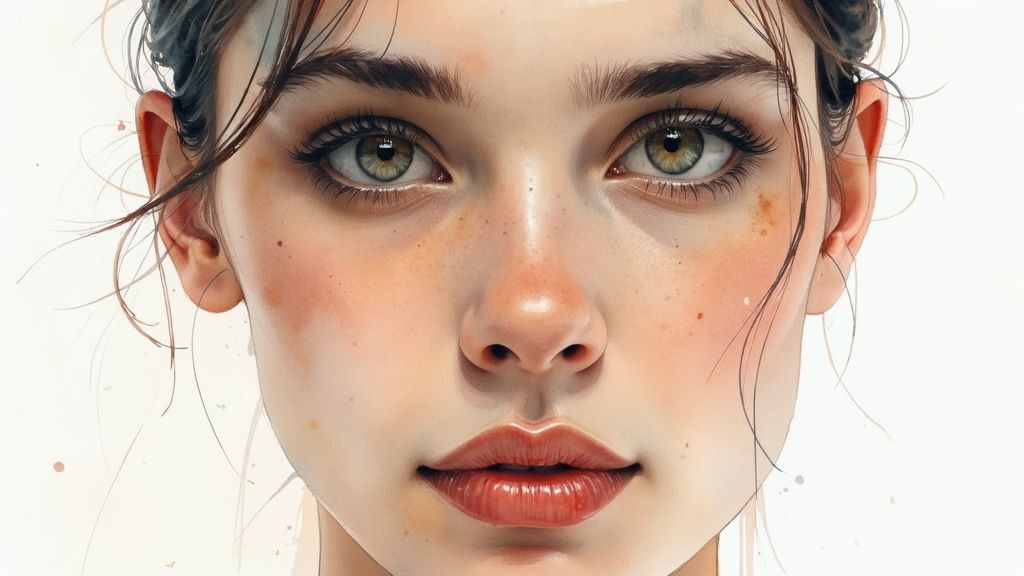
The Watercolor Painting style in Midjourney masterfully emulates the fluid and organic aesthetics of traditional watercolor art. It captures the unique qualities of this medium, such as translucent washes, delicate color bleeding, soft edges, and the beautiful, often unpredictable, interplay of pigment and water on paper. This approach is ideal for creating images that feel handcrafted, airy, and expressive. It's one of the most versatile midjourney styles prompts for achieving an elegant, artistic look.
This style allows you to generate art reminiscent of masters like John Singer Sargent or modern illustrators, infusing your creations with a sense of spontaneity and light. The resulting images are perfect for botanical illustrations, serene landscapes, delicate portraits, and conceptual art where an emotional, less rigid feel is desired.
Key Modifiers and Techniques
To effectively replicate the watercolor effect, incorporate specific terminology related to the medium into your prompts. This provides Midjourney with precise instructions on the texture and behavior of the digital "paint."
- Core Terms: Start with keywords like
watercolor painting,aquarelle, orgouache and watercolor. - Techniques: Mention specific methods for a more authentic result. Try
wet-on-wet technique,color bleeding effects,soft watercolor washes,glazing, orvisible brush strokes. - Paper Texture: Guide the background texture with phrases such as
on cold-pressed watercolor paperortextured paper background. - Details & Edges: Define the details with
loose and expressive,soft edges, ordelicate ink line work.
Example Watercolor Prompts
Here are a few examples that show how to combine these elements for beautiful, fluid results:
- Landscape:
watercolor painting of a misty forest path in autumn, wet-on-wet technique, soft color bleeding, warm earthy tones, on heavy textured paper --ar 16:9 - Botanical:
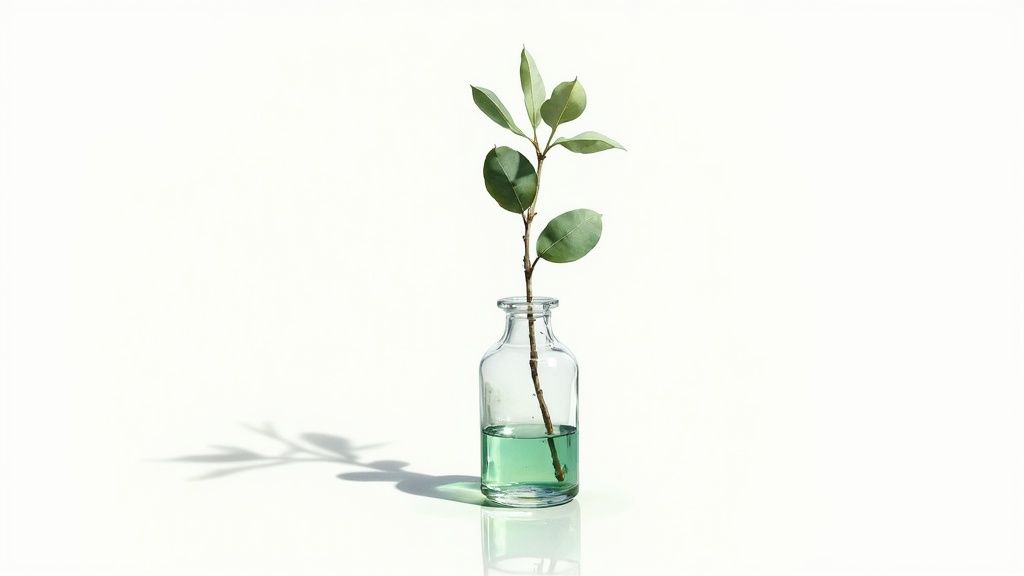
delicate botanical illustration of a lavender sprig, detailed watercolor and ink, clean white background, scientific illustration style, soft purple and green washes --ar 3:4 - Portrait:
expressive watercolor portrait of a woman with flowing red hair, loose and splashy style, vibrant color drips and splatters, emotional, soft edges --ar 4:5 --style raw
This style is invaluable for projects that require a touch of human artistry and organic beauty, moving away from photorealism towards a more interpretive and emotional visual language.
7. Cyberpunk and Sci-Fi Aesthetics
The Cyberpunk and Sci-Fi Aesthetics style in Midjourney transports your creations into futuristic, technology-infused worlds. This style is defined by its signature blend of "high tech, low life" visuals, featuring neon-drenched cityscapes, advanced cybernetics, holographic interfaces, and dystopian or utopian atmospheres. It's a go-to choice for generating images that feel pulled from iconic media like Blade Runner or Cyberpunk 2077. This is one of the most visually striking midjourney styles prompts for building speculative futures.
This style allows you to explore themes of transhumanism, corporate power, and societal decay or advancement through a distinct visual language. The resulting images are rich with detail, atmosphere, and narrative potential, making them perfect for concept art, book covers, album art, and creating immersive fictional worlds.
Key Modifiers and Techniques
To effectively harness the Cyberpunk and Sci-Fi aesthetic, your prompts should include specific terminology that defines the mood, technology, and environment. This gives Midjourney clear signals to generate the desired futuristic look.
- Lighting & Color: Use terms like
neon-lit streets,holographic glow,vibrant magenta and cyan palette, ordystopian ambient lighting. - Environment: Describe the setting with phrases such as
megastructure architecture,rain-slicked asphalt,dense fog and smog, orfuturistic chrome interiors. - Technology: Add technological elements with keywords like
cybernetic implants,glowing data streams,advanced robotics, orholographic advertisements. - Atmosphere: Reference specific sub-genres to guide the overall feel, using terms like
biopunk,solarpunk,dystopian future, orretrofuturism.
Example Cyberpunk and Sci-Fi Prompts
Here are a few examples that show how to combine these elements for dynamic, futuristic results:
- Cityscape:
a sprawling cyberpunk megalopolis at night, rain-slicked streets reflecting neon signs, flying vehicles, dense smog, hyper-detailed, cinematic lighting --ar 16:9 --style raw - Character:
portrait of a female cyborg with glowing cybernetic eyes and intricate facial tattoos, standing in a dimly lit alley, neon color palette, photorealistic, shot on 85mm lens --ar 2:3 - Interior:
interior of a high-tech spaceship bridge, holographic control panels and data streams, sleek minimalist design, cool blue and white tones, volumetric lighting --ar 21:9 --v 6.0
This style is essential when you need to create a powerful sense of a world different from our own, whether it's a grim, rain-soaked future or a bright, advanced utopia.
8. Minimalist and Abstract Design
The Minimalist and Abstract Design style in Midjourney focuses on the principle of "less is more." It strips away unnecessary details to emphasize fundamental elements like shape, color, and texture. This approach creates clean, uncluttered, and conceptually powerful visuals that communicate ideas through simplification and the strategic use of negative space. It's one of the most versatile midjourney styles prompts for generating everything from modern logos to sophisticated wall art.
This style draws inspiration from influential art movements like the Swiss Style in graphic design and artists such as Donald Judd and Mark Rothko. The resulting images are often elegant and thought-provoking, relying on composition and form to convey meaning rather than direct representation. It is perfect for creating brand identities, website backgrounds, or conceptual art pieces where clarity and impact are paramount.
Key Modifiers and Techniques
To achieve a strong minimalist or abstract aesthetic, your prompts should guide the AI toward simplicity and specific compositional rules. Directing the AI to focus on core components is essential.
- Core Style: Begin with clear identifiers like
minimalist vector logo,abstract geometric composition, orsimple line art. - Color Palette: Limit the color range to enhance the minimalist feel. Use terms like
monochromatic color scheme,black and white,two-tone design, or specify a limited palette likeusing only pastel pink and deep navy blue. - Composition & Space: Emphasize the layout with phrases such as
heavy use of negative space,centered composition, orasymmetrical balance. - Form & Texture: Define the shapes and surfaces. Try
clean geometric shapes,organic fluid forms,flat design, orsubtle paper texture.
Example Minimalist and Abstract Prompts
Here are a few examples that show how to combine these elements for striking, simplified visuals:
- Logo Design:
minimalist logo design for a coffee shop, a single continuous line forming a coffee cup and steam, clean, centered, black on a white background --no realistic details - Abstract Art:
abstract oil painting inspired by Mark Rothko, large blocks of deep red and black, interacting color fields, highly textured, emotional and contemplative --ar 4:5 - Geometric Poster:
Swiss style graphic design poster, minimalist geometric composition of circles and rectangles, clean typography, limited color palette of red, black, and off-white, ample negative space --ar 2:3
9. Fantasy and D&D Illustration
The Fantasy and D&D Illustration style in Midjourney taps into the rich visual legacy of high fantasy, epic adventures, and classic tabletop roleplaying games. It’s designed to generate images filled with fantastical creatures, detailed character designs, magical effects, and sprawling, imaginative landscapes. This style is perfect for creating art that looks like it belongs on the cover of a fantasy novel, inside a Dungeons & Dragons sourcebook, or as concept art for a video game. It’s one of the most versatile midjourney styles prompts for bringing detailed, story-rich fantasy worlds to life.
This approach elevates your creations by referencing the iconic works of artists like Todd Lockwood and Wayne Reynolds, known for their dynamic contributions to D&D and Magic: The Gathering. The resulting images are imbued with a sense of narrative and adventure, making them ideal for character portraits, monster design, and visualizing epic scenes from a campaign.
Key Modifiers and Techniques
To create authentic fantasy illustrations, use specific terminology that defines the characters, creatures, settings, and magical elements within your world. This provides the AI with clear, genre-specific instructions.
- Artist Influence: Reference classic and contemporary fantasy artists. Use phrases like
in the style of Todd Lockwood,art by Wayne Reynolds, orFrank Frazetta inspired. - Character & Creature: Be highly specific with fantasy races and classes. Try
orc barbarian warrior,high-elf sorceress, orancient red dragon. - Setting & Atmosphere: Define the environment to build context. Use descriptors like
in a forgotten dwarven ruin,a mystical bioluminescent forest, orepic battle on a stormy plain. - Magical Elements: Describe spells and auras visually. Add details like
casting a vibrant arcane spell,glowing magical runes, orethereal aura.
Example Fantasy Prompts
Here are a few examples that show how to blend these elements for compelling fantasy artwork:
- Character Portrait:
dnd character art, a stoic male dwarf cleric with braided beard and ornate heavy armor, holding a warhammer with glowing holy symbols, detailed portrait, fantasy illustration --ar 2:3 - Monster Illustration:
a fearsome beholder floating in a dark cavern, multiple eyes glowing with malevolent energy, detailed monster concept art, in the style of d&d, dramatic lighting --ar 16:9 --style raw - Scene:
epic fantasy battle scene, knights fighting a colossal black dragon on a crumbling castle bridge, fire and magic, dynamic and chaotic, detailed oil painting style --ar 21:9
This style is indispensable when you need to visualize unique characters or epic moments for a creative project or RPG campaign. To further master this artistic direction, you can explore this guide to creating stunning AI art with Midjourney prompts.
10. Art Nouveau and Decorative Illustration
The Art Nouveau style in Midjourney resurrects the elegant and ornamental aesthetic of the late 19th and early 20th centuries. This style is characterized by its use of long, sinuous, and organic lines, often taking inspiration from natural forms like the curved lines of plants and flowers. It is perfect for generating images with a decorative, elegant, and historically rich feel, reminiscent of works by artists like Alphonse Mucha and Gustav Klimt. Using midjourney styles prompts for Art Nouveau creates sophisticated illustrations, posters, and designs with a distinct, flowing beauty.
This artistic approach infuses your AI-generated images with a sense of handcrafted elegance and intricate detail. The focus on flowing curves, natural motifs like vines and florals, and ornamental patterns makes it ideal for creating striking portraits, decorative borders, beautiful poster designs, and fantasy illustrations. The resulting images are less about photorealism and more about capturing a specific artistic essence that is both timeless and highly stylized.
Key Modifiers and Techniques
To effectively channel the Art Nouveau aesthetic, your prompts should include terminology that guides the AI toward its core visual principles. Referencing the movement's pioneers and characteristic elements is key.
- Artists: Specify influential figures like
in the style of Alphonse Mucha,Gustav Klimt inspired, orAubrey Beardsley linework. - Core Elements: Use descriptive phrases such as
flowing organic lines,sinuous curves,intricate floral patterns, orwhiplash curves. - Motifs: Incorporate common subjects and decorative elements like
peacocks,iris flowers,ginkgo leaves, orornamental gold leaf. - Format: Define the output format for authentic results, for instance,
vintage poster design,decorative book illustration, orstained glass window design.
Example Art Nouveau Prompts
Here are a few examples that show how to blend these modifiers to create stunning Art Nouveau-style illustrations:
- Portrait:
Art Nouveau portrait of a beautiful woman with flowing hair intertwined with lilies, intricate decorative patterns, in the style of Alphonse Mucha, muted pastel color palette --ar 2:3 --style raw - Nature Illustration:
An elegant peacock with a tail of intricate, flowing feathers, surrounded by golden ginkgo leaves, decorative illustration, Gustav Klimt inspired gold leaf details --ar 4:5 - Poster Design:
vintage art nouveau travel poster for Paris, featuring the Eiffel Tower with sinuous, organic floral borders, elegant typography, soft color palette --ar 2:3
10-Style MidJourney Prompt Comparison
| Style | 🔄 Implementation Complexity | ⚡ Resources & Speed | ⭐ Expected Quality | 📊 Ideal Use Cases | 💡 Key Tips |
|---|---|---|---|---|---|
| Cinematic Photography | Medium–High — lighting, composition iterations | High — longer render times, detailed lighting | ⭐⭐⭐⭐ — professional, film-like frames | Marketing, film stills, high-end portraits | Mention camera/lens, explicit lighting setups, color grade |
| Oil Painting Renaissance | Medium — brushwork, layered textures | Medium — manageable rendering but texture work needed | ⭐⭐⭐ — timeless, painterly authenticity | Classical portraits, historical scenes, fine art | Reference Old Masters, specify impasto/glazing and canvas texture |
| Anime and Manga Style | Medium — consistent character design & linework | Low–Medium — stylized renders faster | ⭐⭐⭐ — culturally recognizable, expressive characters | Character art, comics, narrative scenes | Specify sub-genre, character emotions, visual references |
| Digital Illustration (Vector Style) | Low–Medium — precision and clean composition | Low — fast, scalable outputs | ⭐⭐⭐ — clean, modern, brand-friendly | Icons, logos, infographics, UI illustrations | State "vector/flat", color palette, request no texture |
| Photorealism & Hyperrealism | High — exacting detail and lighting control | Very High — long renders, heavy compute | ⭐⭐⭐⭐⭐ — near-photographic or superior realism | Product viz, architecture, realistic portraits | Use "photorealistic", gear details, resolution (eg. 8K) |
| Watercolor Painting | Low–Medium — fluid, less predictable process | Low — generally quick, organic results | ⭐⭐ — soft, artistic, less precise | Landscapes, botanical, delicate portraits | Use "watercolor/aquarelle", wet-on-wet, mention paper type |
| Cyberpunk & Sci‑Fi Aesthetics | Medium–High — complex lighting and effects | Medium–High — effects and high-contrast scenes | ⭐⭐⭐⭐ — striking, contemporary futuristic look | Game art, concept scenes, promotional posters | Specify neon palette, tech level, atmosphere (rain, fog) |
| Minimalist & Abstract Design | Medium — composition and balance critical | Low — efficient, minimal elements | ⭐⭐⭐ — sophisticated, concept-driven visuals | Branding, conceptual art, modern posters | Define negative space, limited palette, geometric cues |
| Fantasy & D&D Illustration | High — detailed designs and worldbuilding | High — dense scenes and intricate props | ⭐⭐⭐⭐ — rich storytelling, immersive detail | Book covers, game art, character sheets | Reference genre artists, specify creatures, setting and effects |
| Art Nouveau & Decorative Illustration | Medium–High — ornate patterns and flow | Medium — decorative detail increases work | ⭐⭐⭐ — elegant, ornamental aesthetics | Posters, decorative prints, botanical ornamentation | Reference Mucha/Klimt, request flowing curves and botanical motifs |
Your Creative Toolkit: Putting These Styles into Practice
You have journeyed through a diverse landscape of creative possibilities, from the gritty neon streets of Cyberpunk to the elegant lines of Art Nouveau. This guide has equipped you with more than just a list; it has provided a foundational vocabulary for visual storytelling. We've explored ten distinct universes of style, each with its own language of light, color, and form. The true power of these midjourney styles prompts is not just in their individual application, but in their potential for creative fusion.
The path from a novice user to a skilled AI artist is paved with experimentation. The prompts provided for Cinematic Photography, Anime, Photorealism, and the other styles are your starting blocks, not your finish line. Think of them as proven recipes. Once you understand why they work, you can start substituting ingredients and inventing your own unique dishes. What happens when you combine the dramatic lighting of a cinematic shot with the ethereal textures of a watercolor painting? Or when a minimalist design philosophy is applied to a high-fantasy character? The answers to these questions are where your signature style will begin to emerge.
Key Takeaways: Your Blueprint for Mastery
Mastering Midjourney is an iterative process of testing, refining, and understanding the "why" behind a successful image. As you move forward, keep these core principles at the forefront of your creative workflow:
- Style is a Multi-Layered Concept: A style isn't just one word like "anime." It’s a combination of artist influences (like Hayao Miyazaki), artistic medium (like cell-shading), color theory (vibrant or pastel palettes), and composition. The more layers you can articulate in your prompt, the more control you will have.
- Parameters are Your Technical Dials: Do not neglect the power of parameters like
--ar(aspect ratio),--s(stylize), and--v(version). An identical prompt can produce vastly different results simply by changing--ar 16:9to--ar 1:1or by increasing the--svalue to give Midjourney more creative freedom. - Artist Names are Powerful Shortcuts: Referencing artists is one of the most effective ways to guide the AI. It condenses a massive amount of stylistic information into a single term. Don't just use the names we’ve listed; research artists you admire and see how their influence translates into your generations.
Actionable Next Steps: From Knowledge to Creation
Knowledge becomes skill only through application. Here is your roadmap for what to do next with this powerful collection of midjourney styles prompts:
- Choose One Style and Go Deep: Pick one category from this list that resonates with you. Spend a full week experimenting only within that style. Try every artist, modifier, and concept mentioned. This focused practice builds deep, intuitive knowledge.
- Start Your "Remix" Journal: Create a document or notebook where you intentionally blend two different styles from this guide. For example, your entry could be "Day 1: Fantasy + Art Nouveau." Note which combinations work, which ones fail spectacularly, and what you learn from each.
- Deconstruct and Reconstruct: Find an AI-generated image you admire online. Try to reverse-engineer the prompt. What style is it? What lighting terms might have been used? What about the composition? This analytical exercise will sharpen your prompt-crafting instincts immeasurably.
Ultimately, the goal is to develop a workflow where Midjourney becomes a true extension of your creative vision. It’s a collaborator that speaks the language of art history, cinematography, and design. By mastering these styles, you are learning to communicate with it fluently and precisely. To further broaden your understanding of digital creation and how AI can craft intricate textures and designs, consider exploring various Artificial Intelligence Drawing techniques that can inspire new approaches to your Midjourney projects. Your journey is just beginning, and with this toolkit, you are well-equipped to create visuals that are not just generated, but truly authored.
Ready to take your prompting skills to the next level? Explore PromptDen, the ultimate marketplace for AI creators to discover, share, and monetize high-quality prompts. Join a community of innovators and find the perfect midjourney styles prompts to fuel your next masterpiece at PromptDen.