
12 Best AI Video Creation Tools to Watch in 2025

The world of video creation is being fundamentally reshaped by artificial intelligence, moving beyond simple editing assistance to full-scale content generation. From transforming simple text prompts into cinematic clips to generating lifelike avatars for corporate training, AI-powered tools are democratizing video production for everyone. This shift isn't just about speeding up workflows; it’s about unlocking new creative possibilities that were once prohibitively expensive or technically complex. For a deeper look at how these technologies are being woven into professional workflows, understanding the nuances of AI integration in post-production provides valuable context.
This comprehensive guide is designed to help you navigate this exciting field and find the best AI video creation tools for your specific needs. Whether you're a marketer aiming to produce engaging social media content, a developer integrating video functionalities, or a creator exploring new artistic mediums, the right platform is critical. We'll move past the marketing hype to provide a practical analysis of the leading options available today.
Inside this resource, you will find a detailed breakdown of each tool, covering:
- Core Features and Capabilities: What makes each platform unique.
- Ideal Use Cases: Who the tool is best suited for and what it excels at.
- Honest Pros and Cons: A balanced look at strengths and limitations.
- Current Pricing Structures: Clear information to help you budget effectively.
Each entry includes screenshots for a visual reference and direct links to get you started immediately. Our goal is to equip you with the insights needed to make an informed decision and select the tool that will best serve your creative or business objectives. Let's dive into the top contenders.
1. Runway
Runway stands at the forefront of generative video, offering a comprehensive suite of AI-powered tools that cater to both creative professionals and developers. It's a top-tier choice among the best AI video creation tools because it provides direct access to multiple cutting-edge models like Gen-3 and Gen-4. This allows users to experiment with different generative styles and capabilities, from text-to-video and image-to-video to advanced upscaling and frame interpolation, all within a single platform.
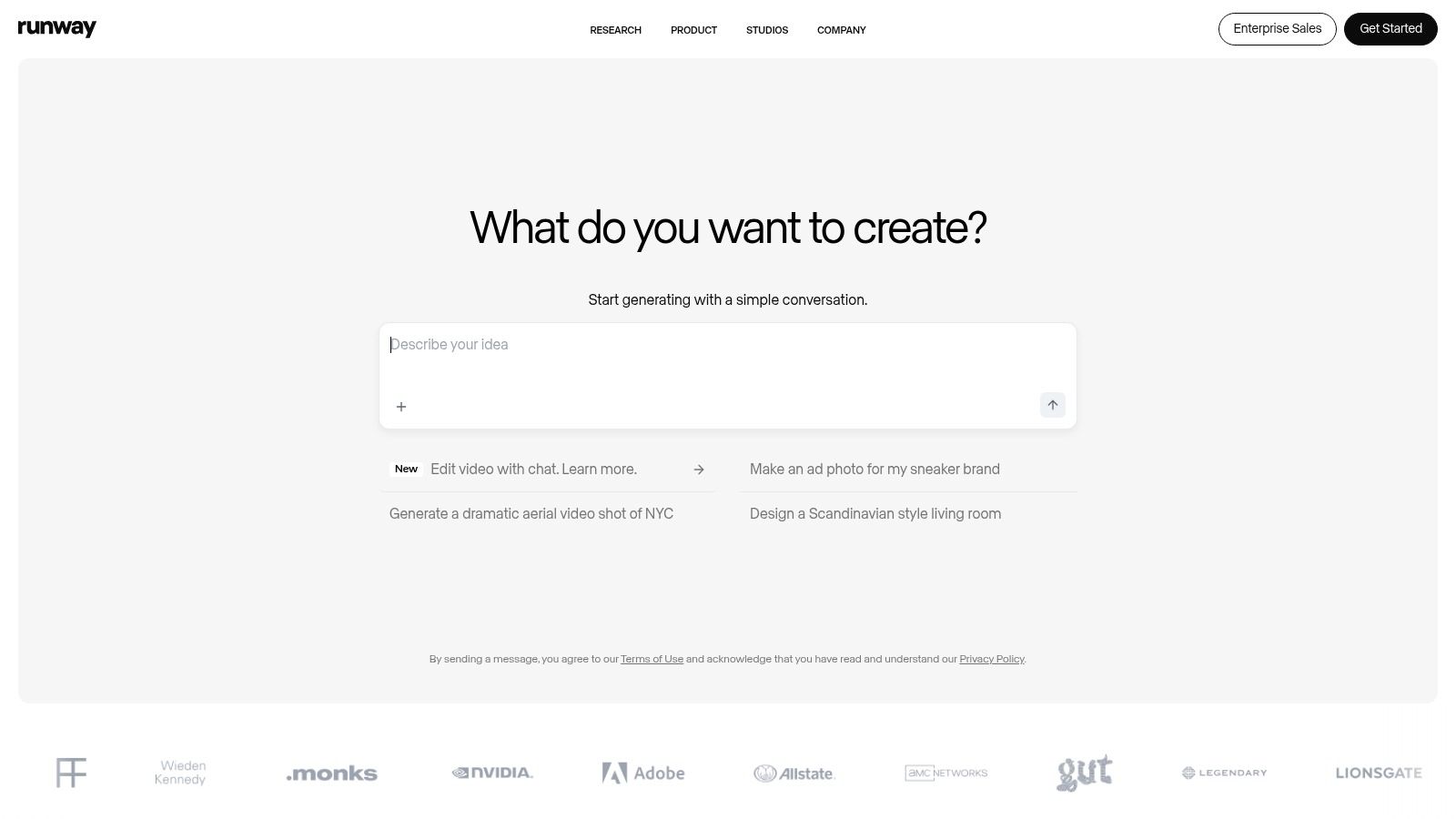
The platform distinguishes itself with a transparent, credit-based pricing model. Users can see the exact per-second cost for each model, making it easy to budget for projects. For developers, Runway’s API access is a significant advantage, enabling the integration of its powerful video models directly into custom applications and workflows.
Key Features & Use Cases
- Model Selection: Access to various models (Gen-3 Alpha, Gen-4 Turbo) allows for tailored outputs, whether you need fast drafts or high-fidelity cinematic shots.
- Credit-Based System: Pay-as-you-go pricing provides cost control. A built-in calculator helps you estimate expenses before generating clips.
- Developer API: Seamlessly integrate Runway’s models into your own software, perfect for building AI-powered video features.
- AI Magic Tools: Beyond generation, the platform includes tools for inpainting (removing objects), upscaling video resolution, and AI-powered dubbing.
While generations are typically short (5-10 seconds), the platform is designed for an iterative workflow where clips are extended and refined. The "Unlimited" Explore Mode on the Standard plan is a great value, but be aware that generation queues can be longer during peak usage times.
Best for: Creative professionals, filmmakers, and developers needing granular control and access to multiple high-end video generation models.
Website: https://runwayml.com
2. Pika
Pika has rapidly emerged as a user-friendly contender among the best AI video creation tools, focusing on a streamlined text-to-video workflow that’s accessible to beginners and creators. It offers a suite of in-house models, allowing users to generate clips, modify existing videos, and apply unique effects with simple text prompts. The platform’s approach is geared toward rapid iteration and creative exploration without a steep learning curve.
The platform operates on a credit-based system, providing free monthly credits that make it an attractive starting point for new users. Pika clearly displays the credit cost for each action, such as generating a video, extending a clip, or using specific AI tools. This transparency helps manage usage, although the variable costs between different models and features can take time to master for optimal efficiency.
Key Features & Use Cases
- In-House Models: Access to various Pika models (including Turbo and Pro versions) provides flexibility for different creative needs, from quick drafts to more polished outputs.
- Credit-Based System: A generous free tier with 80 monthly credits and the option to purchase more makes it a low-risk option. Paid plans remove the watermark and unlock commercial use.
- Video Modification Tools: Pika allows users to modify regions of a video, expand the canvas, or extend the duration of a clip using simple prompts and controls.
- Simple Web Interface: The platform is designed for ease of use, making it ideal for content creators, marketers, and social media managers who need to produce short video clips quickly.
While the straightforward UI is a major strength, users should note that credit consumption varies significantly by tool. For example, extending a video may cost more credits than a new generation. Mastering these nuances is key to maximizing your credit allowance on any plan.
Best for: Social media creators, marketers, and hobbyists looking for an easy-to-use, fast-turnaround AI video generator with a low barrier to entry.
Website: https://pika.art
3. Synthesia
Synthesia has carved out a niche as an enterprise-grade solution for creating professional AI avatar-led videos. It ranks among the best AI video creation tools for businesses needing to produce scalable training materials, corporate communications, or marketing content. The platform's strength lies in its polished, user-friendly interface and an extensive library of high-quality stock avatars and languages, making it incredibly simple to turn a script into a presenter-led video in minutes.
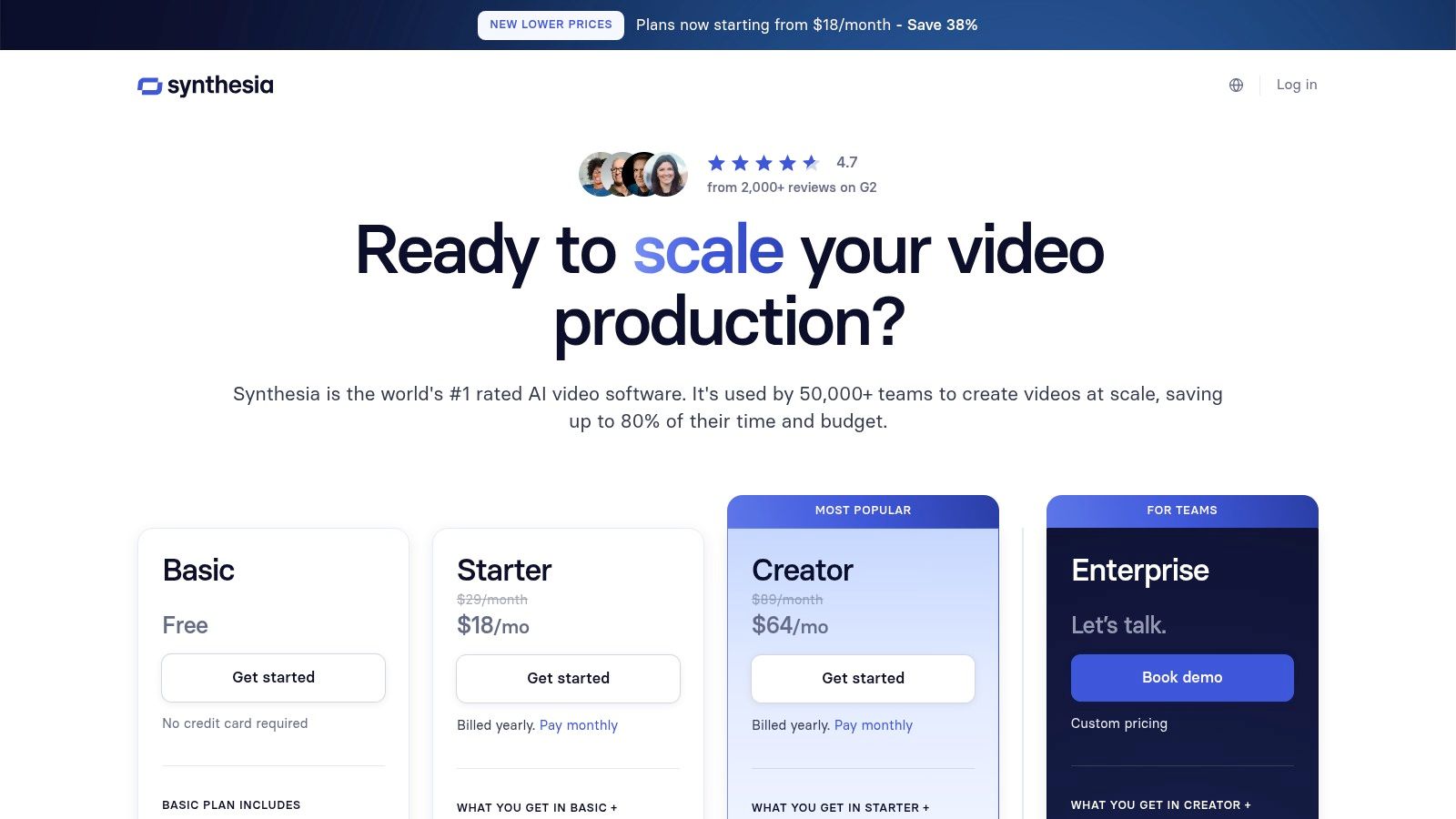
The platform distinguishes itself with a mature compliance and security posture, making it a trusted choice for large organizations. Synthesia’s pricing is based on annual plans with video-minute allowances, which provides clear budget predictability for teams. For those needing deeper integration, its API and custom avatar creation services allow companies to automate video production and maintain brand consistency with a digital version of their own talent. You can learn more about Synthesia's capabilities in various AI video generator comparisons.
Key Features & Use Cases
- Extensive Asset Library: Choose from over 230 stock AI avatars and 140+ languages and voices to create localized content at scale.
- Enterprise-Ready: Features like custom avatars, API access, and robust security protocols are designed for corporate workflows and compliance.
- Template-Based Creation: A wide variety of pre-designed video templates helps speed up production for use cases like employee onboarding or product explainers.
- AI Dubbing & Localization: Automatically translate and dub existing videos into different languages while maintaining the original speaker's voice.
While the per-minute limits on lower-tier plans can feel restrictive for high-volume creators, the platform offers clear upgrade paths. It's worth noting that pricing and plan details can sometimes vary, so it's best to confirm the specifics during the checkout process.
Best for: Businesses and enterprise teams looking for a scalable and secure platform to produce polished training, marketing, and internal communication videos.
Website: https://www.synthesia.io/pricing
4. HeyGen
HeyGen focuses on creating hyper-realistic AI avatar videos, making it an exceptional tool for corporate communications, e-learning, and marketing content. As one of the best AI video creation tools for polished, human-centric presentations, it excels at generating professional "talking head" style videos from simple text scripts. Its advanced voice cloning and video translation features allow users to localize content effortlessly, expanding their reach to a global audience with minimal production overhead.
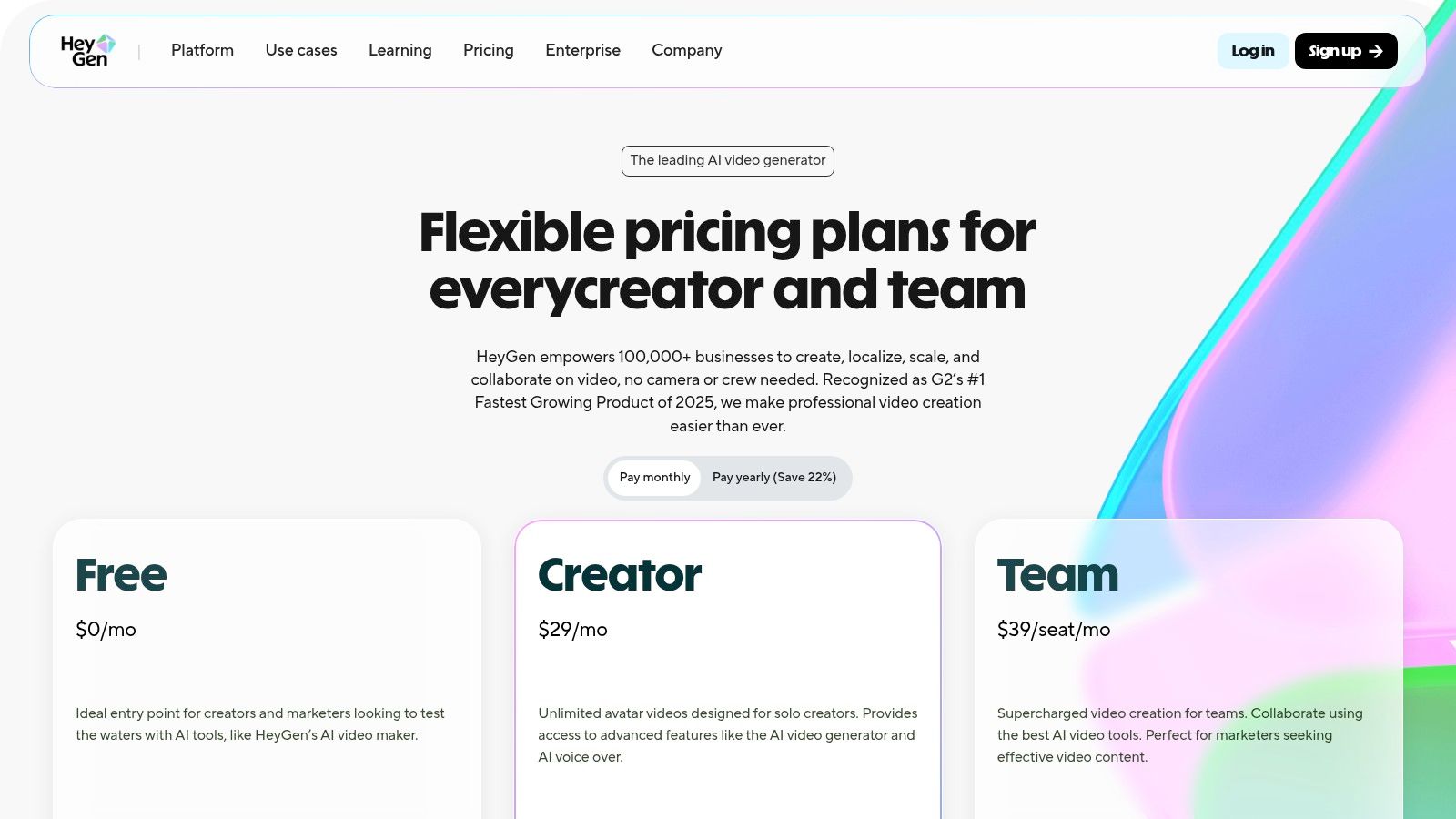
The platform stands out with its straightforward subscription model, offering unlimited generations on paid tiers (with per-video length caps) and the flexibility of add-on credit packs for premium features like 4K resolution exports. For developers, HeyGen also provides API access to integrate its powerful avatar and voice synthesis capabilities directly into their own applications, making it a versatile solution for scalable video production.
Key Features & Use Cases
- Realistic AI Avatars: Choose from over 700 stock avatars or create a custom one for consistent, branded video content without needing a live presenter.
- Voice Cloning & Translation: Clone your own voice for authentic narration or use the AI-powered translation to dub videos into over 175 languages, maintaining the original speaker's voice.
- API for Developers: Automate video creation at scale by integrating HeyGen's avatar technology into custom workflows and software.
- Templates & Customization: Start quickly with a wide range of pre-built templates for social media, training modules, and sales outreach videos.
While the subscription plans are clear, users should note that some advanced features rely on a credit system. For instance, using a premium "Avatar Pro" or exporting in 4K will consume credits from your plan or add-on packs.
Best for: Businesses, educators, and marketers who need to create scalable, professional-quality training, onboarding, and promotional videos featuring realistic AI presenters.
Website: https://www.heygen.com
5. Descript
Descript excels not as a generator but as an indispensable AI-powered editor for assembling and polishing video content, whether it's AI-generated or traditionally filmed. It's a key player among the best AI video creation tools because it flips the editing process on its head. Instead of manipulating a complex timeline, you edit the video by simply editing its transcribed text, making content creation as intuitive as editing a document. This text-based workflow is ideal for quickly assembling clips from other AI generators.
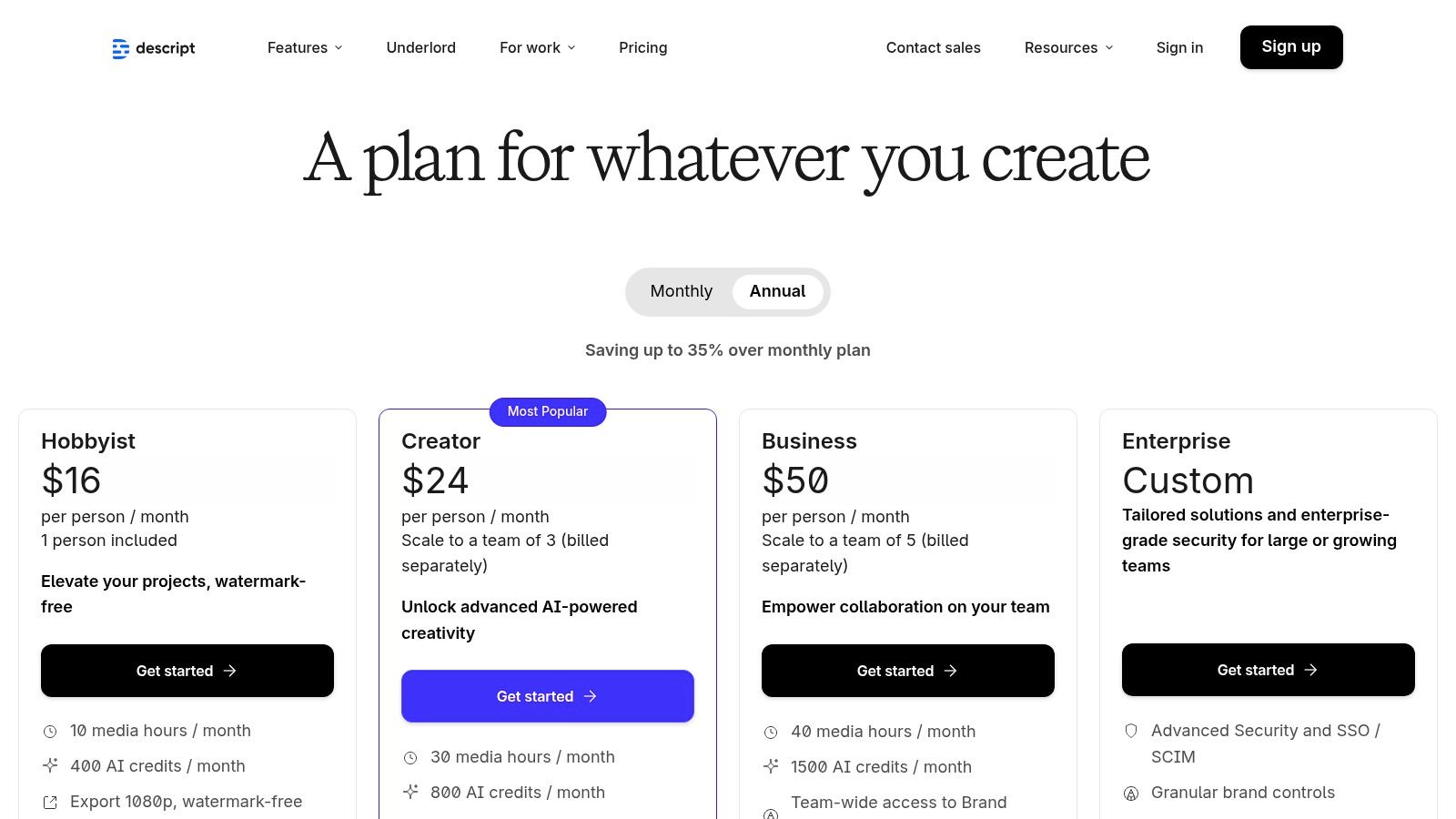
The platform's strength lies in its suite of "Studio Sound" and visual enhancement tools. Features like Overdub for creating a text-to-speech clone of your voice, automatic filler-word removal, and AI Green Screen streamline post-production. This makes it an essential tool for podcasters, educators, and marketers who need to produce high-quality talking-head videos and voiceovers with maximum efficiency. Plans range from a free tier to scalable Business and Enterprise options, each offering generous transcription hours and access to AI features.
Key Features & Use Cases
- Text-Based Video Editing: Edit video by cutting, pasting, and deleting words in the transcript. This is perfect for rapidly assembling storyboards and interview content.
- Studio Sound & Overdub: Clean up audio with a single click and create a realistic AI voice clone to fix mistakes without re-recording.
- AI Visual Tools: Features like Eye Contact ensure you're always looking at the camera, while AI Green Screen provides a clean background replacement without a physical screen.
- Collaboration Workflow: Multi-user projects, commenting, and shared workspaces make it ideal for creative teams and collaborative productions.
While Descript is a powerhouse for editing, its AI features are focused on enhancement rather than initial generation. The credit and transcription hour limits on paid tiers are generous but heavy users may need to purchase additional credits for intensive projects.
Best for: Content creators, podcasters, and marketing teams who need to rapidly edit, polish, and collaborate on narrative or interview-style videos.
Website: https://www.descript.com/pricing
6. Kapwing
Kapwing is a comprehensive, browser-based AI video studio built for social media teams and small businesses. It consolidates an entire content workflow into one platform, combining scripting, video generation, and repurposing tools. This makes it one of the best AI video creation tools for teams that need to efficiently turn long-form content into engaging social media shorts, complete with AI-powered dubbing, text-to-speech, and translation.
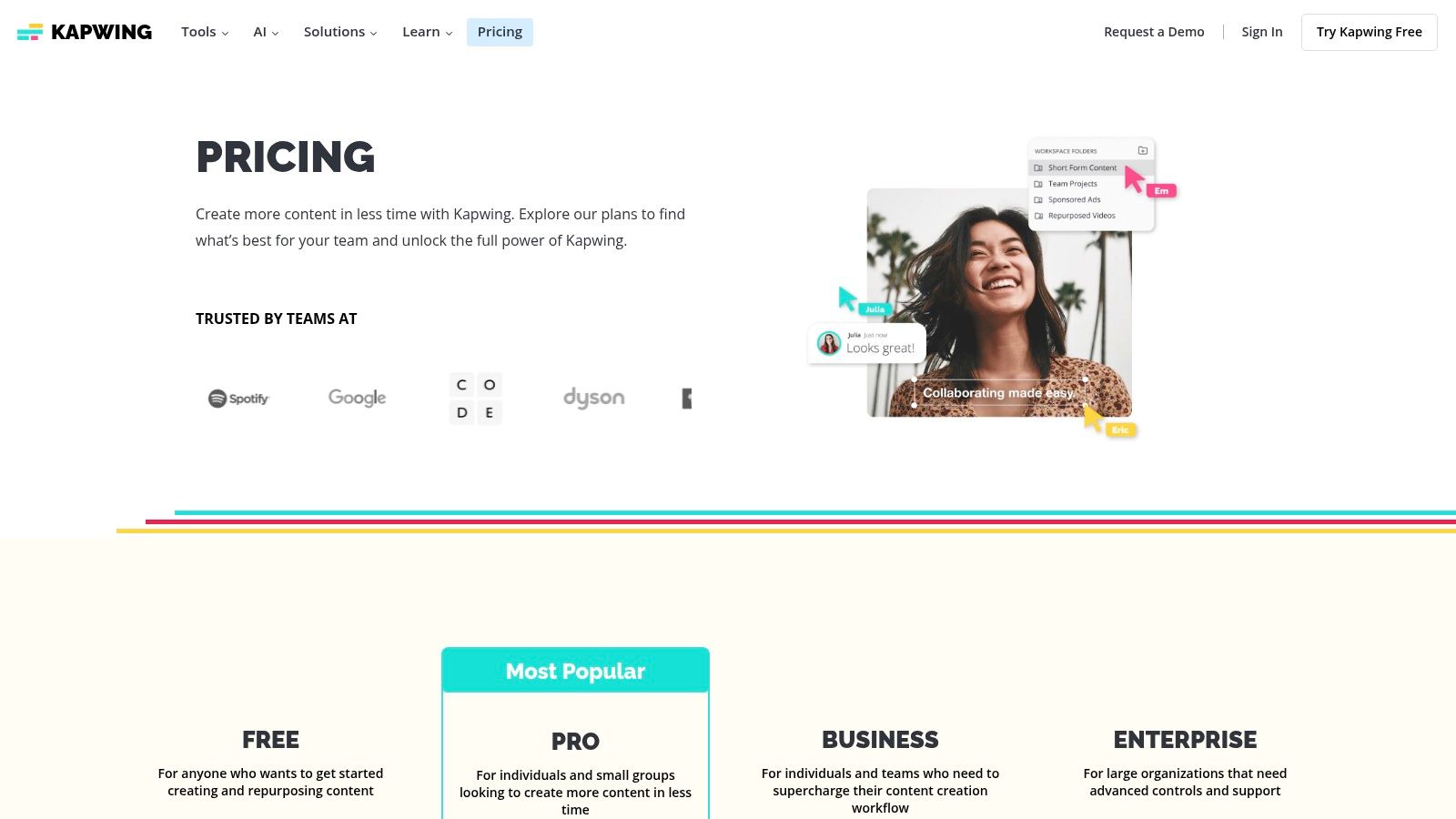
The platform’s strength lies in its all-in-one, collaborative environment. It simplifies the content creation process, allowing teams to work together in shared workspaces without juggling multiple applications. Its pricing is transparent, with clear AI credit and export minute limits per plan, so teams can easily choose a tier that fits their output volume. The Pro plan, for example, offers 500 AI credits monthly and 4K exports.
Key Features & Use Cases
- Repurpose Studio: Automatically find the most engaging clips from long videos, reformat them for social media, and add AI-generated subtitles.
- AI-Powered Tools: Includes an AI Video Generator, text-to-speech, one-click dubbing and translation, and an AI script generator.
- Collaboration Workspaces: Enables teams to share assets, provide feedback, and manage projects in a single, centralized location.
- Transparent Credit System: Each plan comes with a set amount of AI credits, allowing for predictable spending on generative features.
While the platform is incredibly user-friendly for social teams, organizations with heavy generative AI needs may find themselves needing the higher-cost Business or Enterprise tiers to accommodate their usage. Kapwing is ideal for those who prioritize workflow efficiency and collaboration over raw, standalone video generation power.
Best for: Social media managers, content teams, and SMBs needing an integrated AI-powered platform for creating and repurposing video content.
Website: https://www.kapwing.com/pricing
7. Canva (Magic Media + AI Video in Canva Pro/Teams)
Canva has evolved from a simple graphic design tool into a comprehensive content creation suite, making it a strong contender among the best AI video creation tools for marketers and businesses. Its power lies in combining an intuitive, template-driven video editor with AI-powered features like Magic Media for text-to-video generation. This integration allows users to create professional, on-brand social media videos, ads, and presentations without a steep learning curve.

The platform excels by embedding AI capabilities directly into a familiar workflow. Users can generate short video clips from a text prompt and immediately drag them into a timeline editor, add text overlays from a vast font library, and apply brand colors using the Brand Kit feature. This seamless process drastically reduces the time it takes to go from an idea to a finished, brand-compliant video asset.
Key Features & Use Cases
- Integrated AI Tools: Magic Media allows for quick generation of video clips and images from text prompts directly within the editor.
- Vast Template Library: Access thousands of professionally designed video templates for social media, marketing, and internal communications.
- Timeline Video Editor: A user-friendly editor for trimming clips, adding transitions, and syncing audio, making video creation accessible to non-editors.
- Brand Kit & Collaboration: Maintain brand consistency with preset colors, fonts, and logos. Teams can collaborate on video projects in real-time.
While AI video generation is a newer feature and the clips are short, its strength is the all-in-one ecosystem. The AI features are part of the Canva Pro and Teams subscriptions, which also unlock a massive library of stock photos, videos, and audio. Be sure to verify current pricing, as plans have been updated recently.
Best for: Marketing teams, social media managers, and small businesses needing an all-in-one platform to quickly create brand-consistent videos with AI assistance.
Website: https://www.canva.com
8. Adobe Express (and Adobe Firefly Video Model)
Adobe Express brings generative video to the masses by integrating its Firefly AI model into an intuitive, template-driven platform. As one of the best AI video creation tools for marketers and small businesses, it simplifies creating social media content, explainers, and promotional shorts. The platform stands out by bundling generative AI capabilities, like text-to-video, with a vast library of Adobe Stock assets and easy-to-use editing features.
This integration within the broader Creative Cloud ecosystem is its key advantage. Users can start a project in Express for quick ideation and then seamlessly move to professional tools like Premiere Pro for advanced editing. Adobe's focus on commercially safe AI, trained on its licensed stock library, provides peace of mind for business use. The pricing is built around monthly generative credits, making it a predictable part of a creator's toolkit.
Key Features & Use Cases
- Template-Driven Workflow: Start with thousands of professionally designed video templates for social media, ads, and presentations, then customize with AI.
- Integrated Adobe Stock: Access a massive library of stock photos, videos, and music directly within the editor to complement your AI generations.
- Firefly Video Model: Generate short, high-quality 1080p video clips from text prompts, perfect for creating unique b-roll or concept visuals.
- Creative Cloud Ecosystem: Provides a clear upgrade path to Premiere Pro and After Effects for projects that require professional-grade control and finishing.
While the Firefly video model is currently focused on generating short clips (around 5 seconds) rather than full-length scenes, it is an excellent tool for ideation and asset creation. The combined power of Express and Firefly makes it a strong contender among other AI content creation tools for teams already invested in the Adobe ecosystem. Recent price increases for Creative Cloud plans mean users should carefully evaluate their specific needs against the cost.
Best for: Marketers, small businesses, and content creators who need an all-in-one solution for creating social media videos with the backing of a professional creative ecosystem.
Website: https://www.adobe.com/express/one-plans
9. CapCut
CapCut has rapidly become a go-to video editor for social media creators, cementing its place among the best AI video creation tools by integrating powerful AI features into an accessible, mobile-first package. Originally known for its intuitive editing timeline and vast library of templates, CapCut now leverages AI for complex tasks like background removal, voice isolation, and auto-captions, streamlining the production of high-engagement short-form content. It excels at making sophisticated editing achievable with just a few taps.
The platform’s strength lies in its seamless cross-device workflow. You can start a project on your phone during a commute and finish it on the desktop app, with all assets and edits synced via the cloud. This flexibility, combined with a very low cost of entry, makes it incredibly popular for creating content for TikTok, Instagram Reels, and YouTube Shorts. The user interface is clean and easy to navigate, even for beginners.
Key Features & Use Cases
- AI-Powered Editing: Tools include one-click background removal, text-to-speech with various voices, auto-captions with customizable styles, and AI-driven dubbing.
- Massive Template Library: Speed up creation by using thousands of trending templates, effects, and sounds designed for social media formats.
- Cross-Device Sync: Start, edit, and finish projects across mobile, desktop, and web versions with cloud-based project syncing.
- Social-First Exports: Easily export videos in platform-specific aspect ratios and resolutions, ensuring optimal quality on TikTok, Instagram, and more.
While the free version is highly capable, a Pro subscription unlocks more advanced features. However, pricing can vary depending on the region and whether you subscribe through the web, App Store, or Google Play, so it's wise to confirm the cost in-app before committing.
Best for: Social media creators, marketers, and anyone needing a fast, easy-to-use editor with powerful AI enhancements for short-form video.
Website: https://www.capcut.com
10. InVideo AI
InVideo AI excels at transforming scripts into polished, short-form videos, making it one of the best AI video creation tools for marketing teams and content creators. It streamlines the production process by taking a user’s script or idea and automatically generating a complete video with stock footage, music, voiceovers, and text overlays. The platform is designed for efficiency, providing a clear path from concept to a shareable final product in minutes.
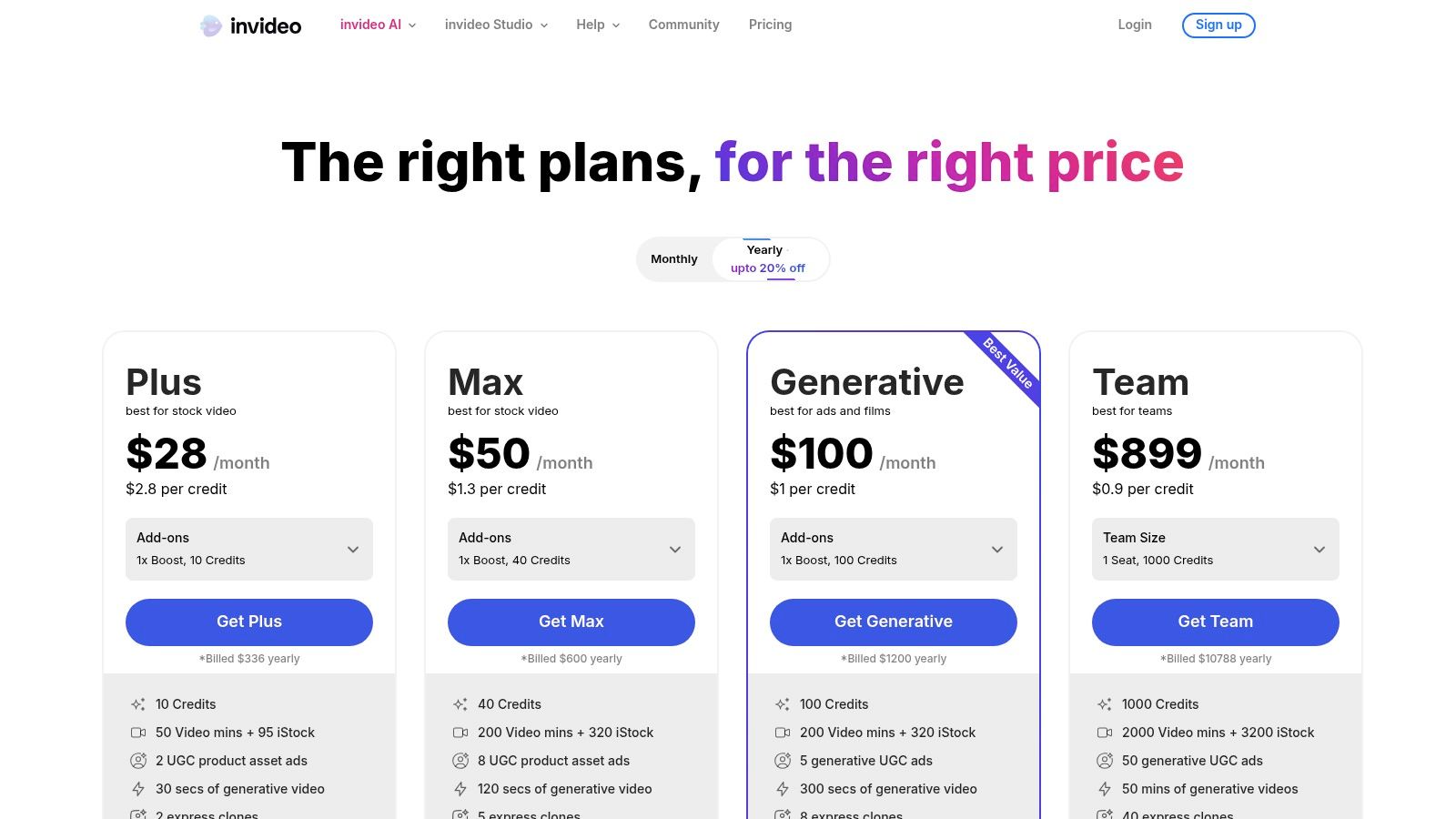
The platform distinguishes itself with a workflow-centric approach rather than focusing solely on raw generative capabilities. Users can provide a simple prompt, a detailed script, or even a URL, and InVideo AI builds the video scene by scene. It also incorporates AI avatars and a vast library of stock assets, giving users extensive options for customization without needing to film original content. For teams looking to scale content production, it stands out among digital marketing AI tools.
Key Features & Use Cases
- Script-to-Video Workflow: Automates the entire video creation process from a text prompt or script, including scene selection and voiceover generation.
- AI Avatars & Voiceovers: Choose from a library of AI-powered avatars and realistic voices to present your content, ideal for explainer videos and social media updates.
- Extensive Stock Library: Gain access to millions of premium stock photos, video clips, and music tracks to enrich your projects.
- Template-Driven Editing: Start with pre-made templates for various formats (YouTube Shorts, Instagram Reels, etc.) and use the AI to customize them for your brand.
While the free plan offers a great way to test the platform, it includes a watermark and limits generative AI features. Paid plans unlock more powerful capabilities but come with quotas on AI generations and stock media usage, so it’s wise to monitor your limits.
Best for: Marketing teams, social media managers, and content creators who need to quickly produce high-quality, short-form videos from scripts.
Website: https://invideo.io/pricing
11. VEED
VEED positions itself as an all-in-one video solution, seamlessly blending traditional web-based editing with a powerful and expanding suite of AI tools. It secures its spot among the best AI video creation tools by offering a unified workflow where users can record, edit, and enhance content with AI-driven features like text-to-video generation, AI avatars, and automatic dubbing. This integrated approach eliminates the need to jump between multiple applications for different tasks.
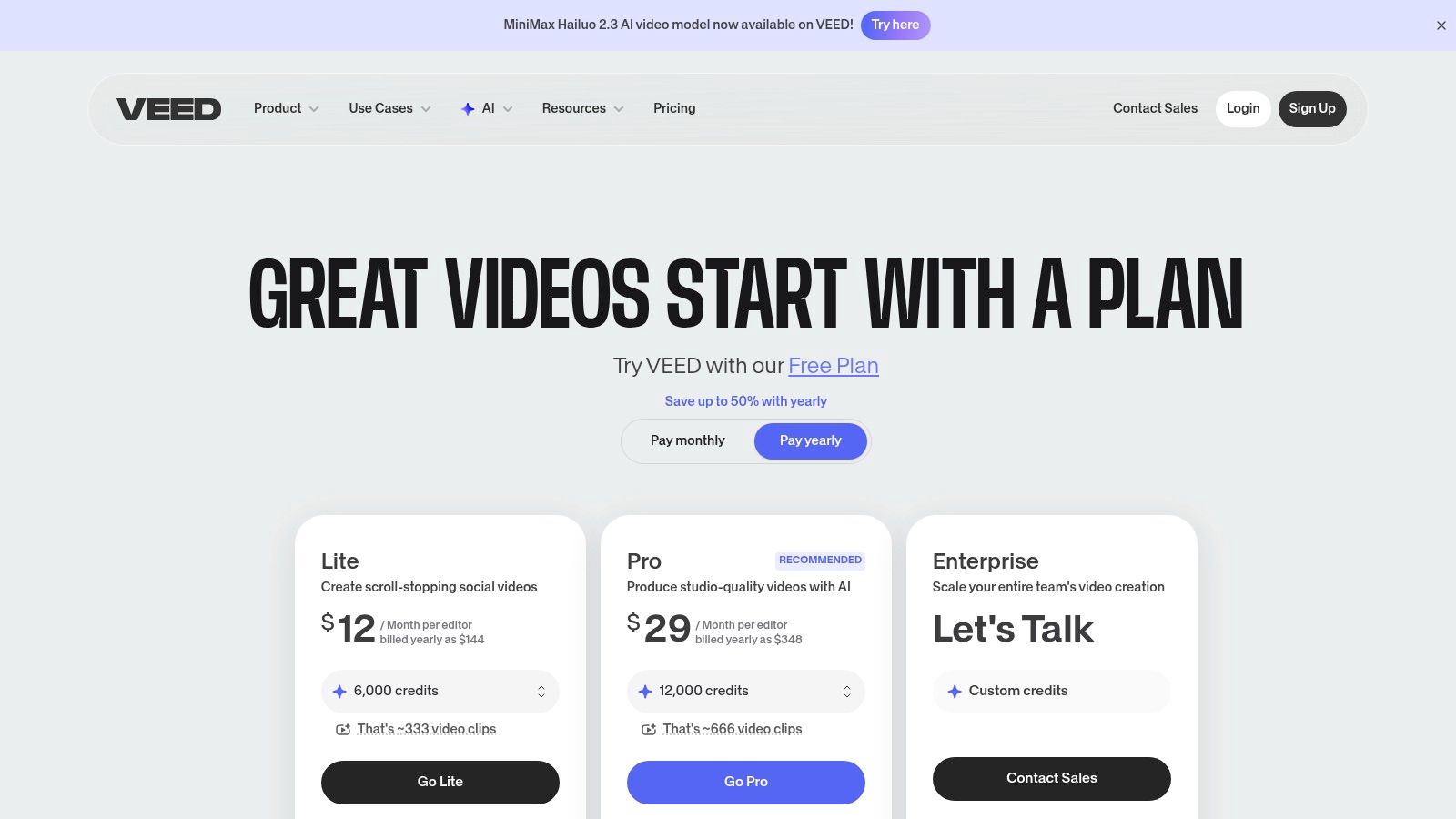
The platform stands out by providing both simple editing functionalities and advanced AI generation within the same interface. For teams, VEED offers robust collaboration tools, video hosting with analytics, and enterprise-grade controls like SSO. The inclusion of a multi-model playground, which surfaces models like Google’s Veo 3.1, gives users access to cutting-edge generation technology directly within their editing timeline.
Key Features & Use Cases
- Integrated AI Toolset: Create content from scratch using text-to-video, realistic AI avatars, text-to-speech, and automatic audio cleanup tools.
- Multi-Model Playground: Access and experiment with various generative models (e.g., Veo 3.1) to find the best output for your creative vision.
- Collaboration & Hosting: Built for teams with features for shared workspaces, feedback, video hosting, and performance analytics.
- Enterprise-Ready: Offers a clear pathway for larger organizations needing advanced governance, security features like SSO, and API access for custom integrations.
The pricing and credit system can be complex, so it's crucial to carefully review plan details to understand generation limits. Some users have reported confusion over plan entitlements, highlighting the need to verify credit allocations before committing to a subscription.
Best for: Marketing teams, content creators, and enterprises looking for a single platform that combines traditional video editing with a comprehensive suite of AI generation and collaboration tools.
Website: https://www.veed.io/pricing
12. OpusClip (Opus.pro)
OpusClip specializes in a highly focused area of AI video creation: repurposing long-form content into viral short clips. It’s an indispensable tool for podcasters, streamers, and marketers who need to efficiently distribute content across platforms like TikTok, Reels, and Shorts. The AI analyzes long videos to identify the most engaging segments, automatically reframing them for vertical viewing, adding dynamic captions, and even inserting relevant B-roll to enhance visual appeal.
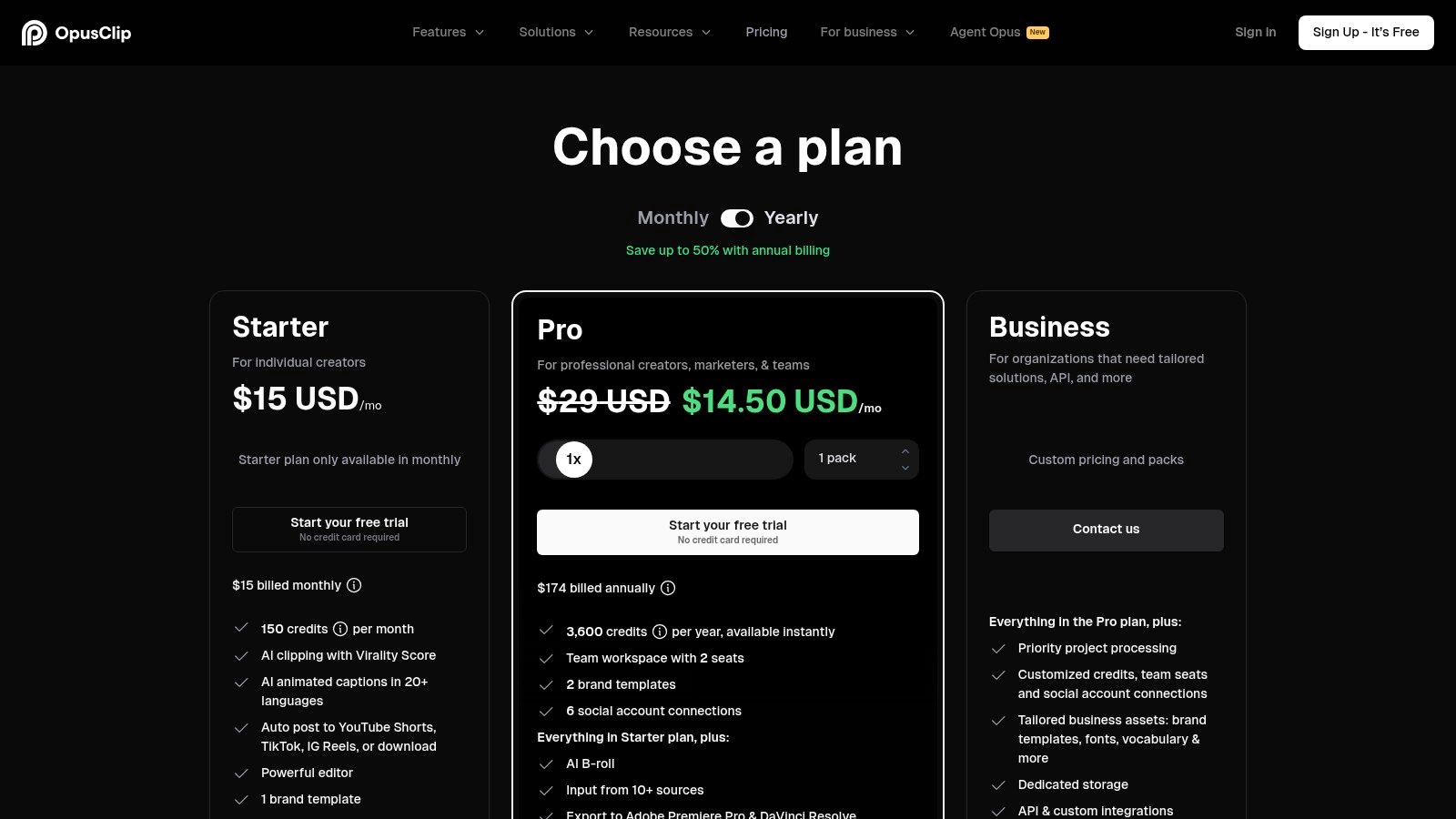
The platform’s strength lies in its speed and automation, transforming hours of raw footage into dozens of platform-ready shorts in minutes. Its pricing is structured around a clear credit-per-clip model, making it simple to budget for high-volume production. For larger media teams, the Pro plans include collaboration features, a post scheduler, and API access to integrate the clipping engine into custom content pipelines.
Key Features & Use Cases
- AI Curation & Clipping: Automatically identifies the most compelling hooks and highlights from long videos to create engaging short-form content.
- Auto Reframe & Captions: Intelligently reframes horizontal video for a vertical 9:16 aspect ratio and generates animated, word-by-word captions.
- Virality Score: Provides an AI-generated score for each clip, helping you prioritize which ones to post based on their potential to go viral.
- Team Collaboration & API: Pro plans offer workspace features for teams and an API for automating large-scale video repurposing workflows.
While OpusClip is a powerhouse for repurposing, it's not a full-fledged video editor for creating long-form narratives from scratch. It excels as a specialized tool within a broader content strategy, focused entirely on maximizing the reach of existing video assets.
Best for: Content creators, podcasters, and marketing teams needing to rapidly produce high volumes of short-form video clips from existing long-form content.
Website: https://www.opus.pro
Top 12 AI Video Tools — Feature & Pricing Comparison
| Platform | Core Features ✨ | UX & Quality ★ | Value / Pricing 💰 | Target Audience 👥 | Unique Selling Point 🏆 |
|---|---|---|---|---|---|
| Runway | Multi Gen video models (Gen‑4/Gen‑3, Veo); upscaling & dubbing | ★★★★ — production-ready controls | 💰 credit-based per‑second; predictable calculator | 👥 creators, devs, production teams | 🏆 broad model selection + API |
| Pika | In‑house models + effect tools; free monthly credits | ★★★ — simple web UI for rapid iteration | 💰 free 80 credits/mo + purchasable; low entry | 👥 hobbyists, indie creators | 🏆 easy text‑to‑video + generous starter credits |
| Synthesia | 230+ avatars; 140+ languages; templates & dubbing | ★★★★ — enterprise polish & localization | 💰 tiered per‑minute plans; enterprise API | 👥 enterprises, L&D, marketing | 🏆 large avatar library + compliance |
| HeyGen | Realistic avatars (Avatar IV); voice cloning; 4K on Team | ★★★★ — strong localization support | 💰 subs + API & credit packs; add‑ons | 👥 corporate learning, localization teams | 🏆 realistic & interactive avatars |
| Descript | Text‑based editing; Overdub; AI Green Screen | ★★★★★ — best‑in‑class edit & audio workflow | 💰 tiered plans with transcription/AI credits | 👥 podcasters, editors, collaborative teams | 🏆 text‑first editing + audio tools |
| Kapwing | AI generator, TTS, dubbing; Repurpose Studio | ★★★ — social‑team friendly, collaborative | 💰 Pro includes 500 AI credits/mo; transparent limits | 👥 social teams, SMBs | 🏆 all‑in‑one repurposing + collaboration |
| Canva (Pro/Teams) | Magic Media, timeline editor, templates & stock | ★★★★ — familiar, low learning curve | 💰 Pro/Teams subscription; watch recent price changes | 👥 marketers, small→mid teams | 🏆 huge template/brand kit ecosystem |
| Adobe Express (Firefly) | Generative credits; Firefly clips; Stock + CC | ★★★★ — reliable billing & CC integration | 💰 subs + clip‑pack pricing; good ideation value | 👥 designers, agencies scaling to CC | 🏆 Adobe ecosystem + stock integration |
| CapCut | Mobile+desktop AI: auto‑captions, templates, TTS | ★★★ — fast mobile workflows | 💰 very low cost; region/storefront variations | 👥 mobile creators, short‑form users | 🏆 vast template ecosystem + ubiquity |
| InVideo AI | Script→video; templates, avatars & stock | ★★★ — accessible for marketing teams | 💰 free tier (watermark); paid unlocks generative | 👥 marketers, creators needing script workflows | 🏆 script‑to‑short templated pipeline |
| VEED | Avatars, dubbing, Clip AI; multi‑model playground | ★★★★ — broad toolset + hosting & analytics | 💰 subs + credits; plan details can be confusing | 👥 teams, enterprises needing hosting/SSO | 🏆 end‑to‑end editor + Veo models |
| OpusClip (Opus.pro) | Auto clipping, captions, AI B‑roll; scheduler | ★★★ — ultra fast repurposing pipeline | 💰 clear credit‑per‑clip budgeting; cost‑effective for volume | 👥 creators, podcasters, media teams | 🏆 automated long‑form → viral short clips |
Final Thoughts
Navigating the rapidly evolving landscape of AI video creation can feel like exploring a new frontier. The tools we’ve detailed in this guide, from the cinematic text-to-video magic of Runway and Pika to the polished corporate communication capabilities of Synthesia and HeyGen, represent a fundamental shift in how we approach content production. The days of needing extensive technical skills, massive budgets, and time-consuming editing sessions to produce professional-quality video are quickly fading.
The key takeaway is that there is no single "best" AI video creation tool for everyone. The ideal choice is deeply personal and depends entirely on your specific goals, existing workflow, and technical comfort level. What works for a solo content creator repurposing podcasts might be entirely different from what a large enterprise needs for its internal training modules.
How to Choose the Right AI Video Tool for You
To make the best decision, you need a clear strategy. Before committing to a subscription, take a moment to define your primary use case.
- For cutting-edge creative exploration: If your goal is to push the boundaries of visual storytelling and create truly unique, artistic, or cinematic clips from text prompts, then Runway and Pika are your go-to platforms. They offer the most advanced generative models but come with a steeper learning curve and less predictable results.
- For professional communication and training: When you need polished, scalable videos featuring lifelike presenters for corporate training, marketing, or sales, Synthesia and HeyGen are the undisputed leaders. Their strength lies in consistency, ease of use, and a vast library of high-quality avatars and voices.
- For efficient editing and content repurposing: If you already have existing video or audio content, tools like Descript, VEED, and OpusClip are productivity powerhouses. They excel at transcribing, editing via text, and automatically generating short-form social media clips, saving you countless hours.
- For accessible, all-in-one design and marketing: Creators and marketers who live in platforms like Canva, Adobe Express, or CapCut should start there. These tools integrate impressive AI features directly into a familiar, user-friendly interface, making them perfect for creating social media posts, ads, and quick marketing videos without needing to learn a new system.
Final Considerations Before You Commit
Beyond the use case, remember to factor in the practicalities. Evaluate the pricing tiers carefully; many tools offer a free plan that's perfect for testing, but pay close attention to limitations like watermarks, video length, and export resolution. Consider the learning curve, as some platforms are intuitive while others require more experimentation.
Finally, recognize that this technology is still in its infancy. Results can sometimes be imperfect, and models are constantly being updated. The most successful creators will be those who embrace experimentation, learn the nuances of prompt engineering, and creatively combine the strengths of different tools. For instance, you might generate a background video in Runway, add a voiceover from Descript, and then assemble it all with captions and graphics in Kapwing.
As you build out your content creation arsenal, it's wise to look beyond just video-specific applications. A holistic approach often yields the best results. Beyond dedicated AI video tools, consider exploring a wider range of social media content creation tools to streamline your workflow and maximize your impact, such as those listed in these 12 Best Social Media Content Creation Tools for 2025.
The journey into AI-powered video is an exciting one, filled with creative potential. By starting with a clear objective and choosing a tool that aligns with your needs, you can unlock a new level of efficiency and creativity, transforming your ideas into compelling visual stories faster than ever before.
Ready to master the art of prompting for these AI video tools? Visit PromptDen, a collaborative community and marketplace for discovering, sharing, and selling high-quality AI prompts. Find the perfect prompts to generate stunning visuals with tools like Runway and Pika, and elevate your creative output. Get started with PromptDen today.