
12 Best free ai image generators You Should Know
The creative process has been fundamentally reshaped by AI, giving everyone from professional designers to hobbyists the power to generate stunning visuals from simple text descriptions. Finding the right tool, however, can be a challenge. The market is saturated with options, each with unique strengths, limitations, and learning curves. This guide cuts through the noise to deliver a comprehensive roundup of the best free AI image generators available today.
We've evaluated each platform based on its free-tier generosity, output quality, ease of use, and unique features. Whether you're a marketer needing social media assets, a developer integrating visuals into an app, or a digital artist exploring new creative frontiers, this list will help you pinpoint the ideal generator for your specific project. Before diving into specific tools, it's essential to understand the basics of how to prompt AI to create an image effectively. A well-crafted prompt is the key to unlocking an AI's full potential.
Inside this resource, you'll find a detailed analysis of 12 top-tier platforms, including:
- Key Features: What makes each tool stand out.
- Free-Tier Limits: How much you can create without paying.
- Usage & Licensing: Critical details on commercial use rights.
- Example Prompts: Real-world examples to inspire your creations.
Each entry includes screenshots and direct links, so you can start generating images immediately. Our goal is to provide a practical, scannable resource that equips you to select the best free AI image generator for your needs without hours of research.
1. Microsoft Designer (Image Creator)
Microsoft Designer, which now integrates the former Bing Image Creator, secures the top spot as one of the best free AI image generators for its seamless integration, user-friendly interface, and generous free offering. Powered by OpenAI's DALL-E 3 model, it delivers high-quality, contextually accurate images directly within a versatile design suite. It's the perfect entry point for anyone with a Microsoft account, from marketers creating social media posts to students adding visuals to presentations.
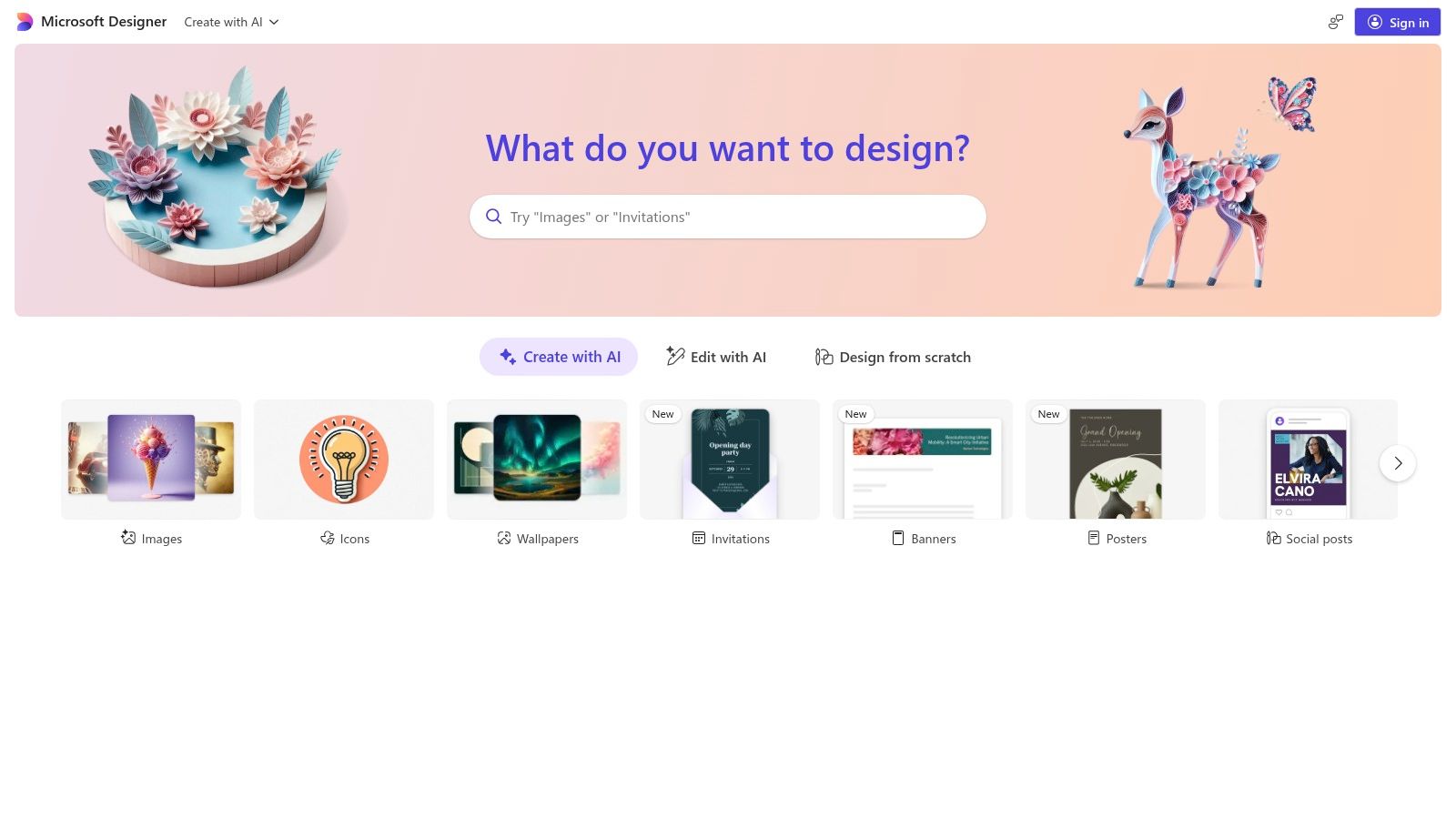
What makes it stand out is its accessibility and reliability. Unlike many platforms that require technical know-how, Designer provides a straightforward text-to-image experience backed by Microsoft's robust infrastructure and content moderation, making it a safe and dependable choice. After generating an image, you can instantly use built-in tools for one-click background removal, resizing, or adding text, streamlining the entire creative workflow.
Key Features & How to Use It
- Access: Simply log in with a free Microsoft account. You receive 15 "boosts" (fast-generation credits) for the Image Creator per day, but generation remains free, albeit slower, after they are used.
- Workflow: Enter your prompt in the Image Creator tool. Once generated, select an image to open it in the full Designer canvas for further editing, such as adding brand kits, text, or other design elements.
- Integration: The AI image generator is also available directly within Microsoft Copilot, Edge, and other Microsoft 365 apps, allowing you to create visuals without leaving your current task.
| Feature | Details |
|---|---|
| Free Tier Limit | 15 daily boosts (credits) for priority generation. |
| Model Used | DALL-E 3 |
| User Experience | Excellent. Clean, intuitive, and beginner-friendly. |
| Usage Rights | Images can be used for personal and non-commercial purposes. |
| Best For | Beginners, marketers, students, and casual users. |
Website: https://designer.microsoft.com/
2. Adobe Firefly
Adobe Firefly earns its high ranking as one of the best free AI image generators by offering an ethically-trained, commercially-safe model deeply integrated into the world's leading creative ecosystem. Designed for professionals and enterprises, Firefly is trained on Adobe Stock and public domain content, providing a significant advantage in terms of usage rights and brand safety. It’s the ideal choice for designers, marketers, and businesses that require high-quality, legally clear visuals for commercial projects.
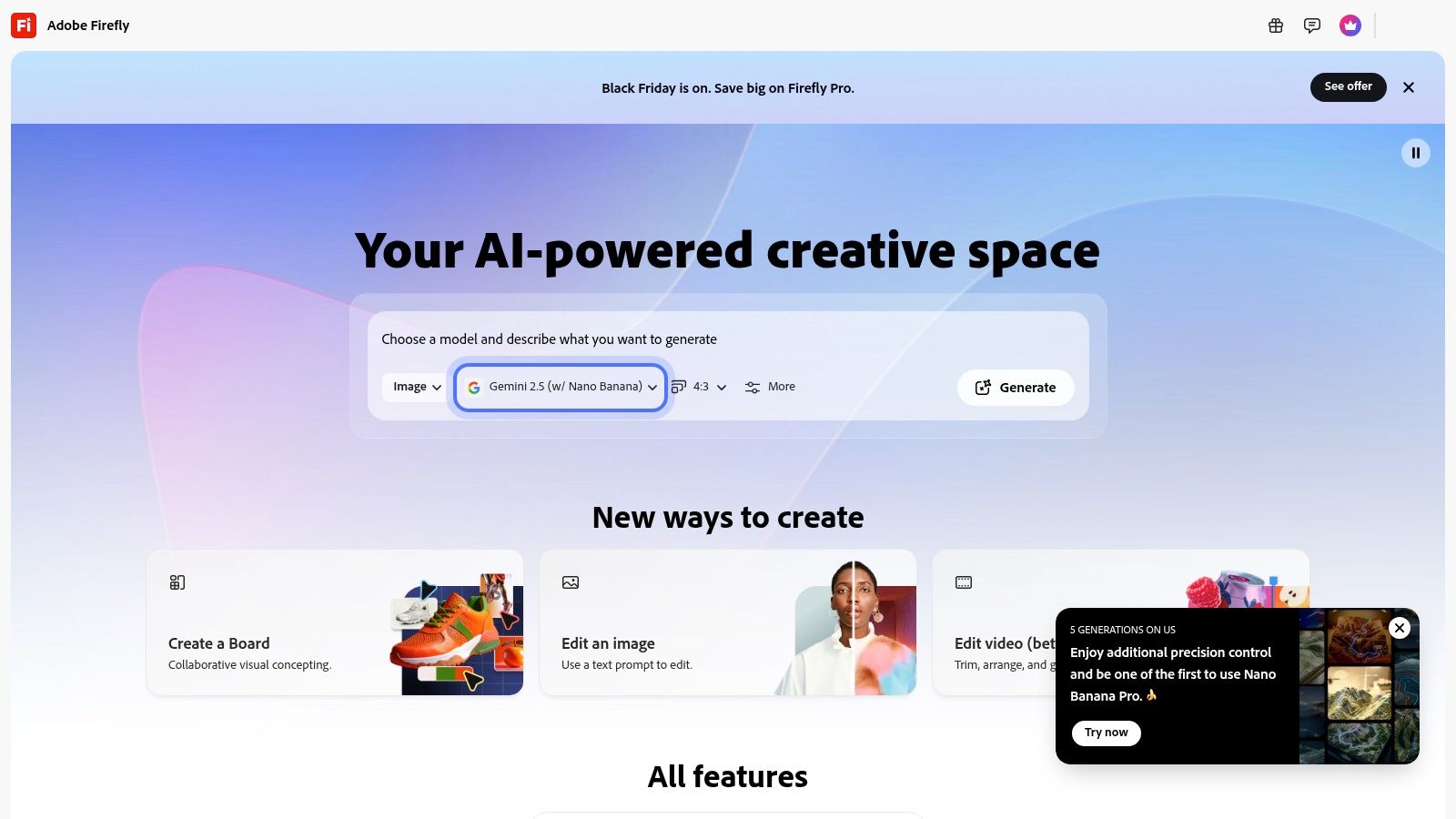
What sets Firefly apart is its focus on creative control and workflow integration. Beyond simple text-to-image generation, it offers powerful tools like Generative Fill and Generative Expand directly within flagship apps like Photoshop and Adobe Express. This allows creators to seamlessly add, remove, or extend parts of an image non-destructively, making it a true co-pilot for professional design work rather than just a standalone image creator.
Key Features & How to Use It
- Access: Sign up for a free Adobe ID to get started. The free plan includes 25 generative credits per month, which can be used across the Adobe suite for various AI tasks.
- Workflow: On the Firefly website, use the Text to Image module to enter your prompt. Refine the output using detailed controls for style, color, lighting, and composition. For more advanced editing, use Firefly-powered features within Photoshop or Express.
- Integration: Firefly's core strength is its native integration with Adobe Creative Cloud, allowing you to generate and edit AI assets without ever leaving your project files in Photoshop, Illustrator, or Express.
| Feature | Details |
|---|---|
| Free Tier Limit | 25 generative credits per month. |
| Model Used | Adobe Firefly Image Model family. |
| User Experience | Excellent. Polished, feature-rich interface with advanced controls for creators. |
| Usage Rights | Images are designed to be commercially safe for use. |
| Best For | Professional designers, creative teams, marketers, and commercial content creators. |
Website: https://firefly.adobe.com/
3. Canva (Magic Studio / Magic Media: Text to Image)
Canva earns its spot as one of the best free AI image generators by embedding powerful text-to-image capabilities directly into its world-class design ecosystem. Its "Magic Media" tool, part of the broader Magic Studio suite, is ideal for creators who need to generate a specific visual and immediately incorporate it into a larger design project, like a social media post, presentation, or marketing flyer. This seamless workflow is its greatest strength, eliminating the need to switch between different apps.

What makes Canva stand out is its all-in-one approach. You don't just get an image generator; you get a complete design platform. After creating an image with Magic Media, you can instantly apply your brand kit, use one-click background removal, add animated text, or drop it into one of thousands of professional templates. This integration makes it an incredibly efficient tool for marketers, content creators, and small business owners who need to produce branded content quickly and consistently.
Key Features & How to Use It
- Access: Sign up for a free Canva account. The free plan includes lifetime credits for the text-to-image tool, though they are limited.
- Workflow: Inside the Canva editor, navigate to "Apps" and find "Magic Media." Enter your prompt and choose a style. The generated images appear in your uploads, ready to be dragged and dropped onto your design canvas.
- Integration: The generated assets work with all of Canva's tools, including its video editor, template library, and Brand Kit features, making it a cohesive creative hub.
| Feature | Details |
|---|---|
| Free Tier Limit | 50 lifetime text-to-image credits. Paid plans offer more monthly credits. |
| Model Used | Proprietary model, likely fine-tuned from a base like Stable Diffusion. |
| User Experience | Excellent. Fully integrated into a familiar and easy-to-use design UI. |
| Usage Rights | You can use images for any lawful purpose, including commercial projects. |
| Best For | Marketers, social media managers, and non-designers needing quick visuals. |
Website: https://www.canva.com/magic/
4. Leonardo.ai
Leonardo.ai is a powerhouse creative suite that positions itself as one of the best free AI image generators for users who want more control and artistic direction. It goes beyond simple text-to-image generation, offering a platform built for creating consistent, high-quality game assets, concept art, and product mockups. Its strength lies in its diverse range of fine-tuned community models and the ability for users to train their own.
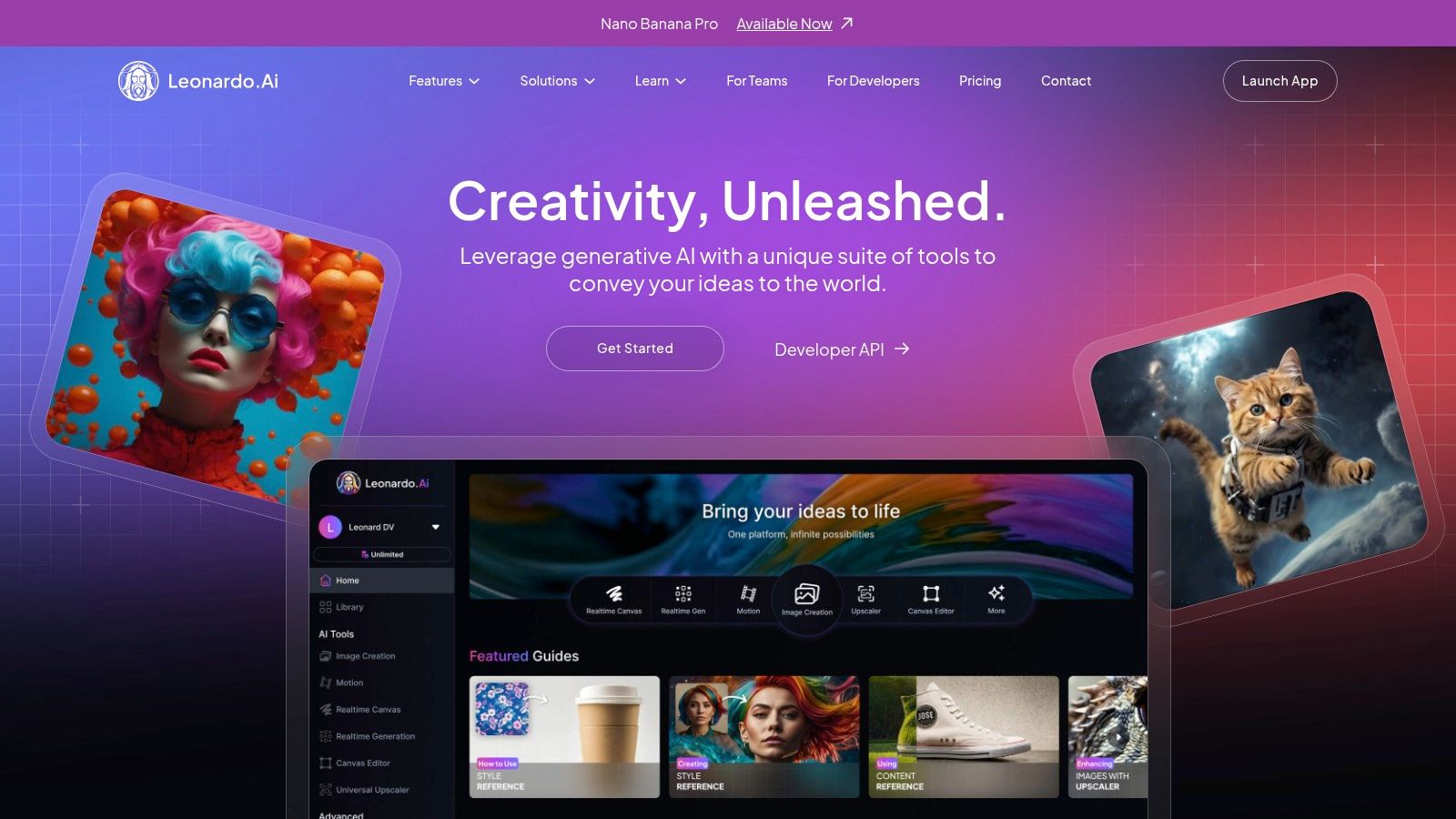
What sets Leonardo.ai apart is its community-centric ecosystem and advanced toolset. The free plan is notably generous, providing a daily allotment of "tokens" that can be used for fast generations. While the interface is packed with features that might seem complex initially, it offers unparalleled creative freedom, from negative prompts and image-to-image to specialized features like PhotoReal and Alchemy for photorealistic outputs. Understanding the various models is key, and you can learn more about how modern text-to-image models like these function.
Key Features & How to Use It
- Access: Sign up for a free account to receive 150 daily "fast tokens," which reset every 24 hours. Generations on the free plan are publicly visible.
- Workflow: Choose from dozens of fine-tuned models on the homepage, or select "Image Generation." Input your prompt, select a model and style, and adjust advanced settings like guidance scale or tiling to refine your output.
- Advanced Features: The free tier includes access to tools like AI Canvas for outpainting and inpainting, as well as upscalers. Paid plans unlock features like private generations and the ability to train your own custom models.
| Feature | Details |
|---|---|
| Free Tier Limit | 150 fast tokens per day (generation cost varies by setting). |
| Model Used | Multiple proprietary and community-trained models (e.g., Leonardo Diffusion XL). |
| User Experience | Good. Feature-rich but can be overwhelming for absolute beginners. |
| Usage Rights | You own the assets you create, even on the free plan (check terms for specifics). |
| Best For | Hobbyists, concept artists, and users wanting model variety. |
Website: https://leonardo.ai/
5. NightCafe (Creator)
NightCafe earns its spot as one of the best free AI image generators by fostering a vibrant community around AI art creation. It’s more than just a tool; it's a platform where hobbyists and artists can experiment with multiple models, participate in daily challenges, and share their work. Its credit-based system, which includes daily free credits, allows users to test advanced features and models like SDXL without an initial investment.
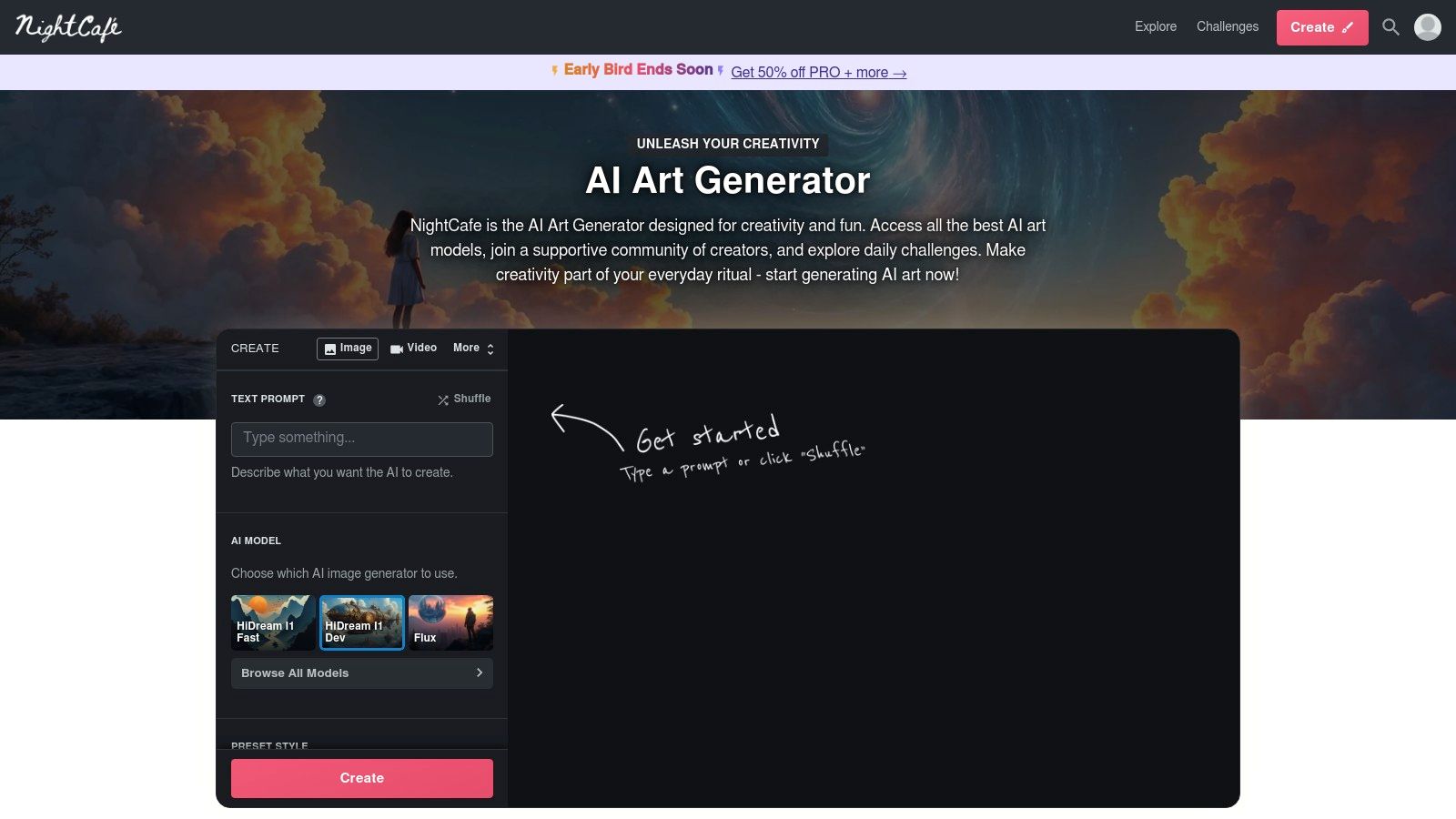
What makes NightCafe unique is its social dimension and model flexibility. Users can browse a massive public feed for inspiration, "evolve" existing creations, and follow their favorite artists. The platform also gives you fine-grained control over generation settings, appealing to those who want to move beyond basic prompting. Learning to master prompts is crucial for getting the best results here, and exploring different models helps you find the right style for your vision.
Key Features & How to Use It
- Access: Sign up for a free account to receive 5 daily credits. Additional credits can be earned by participating in community activities like voting.
- Workflow: Choose a creation method (like Text to Image), select an AI model (e.g., SDXL, DALL-E 2), and input your prompt. You can apply preset styles or adjust advanced settings before generating.
- Community: Participate in daily themed challenges to test your skills and earn credits. Explore and like creations from other users to see what prompts and models they used.
| Feature | Details |
|---|---|
| Free Tier Limit | 5 daily credits. More can be earned through community participation. |
| Model Used | Multiple, including Stable Diffusion (SDXL) and DALL-E 2. |
| User Experience | Good. Feature-rich interface with a strong community focus. |
| Usage Rights | You own the copyright to your creations, subject to the model's license. |
| Best For | Hobbyists, AI art enthusiasts, and creators seeking a community. |
Website: https://creator.nightcafe.studio/
6. Ideogram
Ideogram carves out a unique niche among the best free AI image generators with its exceptional ability to render text and typography directly within images. While many models struggle to produce coherent letters, Ideogram’s custom model excels at creating logos, posters, memes, and graphics where legible text is a core component. This makes it an invaluable tool for designers and marketers who need to blend text and visuals seamlessly without post-processing in another editor.
What makes it stand out is its "Magic Prompt" feature, which automatically enhances and expands on simple user prompts to generate more creative and detailed results. Users can explore a public feed of creations, see the prompts used, and remix them to learn and iterate quickly. This community-driven approach, combined with its powerful text rendering, provides a distinct advantage for text-heavy design work.
Key Features & How to Use It
- Access: Sign up with a Google account to get started. The free plan provides 10 slow generations per day (which translates to 40 images, as each prompt yields four options).
- Workflow: Enter a descriptive prompt and be sure to put any text you want to appear in the image inside quotation marks. Select a style tag like "typography," "poster," or "logo" to guide the model.
- Remix and Magic Prompt: Use the "Remix" feature on any image in the public gallery to adapt its prompt and style. Toggle "Magic Prompt" on to let the AI automatically improve your prompt for better outcomes.
| Feature | Details |
|---|---|
| Free Tier Limit | 10 slow generations per day (40 images). |
| Model Used | Ideogram 1.0 (proprietary) |
| User Experience | Good. Simple interface with a strong focus on community browsing. |
| Usage Rights | Free tier images are public; commercial use requires a paid subscription. |
| Best For | Graphic designers, marketers creating posters, and logo creation. |
Website: https://ideogram.ai/
7. Mage.space
Mage.space carves out a niche as a powerful and accessible web studio for those looking to experiment beyond basic text-to-image generation. It offers a generous free tier that provides access to a wide array of Stable Diffusion models, including SDXL and the newer Flux, making it one of the best free AI image generators for exploring community-driven creativity. It's an ideal platform for hobbyists and artists who want to try out different styles, LoRAs, and advanced controls without a steep learning curve.
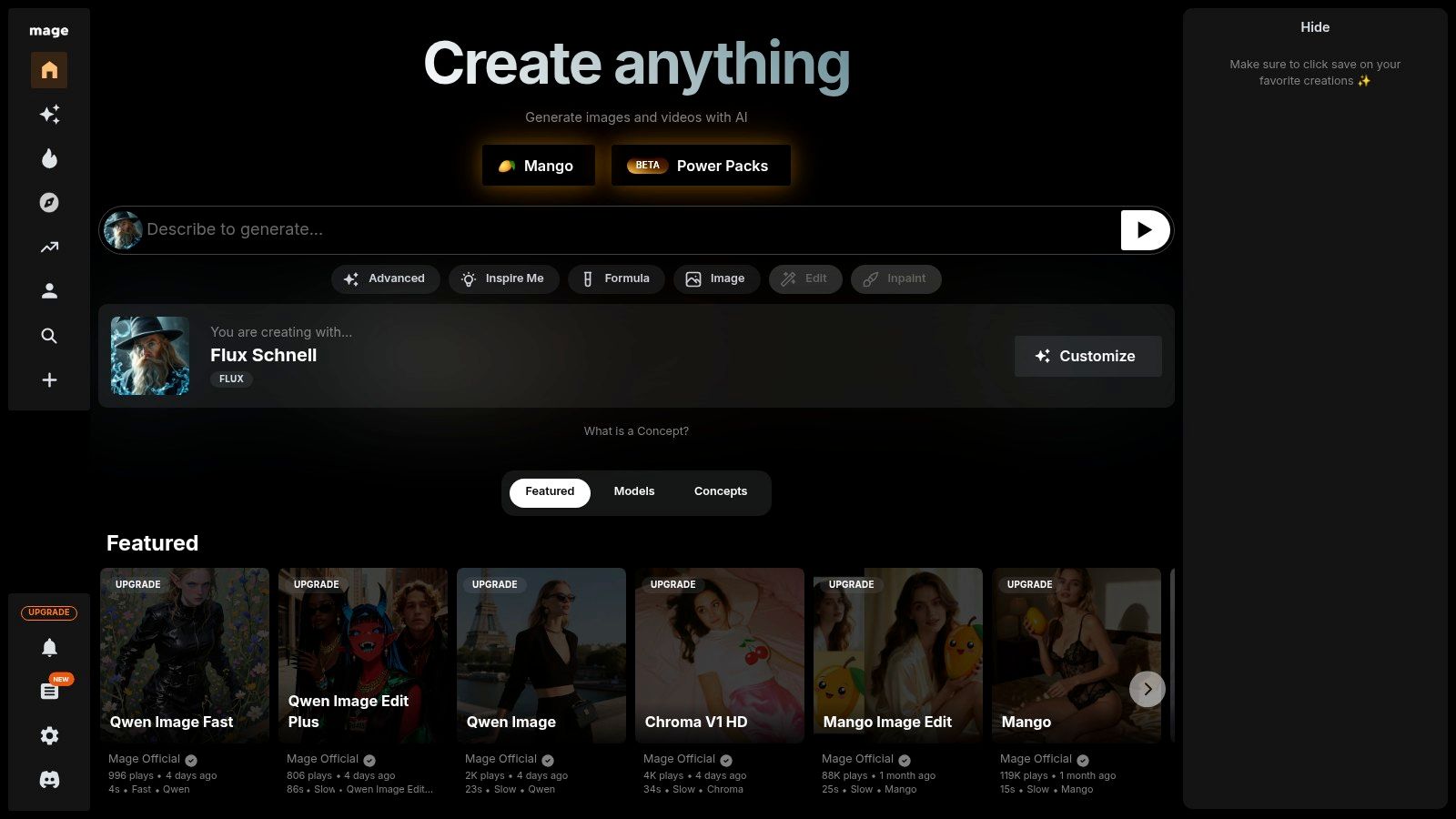
What sets Mage.space apart is its focus on community and customization. The platform not only allows you to generate images but also to browse a public feed, see the prompts and models others are using, and apply them to your own creations. While the free tier can experience queues during peak times and some advanced features are paywalled, its low barrier to entry for exploring a diverse range of models and tools is exceptional.
Key Features & How to Use It
- Access: Simply sign up for a free account to start generating. The free tier offers unlimited generations with a wide selection of models, though you may encounter wait times.
- Workflow: Select a model from the extensive library. Enter your text prompt and a negative prompt, then adjust settings like guidance scale and steps. Advanced options for LoRA, ControlNet, and inpainting are available for more precise control.
- Community Models: The platform's strength lies in its vast collection of community-trained models and LoRAs, allowing you to create images in highly specific artistic styles, from anime to photorealism.
| Feature | Details |
|---|---|
| Free Tier Limit | Unlimited generations, though subject to queues. Some models are premium. |
| Model Used | Stable Diffusion (SDXL, Flux, 1.5), and various custom/community models. |
| User Experience | Good. User-friendly interface with clear options for advanced settings. |
| Usage Rights | Permissive (CreativeML OpenRAIL-M license), allowing commercial use. |
| Best For | Hobbyists, artists, and users wanting to explore diverse AI models. |
Website: https://mage.space/
8. Tensor.art
Tensor.art carves out a unique niche as a community-driven hub for AI image generation, making it one of the best free AI image generators for those who love to experiment. It's less of a single tool and more of a massive, accessible playground, offering free access to a vast library of community-trained models, LoRAs, and checkpoints built on platforms like Stable Diffusion. This makes it an ideal choice for users looking to explore different artistic styles beyond what mainstream generators offer.

What sets Tensor.art apart is its focus on community and customization. You can browse countless images created by others, and with a single click, "Remix" their work, which automatically loads the exact model, prompt, and settings they used. This workflow-sharing feature is an incredible learning tool, allowing beginners to deconstruct complex creations and advanced users to fine-tune their outputs with precision. While the interface can feel busy compared to simpler tools, the sheer variety it provides is unmatched.
Key Features & How to Use It
- Access: Sign up for a free account to receive a daily allowance of credits (currently 100 per day), which is very generous for casual use.
- Workflow: Browse the extensive model library to find a style you like. You can either write a prompt from scratch using the selected model or find an image in the gallery and click "Remix" to copy its entire configuration for your own use.
- Customization: Advanced users can mix and match models, checkpoints, and LoRAs (Low-Rank Adaptations) to create highly specific and unique visual styles.
| Feature | Details |
|---|---|
| Free Tier Limit | 100 credits daily, which covers a significant number of image generations. |
| Model Used | Various community-trained models (based on Stable Diffusion, FLUX, etc.). |
| User Experience | Good, but can be overwhelming for new users due to the sheer number of options. |
| Usage Rights | Varies by the base model license; most are permissive for commercial and personal use. |
| Best For | AI art hobbyists, experimenters, and users wanting to explore diverse artistic models. |
Website: https://tensor.art/
9. Pixlr (AI Image Generator)
Pixlr earns its spot by integrating a capable AI image generator directly into its well-established suite of online photo editors. As one of the best free AI image generators for those who already use browser-based design tools, it offers a familiar, Photoshop-like environment. This makes it an excellent choice for users who want to generate an image and immediately jump into detailed editing, like applying filters, adding text layers, or using templates without switching platforms.
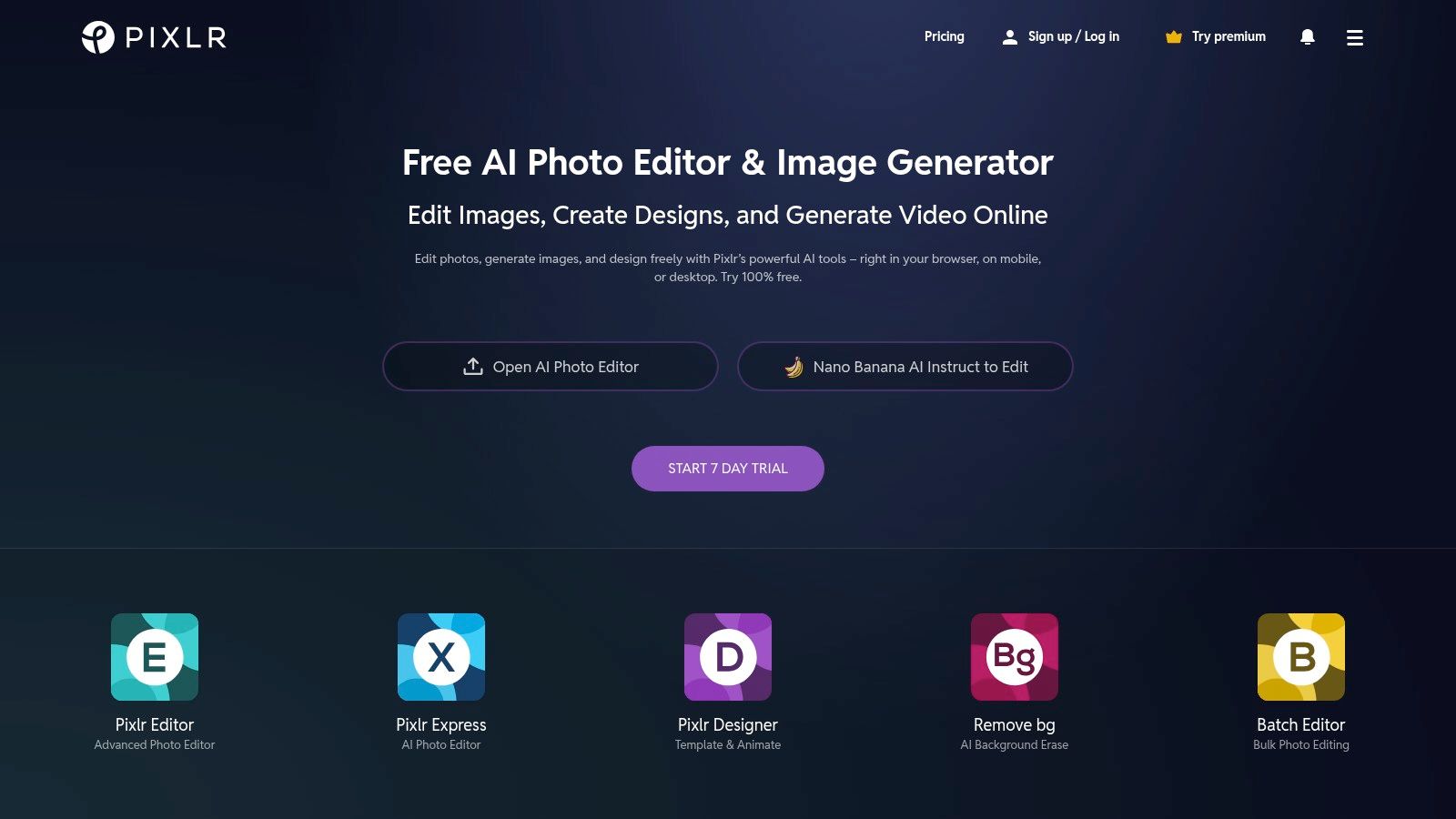
What sets Pixlr apart is its hybrid approach. It's not just a standalone generator; it's a feature within a comprehensive editor. While the free tier is ad-supported and provides a limited number of credits, the platform's strength lies in its seamless workflow. You can generate a visual and then leverage powerful tools like the background remover, selection tools, and layer adjustments, all within the same browser tab, streamlining the creative process for quick design tasks.
Key Features & How to Use It
- Access: Create a free Pixlr account to get started. You receive a small number of AI credits that replenish monthly, which is enough to test the feature.
- Workflow: Open either the Pixlr X (modern) or Pixlr E (advanced) editor. Find the "AI Generative" tool in the toolbar, enter your prompt, and select a style. The generated image appears as a new layer in your project for immediate editing.
- Integration: The generator is built directly into the editing canvas, alongside other features like templates, collage makers, and filters, offering a unified design experience.
| Feature | Details |
|---|---|
| Free Tier Limit | Limited monthly AI credits (typically 5-10). Ad-supported interface. |
| Model Used | Proprietary or undisclosed third-party model. |
| User Experience | Good. Familiar interface for users of traditional photo editors. |
| Usage Rights | Images can be used for personal and commercial purposes. |
| Best For | Casual users, social media managers, and hobbyists needing an all-in-one editor. |
Website: https://pixlr.com/
10. Fotor (AI Image Generator)
Fotor’s AI Image Generator integrates text-to-image capabilities into its well-established online photo editing and design suite. It stands out as one of the best free AI image generators for users who want an all-in-one platform for creating and then immediately editing visuals. While it may not have the raw power of specialized models, its convenience and generous initial credit offering make it a strong contender for casual users and marketers.
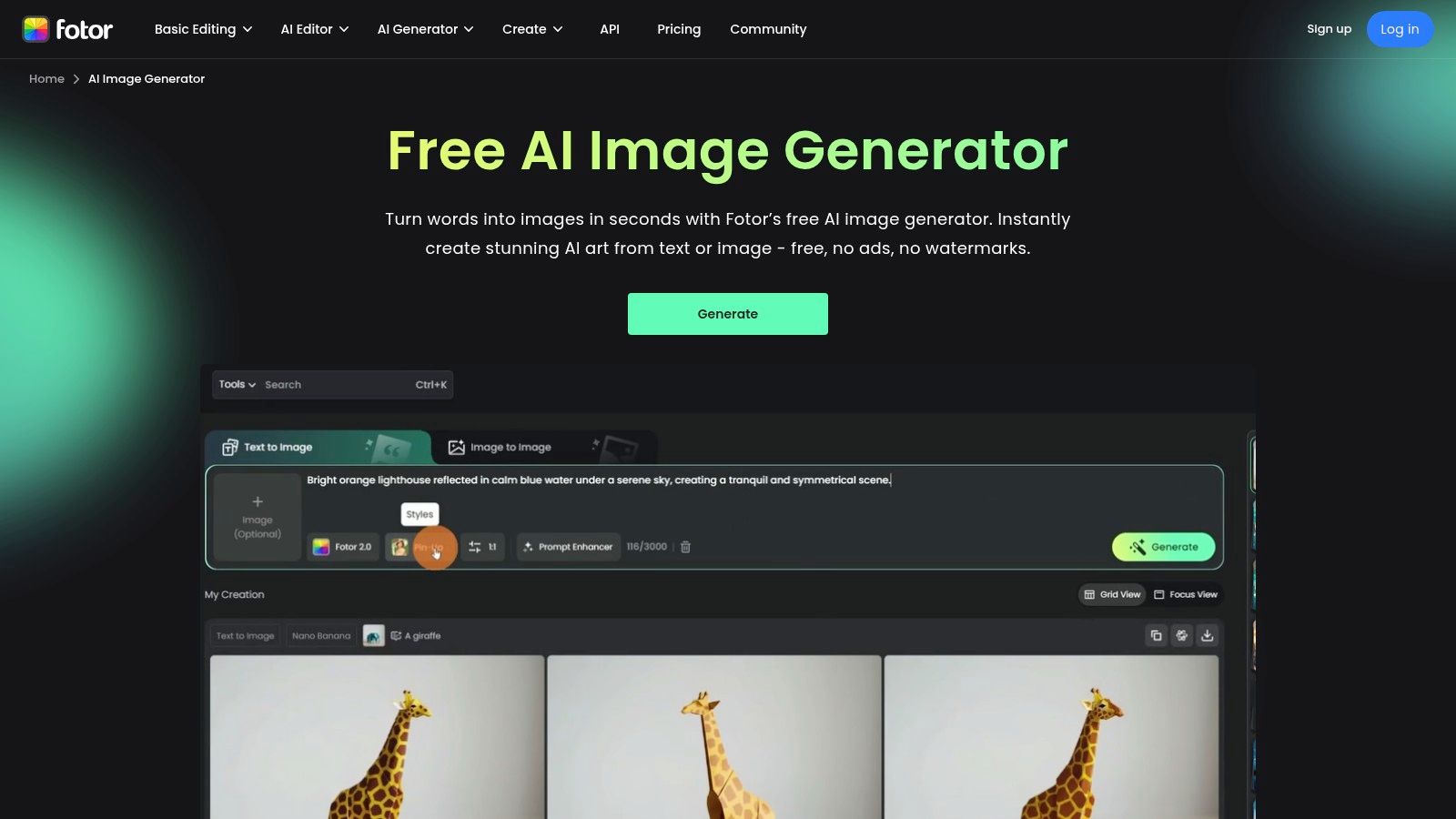
What makes Fotor particularly appealing is its seamless workflow. You can generate an image from a prompt and then, with a single click, move it into the editor to add text, apply filters, or incorporate it into a social media template. Crucially, images generated with free credits are downloadable without a watermark (at the time of writing), a rare and valuable feature in the free AI tool landscape.
Key Features & How to Use It
- Access: Sign up for a free Fotor account to receive a starting balance of credits. You can earn more credits through daily check-ins and participating in tasks.
- Workflow: Navigate to the AI Image Generator, input your prompt, and select a style (e.g., Anime, Photographic, 3D). After generation, you can use built-in tools like the AI upscaler or send the image directly to the Fotor editor.
- Integrated Tools: Fotor includes a suite of editing tools like background removers, enhancers, and a vast library of design templates, making it a complete creative hub.
| Feature | Details |
|---|---|
| Free Tier Limit | Starts with a free credit balance; more can be earned through daily tasks. |
| Model Used | Proprietary model |
| User Experience | Good. Well-integrated into a familiar photo editor interface. |
| Usage Rights | Images can be used for personal and commercial purposes. |
| Best For | Social media managers, bloggers, and casual users needing a one-stop-shop. |
Website: https://www.fotor.com/features/ai-image-generator/
11. Craiyon
Craiyon, formerly DALL-E mini, earns its spot as one of the best free AI image generators for its sheer simplicity and unlimited access. It's an ideal browser-based tool for quick brainstorming, casual experimentation, or generating playful concepts without needing to create an account or track credits. While its output quality isn't as polished as top-tier models, it serves as an excellent starting point for visualizing ideas.
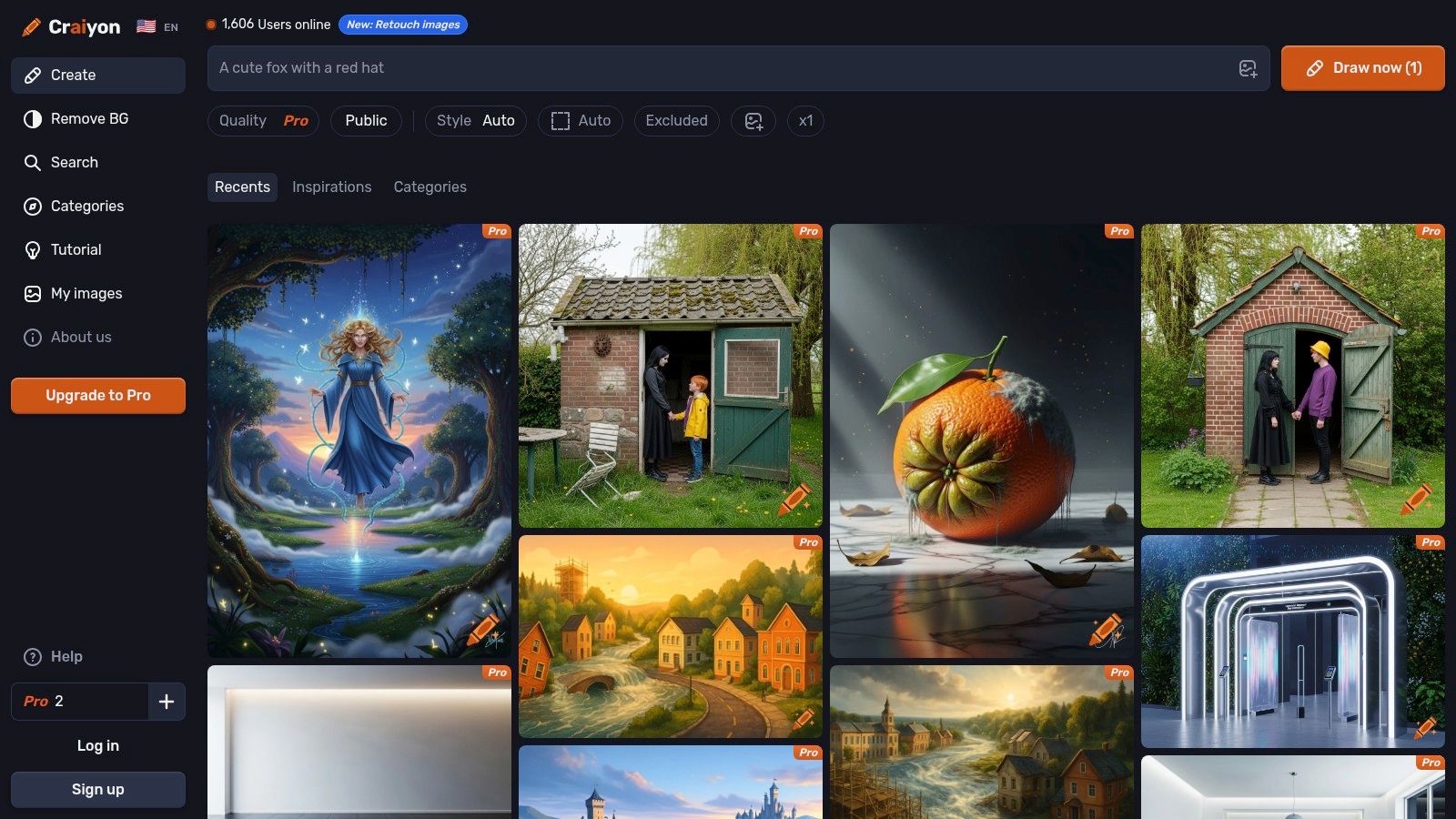
What makes Craiyon unique is its straightforward, no-frills approach. You visit the site, type a prompt, and get your images. It's perfect for users who want to try out AI art without any commitment. The platform is also great for exploring prompts, as it features a community search where you can see what others have created and draw inspiration from their successful inputs.
Key Features & How to Use It
- Access: Completely free and browser-based with no login required. Simply navigate to the website to start generating.
- Workflow: Enter a text prompt and choose a style like Art, Photo, or Drawing. The AI generates a 3x3 grid of images. Paid tiers offer faster generation, higher quality, and remove watermarks.
- Presets: The interface includes simple negative prompt presets and style selectors (Photo, Illustration, Vector) to help guide the AI, making it accessible even for absolute beginners.
| Feature | Details |
|---|---|
| Free Tier Limit | Unlimited generations with watermarks and wait times. |
| Model Used | Proprietary models (evolved from the original DALL-E mini). |
| User Experience | Very simple. Point-and-click interface, though ads can be distracting. |
| Usage Rights | Images are free for personal use; a commercial license requires a paid plan. |
| Best For | Quick brainstorming, beginners, and casual users not needing high-fidelity output. |
Website: https://www.craiyon.com/
12. Hugging Face Spaces
Hugging Face Spaces is less a single tool and more a vast, open playground, making it one of the best free AI image generators for exploration and experimentation. It hosts a massive directory of community-built AI demos, including hundreds of text-to-image models. This is where you can try cutting-edge, niche, or experimental models like SDXL, Flux, or specialized anime generators directly in your browser without any installation.
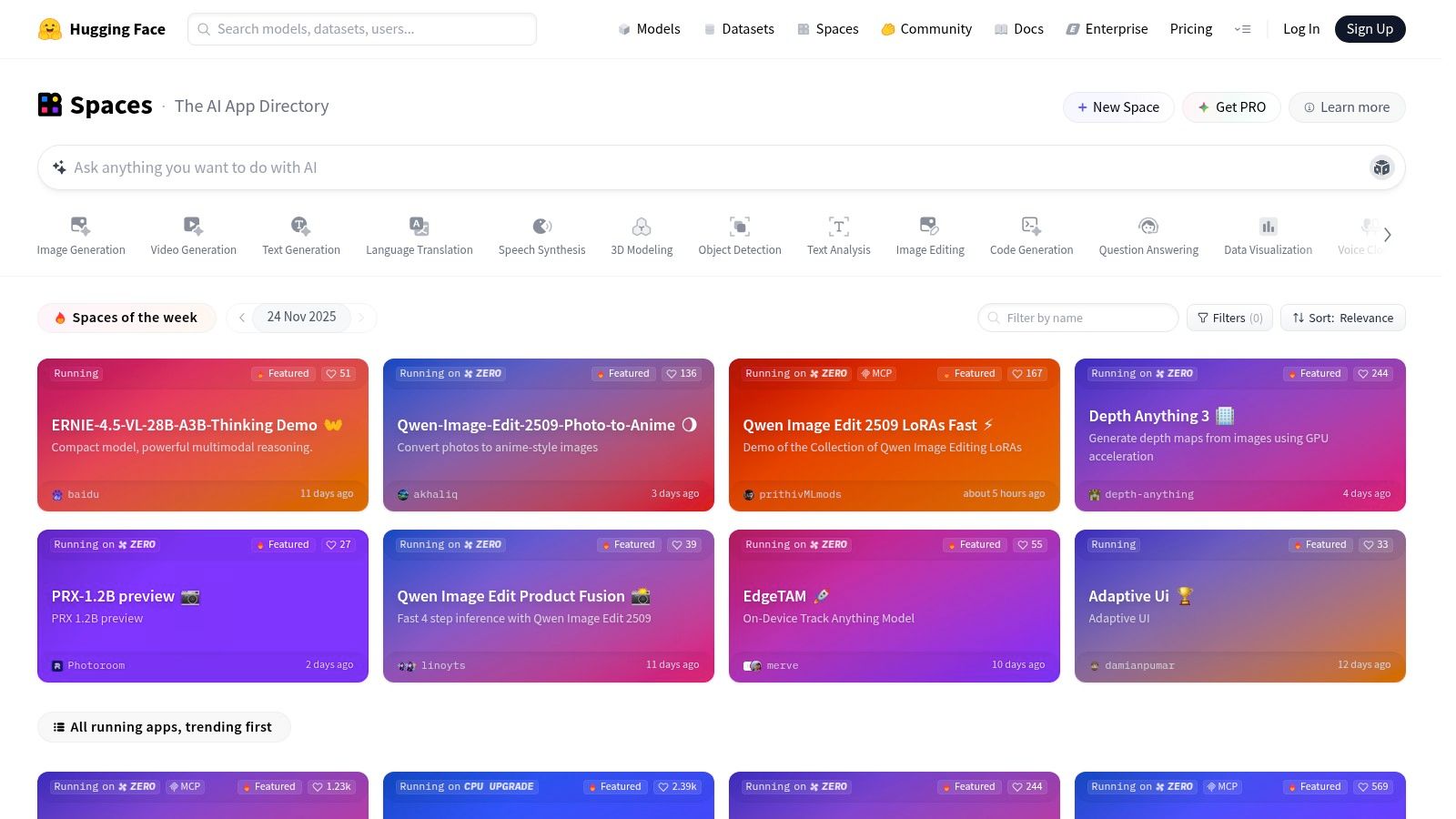
What makes it unique is the sheer variety. While not a polished, unified product, it offers unparalleled access to the latest developments in AI image generation. It's the perfect platform for users who want to compare different models, test complex prompts, or simply see what's possible beyond mainstream tools. However, since these are community-hosted "Spaces," performance, uptime, and usage limits can vary significantly.
Key Features & How to Use It
- Access: Completely free. Navigate to the Spaces section and filter by tags like "text-to-image" to find a generator. No account is required for most demos.
- Workflow: Find a Space you want to try, enter your prompt directly on the page, and click generate. The interface and options will differ for each individual Space. You can also explore the code behind each demo to better understand how to generate AI images from text.
- Variety: Provides access to a wide array of models, from major releases like Stable Diffusion variants to highly specialized, fine-tuned models for specific artistic styles.
| Feature | Details |
|---|---|
| Free Tier Limit | Varies by Space; many are free with potential rate limits or queues. |
| Model Used | Hundreds of different models (SDXL, LCM, niche custom models, etc.). |
| User Experience | Inconsistent. Can range from simple interfaces to complex technical demos. |
| Usage Rights | Varies by model license. Check the details on each Space page. |
| Best For | Developers, AI enthusiasts, and users wanting to test diverse models. |
Website: https://huggingface.co/spaces
Top 12 Free AI Image Generators Comparison
| Platform | Core features | Quality ★ | Price / Value 💰 | Audience 👥 | Standout ✨ |
|---|---|---|---|---|---|
| Microsoft Designer (Image Creator) | Text-to-image, resizing, bg removal; MS365 & Copilot integration | ★★★★ | Free monthly credits; more with Microsoft 365 💰 | Beginners & Office users 👥 | ✨Integrated into Word/PowerPoint · 🏆Strong safety |
| Adobe Firefly | Text-to-image, Generative Fill/Expand, upscaling; Photoshop integration | ★★★★ | Free entry + credits; paid plans for more 💰 | Creative pros & enterprise 👥 | ✨Commercial-use clarity · 🏆Deep Adobe workflow |
| Canva (Magic Studio) | Prompt-to-design T2I inside editor, Brand Kit, templates | ★★★★ | Free limited AI; Pro/Teams increase limits 💰 | Marketing teams, social creators 👥 | ✨End-to-end templates & brand tooling |
| Leonardo.ai | T2I, upscaler, finetuning & personal model training, batch gen | ★★★★ | Daily free fast tokens; paid private/train tiers 💰 | Artists, concept & asset creators 👥 | ✨Model training & power-user controls · 🏆Generous fast tokens |
| NightCafe (Creator) | Multi-model T2I, community feed, challenges, print options | ★★★ | Daily free/earnable credits; subs with rollover 💰 | Hobbyists & casual creators 👥 | ✨Active community & challenges |
| Ideogram | High-fidelity text/logo rendering; canvas editor & Remix | ★★★★ | Weekly slow credits; paid priority/private modes 💰 | Designers needing precise text/logos 👥 | ✨Exceptional typography/logo fidelity · 🏆Transparent plans |
| Mage.space | SDXL/Flux, LoRA/ControlNet, inpainting; free + memberships | ★★★ | Permissive free access; memberships for faster GPUs 💰 | Experimenters & model tinkerers 👥 | ✨Easy access to community models & LoRAs |
| Tensor.art | Multi-model hub (Flux, Kontext, SD), in-browser image/video, workflows | ★★★ | Mostly free; variable load/queues 💰 | Learners & model explorers 👥 | ✨Large model repository & shared workflows |
| Pixlr (AI Image Generator) | Browser editor with T2I, bg remover, templates & filters | ★★★ | Free with ads; low-cost plans add monthly credits 💰 | Budget editors & casual designers 👥 | ✨Photoshop-like browser workflow |
| Fotor (AI Image Generator) | T2I, upscaler, background tools, cloud storage | ★★★ | Free starter credits; paid for more + features 💰 | Casual photo editors 👥 | ✨Easy end-to-end editing · (no-watermark on free credits at time) |
| Craiyon | Simple presets, community prompts, always-on free generator | ★★ | Truly free base (watermark); Pro removes watermark 💰 | Brainstorming & playful users 👥 | ✨Always-free access for quick experiments |
| Hugging Face Spaces (image) | Directory of community-hosted T2I demos (SDXL, Flux, niche) | ★★★ (varies) | Mostly free; some rate-limits or paid hosting 💰 | Researchers, devs & prompt testers 👥 | ✨Largest variety for testing models and prompts |
Final Thoughts
Navigating the vibrant landscape of the best free AI image generators reveals a world brimming with creative potential, accessible to everyone from seasoned designers to curious hobbyists. We've journeyed through a dozen powerful platforms, each offering a unique gateway into the realm of AI-powered artistry. From the seamless integration of Microsoft Designer and Canva into existing workflows to the artistic control offered by Leonardo.ai and the community-driven models on Tensor.art, the options are as diverse as the images they create.
The key takeaway is that there is no single "best" tool for every person or project. Your ideal generator depends entirely on your specific goals, technical comfort level, and creative needs. The generosity of the free tiers we've explored provides a fantastic, risk-free opportunity to experiment and discover which platform's style, interface, and features resonate most with you.
Choosing Your Creative Co-Pilot
Making the right choice can feel overwhelming, so let's distill our findings into a simple decision-making framework. Consider these points to match a tool to your task:
- For Quick, High-Quality Content: If your primary need is generating polished, commercially safe images for marketing materials, social media, or presentations with minimal fuss, start with Adobe Firefly or Microsoft Designer. Their user-friendly interfaces and focus on ethical, commercially usable outputs make them reliable workhorses.
- For Artistic Expression and Control: For digital artists, prompt engineers, and creators who want to fine-tune every detail, Leonardo.ai and NightCafe are exceptional starting points. They offer advanced controls, diverse artistic models, and community features that encourage deep creative exploration.
- For Reliable Text and Typography: When your image concept hinges on legible and accurate text, Ideogram is currently the unparalleled leader in the free space. It consistently delivers superior typographic results that other generators struggle with.
- For Sheer Volume and Experimentation: If you're looking to generate a high volume of images to brainstorm ideas or just play around without worrying about credits, platforms like Mage.space and Craiyon offer more lenient or even unlimited free plans, though sometimes at the cost of speed or feature depth.
Beyond the Prompt: Key Considerations
As you integrate these tools into your creative process, remember that the generator is only one part of the equation. Mastering the art of the prompt is crucial for unlocking the best results. Furthermore, always be mindful of the licensing and usage rights associated with each platform's free tier. While many are permissive, the specifics can vary, especially regarding commercial use.
Finally, remember that the world of generative AI is constantly expanding. While our focus has been on general text-to-image platforms, the field of AI image generation also includes specialized tools, such as those for AI avatar creation, offering unique ways to personalize digital content. The rapid pace of innovation means new models, features, and even entirely new platforms are always on the horizon. The best approach is to stay curious, keep experimenting, and embrace the journey of co-creation with these remarkable technologies. Your imagination is the only true limit.
Ready to take your image generation to the next level? The quality of your output depends directly on the quality of your input, and PromptDen is your ultimate resource for crafting the perfect prompt. Explore our vast, community-powered library at PromptDen to discover, share, and master the prompts that will unlock stunning results from any of the best free AI image generators.