
Mastering Few Shot Prompting for Better AI Results

Few-shot prompting is a clever way to get an AI model to perform a new task by simply showing it a few examples.Instead of needing massive, specially prepared datasets, you can provide just 2 to 5 examples right inside your prompt. This gives the model a clear pattern to follow, guiding it to produce the exact kind of output you're looking for. It’s a technique that makes powerful AI much easier and faster to work with.
What Is Few-Shot Prompting and Why Does It Matter?

Think about teaching a new coworker how to sort customer feedback. You wouldn't hand them a 100-page training manual right away. Instead, you'd show them a few real-world examples: "This email is 'Urgent'," "this one is 'Positive Feedback'," and "this one is just a 'General Question'."
Almost instantly, your colleague gets the gist and can start sorting emails on their own. That's exactly how few-shot prompting works.
It’s a simple but effective method that taps into the vast knowledge already stored inside a Large Language Model (LLM) to get it to do something new with very little hand-holding. You're not retraining the AI from the ground up; you're just giving it some quick, on-the-fly instructions through examples. This whole process is often called in-context learning.
Prompting Techniques at a Glance
To really get a feel for why few-shot prompting is so useful, it helps to see how it stacks up against other common methods. Each technique has its own strengths and is suited for different kinds of tasks.
| Prompting Type | Number of Examples | Core Concept | Best For |
|---|---|---|---|
| Zero-Shot | 0 | Asks the model to perform a task without any examples. | Simple, straightforward tasks the model already knows how to do well. |
| One-Shot | 1 | Provides a single example to guide the model. | When you need to nudge the AI in the right direction but the task isn't overly complex. |
| Few-Shot | 2-5 | Offers several examples to demonstrate a clear pattern. | Complex or nuanced tasks where the desired format or logic needs to be shown. |
As you can see, the number of examples you provide directly influences how much context the AI has to work with. Few-shot strikes a perfect balance, offering enough guidance for complex tasks without the overhead of creating a large dataset.
The Power of Examples
The real magic of few-shot prompting is in its efficiency. When you embed a handful of solid examples directly into your prompt, you're essentially handing the AI a blueprint. This simple act dramatically improves the model's accuracy, giving it the contextual clues it needs to generate exactly what you want.
This approach brings some major advantages to the table, making it a favorite for anyone working with AI:
- Speed and Agility: You can teach an AI a new skill in the time it takes to write a prompt. No more waiting around for lengthy training cycles, which means you can prototype and test ideas much faster.
- Cost-Effectiveness: It completely sidesteps the need for expensive data collection and the time-consuming process of fine-tuning a model.
- Accessibility: You don't need a PhD in machine learning to use it. If you can write clear instructions and come up with a few good examples, you can steer a powerful LLM with precision.
By providing context through examples, few-shot prompting transforms a general-purpose AI into a specialized assistant for your specific task, all within a single interaction.
Ultimately, few-shot prompting matters because it makes advanced AI practical for real-world use. Whether you're a marketer trying to generate ad copy, a developer classifying user intent, or just someone trying to get a specific answer, this technique lets you guide powerful models with ease.
To really nail this, you need a good grasp of AI communication fundamentals. Check out our insider's guide to what a prompt means to build a solid foundation.
How In-Context Learning Actually Works
At its heart, in-context learning is how a Large Language Model (LLM) figures out what you want by looking at examples you include right in the prompt. This isn't some permanent training session; it's more like handing the model a temporary cheat sheet just for the task at hand.
The model doesn't actually update its core knowledge. Instead, it uses the examples you provide as a pattern to follow for its very next response. It’s a powerful way to guide the AI without needing to fine-tune a whole new model.
Imagine you’re trying to get an AI to classify customer support tickets. With few-shot prompting, you’d set up your prompt with three key parts: the instruction, a few examples, and your final question. This structure gives the model a crystal-clear roadmap from understanding your goal to getting it done.
The Anatomy of a Few-Shot Prompt
Let's pull back the curtain and see how these pieces fit together. Each one plays a specific role in steering the model toward the right answer.
- The Instruction: This is your direct command. It tells the model exactly what to do and sets the stage. For our ticket-sorting task, it might be something like: "Classify the following customer feedback into one of three categories: Positive, Negative, or Neutral."
- The Examples (The "Shots"): This is where the magic happens. You provide a handful of input-output pairs that show the model what a correct answer looks like. The key is to keep the formatting consistent so the model can easily spot the pattern.
- The Query: This is the new, unseen piece of text you want the model to work on. It takes the pattern it just learned from your examples and applies it to this new input.
This simple combo of instructions and examples gives the LLM all the context it needs to perform a specific task, no specialized training required.
Seeing It in Action
Let’s look at a complete few-shot prompt for sentiment analysis. Pay close attention to the consistent Text: and Sentiment: labels—this simple structure is what helps the model connect the dots.
Instruction: Classify the following customer feedback into one of three categories: Positive, Negative, or Neutral.
Example 1: Text: "The new user interface is so intuitive and easy to navigate!" Sentiment: Positive
Example 2: Text: "The app keeps crashing every time I try to upload a file." Sentiment: Negative
Example 3: Text: "I haven't noticed any major changes in the latest update." Sentiment: Neutral
Your Query: Text: "The customer support team was incredibly helpful and resolved my issue in minutes." Sentiment:
When an LLM sees this, it immediately picks up on the pattern: a snippet of text is followed by a sentiment label. It then applies that logic to your new query and correctly figures out the sentiment is "Positive."
The image below gives you a great visual of this process, showing how the examples guide the model to the final prediction.
This visual breaks down the standard flow of few-shot prompting, from the initial task description and examples all the way to classifying a new tweet. The quality and clarity of your examples have a direct impact on how well the model performs.
If you want to go deeper into crafting prompts that get results, check out our essential prompt engineering guide, which covers these principles in a lot more detail.
Designing Prompts That Get Results
Creating a few-shot prompt that actually works is part art, part science. You're not just throwing examples at the AI; you're strategically designing a mini-lesson that it can grasp and replicate in an instant. The goal is to guide it with absolute precision.
Your examples are everything. Think of them as the entire curriculum for the AI’s pop quiz. If that curriculum is confusing, inconsistent, or just plain irrelevant, you can bet the model's output will be, too.
The flow is pretty straightforward: you give an instruction, provide a few high-quality examples of that instruction in action, and then present your real query. The model learns from the pattern you've established.
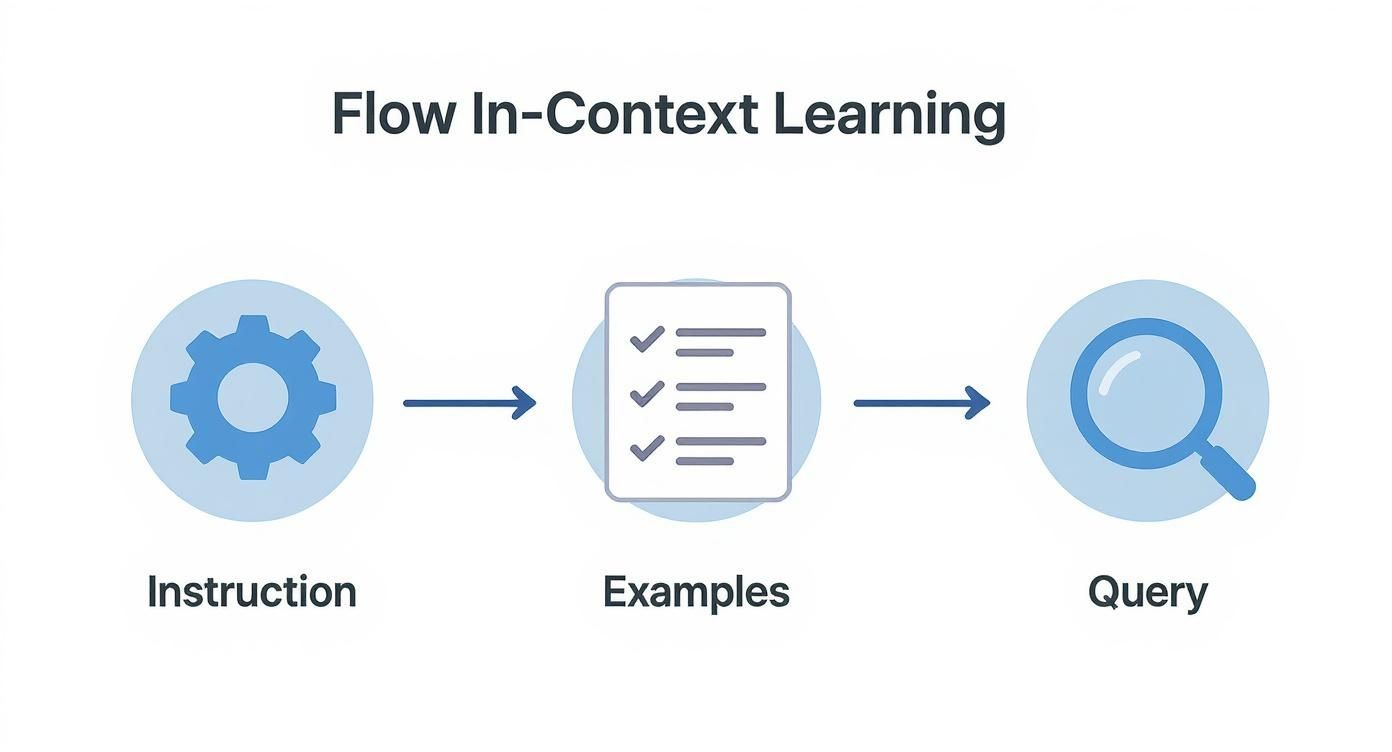
This visual really drives home how a logical, well-structured prompt is the key to getting a quality result.
Choose Your Examples Carefully
The examples you pick are the foundation of your prompt's performance. They need to be crystal clear, accurate, and perfectly representative of the task you want the AI to perform.
- Diversity is Key: Make sure you select examples that cover a range of scenarios the model is likely to run into. If you’re classifying customer feedback sentiment, don't just show it positive examples. Include positive, negative, and neutral ones to give the model the complete picture.
- Clarity Over Complexity: Your examples must be easy to understand. Steer clear of ambiguity or overly complicated inputs that could trip up the model. Simpler is almost always better.
- Demonstrate the Goal: Each example has to clearly connect the input to the desired output. It’s this direct, obvious relationship that the model latches onto and learns from.
Selecting the right examples is a critical skill. To help you nail it, here’s a quick rundown of what to do—and what to avoid.
Do's and Don'ts of Example Selection
| Best Practice (Do) | Common Mistake (Don't) |
|---|---|
| Pick diverse examples covering a range of scenarios and edge cases. | Use only simple or similar examples that don't prepare the model for variety. |
| Keep examples clear and concise, focusing on the core task. | Include ambiguous or overly complex examples that might confuse the model. |
| Ensure a direct, logical link between each input and its output. | Provide examples where the connection is weak or requires outside knowledge. |
| Match the format and tone you want in the final output. | Use inconsistent formatting or tone across your examples. |
Ultimately, great examples act as a perfect blueprint for the AI, leaving no room for misinterpretation.
Consistency Is Your Superpower
A Large Language Model is, at its core, a pattern-matching machine. It thrives on consistency. If your formatting is all over the place, you're breaking the very pattern you want it to learn, which leads to unpredictable and often incorrect results.
A consistent format acts like a signpost for the AI, clearly marking what is an input and what is a corresponding output. Even minor deviations can disrupt the model's ability to learn the intended pattern.
For example, if you label your first input with "Text:" and the output with "Sentiment:", stick with that exact structure for every single example. Don't get sloppy and switch to "Input:" or "Label:" halfway through. This kind of discipline is what helps the model lock onto the task’s logic right away.
If you want to go deeper on these foundational principles, our guide on how to write prompts for better AI results is packed with more advanced techniques.
The Subtle Art of Ordering
Believe it or not, the order in which you present your examples can actually nudge the model's output in different directions. While there isn't one perfect formula that works every time, some research suggests that the examples you place closest to your final query can carry a bit more weight.
A solid strategy is to arrange your examples from simple to complex. This approach can help the model build a foundational understanding of the task before it has to deal with more nuanced cases.
The best thing to do is experiment. Try a few different sequences to see what works best for your specific task and the model you're using. This kind of iterative testing is a core part of effective few-shot prompting.
Real-World Applications and Use Cases

This is where the rubber meets the road. The real magic of few-shot prompting isn't in the theory but in what you can actually do with it. Across all sorts of industries, this technique lets teams bend powerful AI models to their will for specific jobs, all without needing a mountain of data or a team of data scientists.
It's a surprisingly nimble tool for anyone trying to get more specific, reliable results out of an LLM. From marketing teams to software developers, few-shot prompts are the answer to tricky, nuanced problems that need a smart, fast solution.
Automating Customer Support
One of the quickest wins is in customer support. You can teach an AI agent to classify incoming tickets, figure out what a user really wants, and even draft a solid first response. How? Just by showing it a few examples of how your best human agents handle similar situations.
For instance, an AI can get remarkably good at telling the difference between a billing question, a technical glitch, and a feature request. This simple act of sorting routes tickets to the right department faster and frees up your support staff from tedious manual work.
Example Use Case: Ticket Classification A support team could use a prompt to automatically sort incoming emails into the right buckets.
- Instruction: Classify the support ticket into one of the following categories:
Billing,Technical, orGeneral Inquiry. - Example 1: "My latest invoice is incorrect." ->
Billing - Example 2: "I can't log into my account." ->
Technical - Query: "What are your business hours?" -> ?
The model instantly picks up the pattern and correctly tags the new query as a General Inquiry.
Enhancing Marketing and Content Creation
Marketers can use few-shot prompting to generate content that sounds exactly like their brand. By feeding the AI a few examples of your best ad copy, slogans, or social media posts, you can get it to churn out new variations that stay perfectly on-brand.
This is a game-changer for brainstorming new campaign angles or creating a ton of options for A/B testing. It’s like having a junior copywriter who already knows your style guide inside and out.
With few-shot prompting, a company can ensure its AI-generated marketing copy consistently reflects its brand identity, a task that has historically been challenging with more generic AI outputs.
This approach also works wonders for more structured tasks. Need to turn a long blog post into a punchy social media update? Or pull the key talking points from a press release? The examples you provide show the AI what to focus on and how to format it for a specific channel.
Extracting Structured Data
Here’s another powerful application: pulling clean, structured information from messy, unstructured text. Imagine you have thousands of customer reviews and want to extract key details like the product name, the reviewer's sentiment, and any specific features they mentioned.
A well-crafted few-shot prompt can turn an LLM into a precision data-extraction tool.
- Task: Extract the
ProductNameandSentimentfrom the review. - Example 1: "I love the new SonicScribe Pro, the audio quality is amazing!" ->
{"ProductName": "SonicScribe Pro", "Sentiment": "Positive"} - Example 2: "The battery life on the PixelFold is disappointing." ->
{"ProductName": "PixelFold", "Sentiment": "Negative"} - Query: "The camera on the AuraPhone X is the best I've ever used." -> ?
The model sees the pattern and spits out a clean JSON output, transforming a wall of text into organized, usable data ready for analysis. This use case perfectly illustrates how few-shot prompting can bridge the gap between human language and machine-readable formats.
Weighing the Pros and Cons
Like any powerful technique, few-shot prompting isn't a one-size-fits-all solution. It has some incredible strengths, but also a few quirks you need to be aware of. Knowing the difference is what separates a frustrating experience from a breakthrough result, and helps you decide when it's the right tool for the job versus when you might need something heavier, like full model fine-tuning.
Its biggest selling point is how fast you can get up and running, which is perfect for quick experiments. But that same speed and simplicity can create pitfalls if you aren't careful.
The Upside: Why Few-Shot Prompting Is So Popular
The number one reason developers and engineers are flocking to this method is its sheer efficiency. You're essentially sidestepping the massive data appetite of traditional machine learning, which saves a ton of time, money, and headaches.
This translates into a few major wins:
- You Don't Need a Mountain of Data: This is a game-changer. You can teach a model a new trick without having to scrape together and label thousands of examples. This opens the door for specialized AI tasks where huge datasets just aren't available.
- Massive Cost and Time Savings: Forget the expensive, weeks-long process of fine-tuning. You can dream up, build, and test a new AI capability in minutes. It’s the difference between a long, drawn-out project and a quick afternoon experiment.
- Perfect for Rapid Prototyping: Few-shot prompting is an agile developer's best friend. It lets you test new ideas and see if they have legs without sinking a huge amount of resources into data collection or model training first.
It’s like creating a temporary, specialized mini-model on the fly, just by showing it a few good examples. That flexibility is incredibly powerful.
The Downside: Potential Traps to Watch Out For
Of course, it’s not all sunshine and rainbows. The very thing that makes few-shot prompting so nimble—its reliance on a tiny set of examples—is also its Achilles' heel. You have to manage these weaknesses carefully to get reliable results.
While you gain a ton in data efficiency, you can run into trouble on more complex tasks. Think of medical diagnostics or deep scientific analysis, where subtle, domain-specific details are everything. A handful of examples might not be enough to capture that level of nuance. You can read more about these research findings on GeeksforGeeks.
Here are the main challenges to keep on your radar:
- The Danger of Overfitting: The model might get a little too good at copying your specific examples. It learns the exact pattern you showed it but completely misses the underlying logic, so it fails as soon as it sees a slightly different input.
- Accidentally Introducing Bias: If your examples aren't diverse, you can bake that bias right into the model's behavior. For example, if you're building a sentiment analyzer and only use examples from one specific demographic, it might perform poorly or unfairly for others.
- It's Highly Sensitive to Your Examples: The quality of your prompt lives and dies by the examples you choose. One bad or poorly formatted example can throw the whole thing off course, leading to wildly inconsistent or just plain wrong answers.
When Prompts Aren't Enough: Combining Fine-Tuning and Few-Shot Prompting
Few-shot prompting is an incredibly nimble tool, but let's be honest—some jobs require a level of specialized knowledge that a few examples just can't provide. When you need a true subject matter expert, a powerful hybrid strategy is the way to go: combining the long-term memory of fine-tuning with the on-the-fly precision of few-shot prompts.
Think of it this way: fine-tuning is like sending your new AI hire to get a specialized certification. They go away for a while and come back with a rock-solid foundation in a specific domain—they now understand the lingo, the core concepts, and all the little nuances of a field like legal compliance or medical terminology. This process permanently upgrades the model's baseline understanding, making it inherently smarter about that topic.
The Best of Both Worlds
Once your model has that foundational training, few-shot prompting becomes its daily briefing. You use it to guide your now-expert model on a specific, immediate task. The model already has the deep background knowledge from being fine-tuned; the prompt just adds that final layer of context to steer its output exactly where you need it to go.
This two-step process creates a seriously effective workflow:
- Fine-Tune for Foundational Knowledge: First, you train the LLM on a curated, high-quality dataset specific to your industry or domain. This embeds deep, specialized expertise right into the model's core.
- Prompt for Task-Specific Guidance: With that fine-tuned model as your new base, you then use few-shot prompting to handle day-to-day tasks. Your prompts are instantly more effective because the model has so much more relevant context to work with.
This hybrid approach really shines in complex, regulated, or highly specialized fields where a general-purpose model would quickly get lost.
By combining these methods, you get the robust, embedded knowledge from fine-tuning and the immediate, adaptable control of few-shot prompting. The result is a model that is both an expert and an obedient assistant.
A Measurable Boost in Accuracy
This isn't just theory—the performance gains are real. Research is increasingly pointing to the power of combining fine-tuning with few-shot prompting. Experiments have shown that even modest fine-tuning can boost precision by up to 20-30% in few-shot scenarios. It proves that a hybrid approach, using both pre-trained knowledge and task-specific examples, is a clear path to optimizing model accuracy. You can dive deeper into these findings on the future of prompt engineering on Lenny's Newsletter.
For instance, a financial services company could fine-tune a model on its internal compliance handbooks. That model would learn the firm's specific rules, regulations, and terminology inside and out. Then, employees could use simple few-shot prompts to ask it to draft client emails that perfectly adhere to those rules, providing a couple of examples of the desired tone and format.
Ultimately, this strategy allows you to build a truly expert AI system. You move beyond generic capabilities to create models that are deeply knowledgeable about your specific world and can be precisely directed to perform nuanced tasks with a high degree of reliability.
Ready to discover prompts that drive exceptional results? PromptDen is a community-driven marketplace for high-quality prompts across every leading AI model. Explore our collection and find the perfect prompt for your next project.