
The 12 Best AI Tools for Content Creators in 2025

In 2025, being a content creator means being an AI power user. The right tools don't just speed up your workflow; they unlock new creative possibilities, automate tedious tasks, and give you a competitive edge. From drafting viral scripts to generating stunning visuals and editing videos in record time, AI is no longer a novelty. It's a core part of the modern creator's stack.
But with new platforms launching daily, navigating the options to find what actually works is a challenge. This guide cuts through the noise. We've curated a definitive list of the best AI tools for content creators, breaking down exactly who each platform is for, its standout features, and practical use cases. This isn't just a list of names; it's a strategic toolkit designed to help you solve specific creative and operational problems.
This article dives deep into specialized AI solutions, but if you're looking for a more general overview, you might find this list of the top tools for content creation helpful for broader context.
Our goal is to provide a comprehensive, actionable resource. Each entry includes detailed analysis, pricing information, and direct links so you can immediately find and implement the right solution for your specific needs. Whether you're a YouTuber, blogger, social media manager, or course creator, you'll find the perfect AI assistant here to help you create better content, faster.
1. PromptDen
Best for: Centralized Prompt Discovery, Monetization, and Workflow Integration
PromptDen stands out as a comprehensive ecosystem for AI-driven content creation, positioning itself as a must-have resource for anyone serious about mastering generative AI. It moves beyond a simple library, functioning as a dynamic, community-powered marketplace where creators can discover, share, and even monetize high-quality prompts across text, image, and video models. This multi-modal support makes it an indispensable tool for creators working with diverse platforms like ChatGPT, Gemini, Claude, Midjourney, and DALL-E.
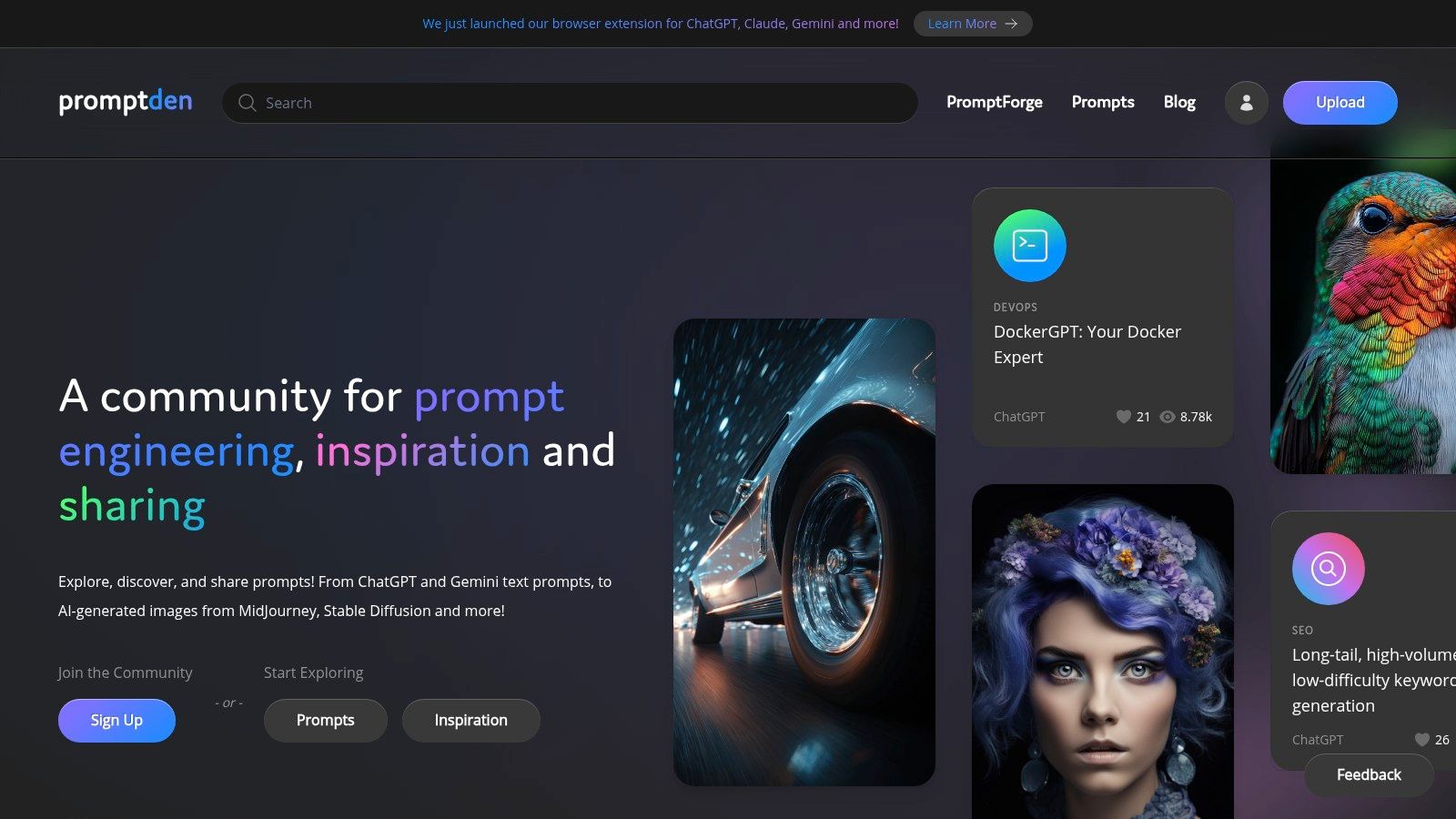
What truly elevates PromptDen among the best AI tools for content creators is its deep integration into the creative process. Its browser extensions for ChatGPT, Gemini, and Claude are a game-changer, allowing users to inject and test prompts directly within their native AI interfaces. This eliminates cumbersome copy-pasting, dramatically accelerating iteration and refinement. For those looking to craft their own master prompts, the PromptForge tool provides a structured environment for authoring and fine-tuning, guided by best practices.
The platform's community-driven nature ensures a steady stream of relevant and effective prompts, with social proof like engagement metrics and trending lists guiding users toward what works. Whether you are a marketer optimizing an SEO campaign, a developer automating a workflow, or a digital artist exploring new visual styles, PromptDen provides the curated assets and collaborative environment needed to scale your creative output efficiently.
Key Features and Use Cases
- Multi-Modal Prompt Library: Access a vast, searchable database of prompts for text (ChatGPT, Gemini), image (Midjourney, DALL-E), and video (Veo) generation, all in one place.
- Integrated Marketplace: A built-in platform where prompt engineers and creators can buy and sell high-performing prompts, AI-generated assets, and complete workflows.
- Browser Extension Integration: Streamline your workflow by injecting prompts from the PromptDen library directly into the chat interfaces of ChatGPT, Gemini, and Claude for rapid testing.
- Community Curation: Discover proven prompts through community feeds, creator profiles, and trending lists that highlight what’s currently delivering results across different categories.
- Educational Resources: Leverage the blog and Help & Knowledge Base to learn prompt engineering best practices and get the most out of your AI tools.
| Feature | Best For |
|---|---|
| Marketplace | Creators monetizing their prompt engineering skills. |
| Browser Ext. | Power users needing to test and iterate on prompts quickly. |
| PromptForge | Prompt engineers building complex, reusable prompt templates. |
| Community Feed | Beginners looking for proven, ready-to-use prompts for common tasks. |
Practical Tip: Use the browser extension to build a "favorites" list of prompts you use frequently. This creates a personalized toolkit you can deploy directly in your workflow, saving significant time on repetitive content creation tasks.
Pricing: Access to the core platform and community prompts is available upon sign-up. However, pricing details for marketplace transactions, premium features, or potential API usage are not prominently displayed. Users should review the terms upon registration for specific fee structures.
2. OpenAI
As a foundational player, OpenAI provides direct access to some of the most powerful and versatile AI models available, making it an indispensable resource for content creators. Its flagship product, ChatGPT, serves as a comprehensive assistant for everything from initial brainstorming and scriptwriting to detailed research and content repurposing. The platform’s strength lies in its tiered access, which accommodates a wide range of users, from individuals using the free version for simple tasks to enterprises leveraging its APIs for custom solutions.

Beyond basic text generation, the paid tiers (Plus, Pro, Business) unlock multimodal capabilities, including DALL-E 3 for image creation, Advanced Data Analysis for interpreting files, and voice input/output. Creators can even build Custom GPTs tailored to specific workflows, like a "Brand Voice Analyzer" or a "YouTube Title Optimizer." For those working with audio, delving deeper into specific OpenAI technologies can be highly beneficial; for example, you can explore Whisper AI, OpenAI's cutting-edge speech recognition model, which offers incredibly accurate transcription for podcasts and videos.
Key Features & Use Cases
- ChatGPT Tiers: Free access for general use, with paid plans offering priority access, faster responses, and advanced tools.
- Custom GPTs: Develop specialized AI assistants without coding, streamlining repetitive content tasks.
- Multimodal Input: Interact using text, voice, images, and documents for a flexible creative process.
- Developer API: Build custom applications or integrate OpenAI models directly into existing workflows with scalable, pay-as-you-go pricing. This is particularly effective for those looking to scale their SEO content workflow with ChatGPT.
| Pro | Con |
|---|---|
| Broad, reliable ecosystem with fast product updates. | API costs can escalate quickly without monitoring. |
| Clear, per-model API pricing for scalable projects. | Access to the most advanced features is plan-dependent. |
Website: https://openai.com/chatgpt/pricing
3. Adobe (Creative Cloud + Firefly)
Adobe solidifies its position as an industry leader by deeply integrating its Firefly generative AI models across the entire Creative Cloud suite. This makes it one of the best AI tools for content creators who are already invested in professional workflows within apps like Photoshop, Premiere Pro, and Illustrator. Instead of treating AI as a separate tool, Adobe embeds it directly into the creative process, allowing for powerful features like Generative Fill in Photoshop and text-to-vector generation in Illustrator. The platform is designed for high-fidelity, brand-grade content with a strong emphasis on enterprise workflows and compliance.

Adobe's approach centers on making its outputs commercially safe, as the Firefly models are trained on Adobe Stock's licensed library. This provides a level of assurance for professionals and businesses concerned with copyright. Access is managed through a credit-based system, with Creative Cloud plans including a set number of monthly generative credits. For those focused primarily on image generation, it's worth exploring how Firefly compares to other solutions; you can find a detailed analysis in this guide to the best free AI image generators.
Key Features & Use Cases
- Embedded Firefly Models: AI features are integrated directly into Creative Cloud apps for a seamless workflow.
- Generative Credits System: Plans include a monthly allocation of credits for using Firefly features, with options to purchase more.
- Commercial Safety: AI-generated assets are designed to be commercially safe, reducing legal risks for professional use.
- Multimodal Generation: Supports text-to-image, text-to-vector, text-to-template, and upcoming text-to-video and audio capabilities.
| Pro | Con |
|---|---|
| Deep integration with professional toolchains. | Steeper learning curve compared to standalone AI tools. |
| Commercially safe outputs offer peace of mind. | Recent price increases have been reported in some regions. |
Website: https://news.adobe.com/news/2025/02/firefly-web-app-commercially-safe?utm_source=openai
4. Canva (Magic Studio)
Canva has evolved from a simple design tool into an all-in-one visual communication platform, making it one of the best AI tools for content creators who need to produce high-quality assets quickly. Its "Magic Studio" suite integrates powerful AI features directly into its user-friendly, web-based editor. This allows solo creators and small teams to generate everything from social media posts and presentations to short videos and brand kits with unprecedented speed, leveraging a massive library of templates and stock assets.

The strength of Magic Studio lies in its seamless integration. Tools like Magic Write (for copy generation), Magic Media (for text-to-image and text-to-video), and Magic Expand (for smart resizing) are embedded within the core workflow. This eliminates the need to switch between different applications for ideation, design, and final production. The free plan offers a taste of these AI capabilities, while Canva Pro and Canva for Teams unlock higher usage limits, advanced brand management features, and a content scheduler.
Key Features & Use Cases
- Integrated Magic Studio: Access a full suite of AI tools like Magic Write, Magic Media, and Magic Expand directly within the Canva editor.
- Massive Template & Asset Library: Kickstart projects with millions of professionally designed templates, stock photos, and video clips.
- Brand Kit Management: Maintain brand consistency by storing logos, color palettes, and fonts for easy application across all designs.
- Collaborative Workflow: Invite team members to edit and comment on designs in real-time, streamlining the approval process.
| Pro | Con |
|---|---|
| Extremely fast to learn with a vast template library. | Advanced video editing features are limited compared to professional NLEs. |
| Collaborative, web-first workflow simplifies teamwork. | Recent changes to Teams pricing may affect some users. |
Website: https://www.canva.com/magic/
5. Descript
Descript revolutionizes audio and video editing by treating media like a text document, making it an essential tool for podcasters, YouTubers, and course creators. Its core innovation allows you to edit complex video or audio files simply by editing the auto-generated transcript. This text-based workflow dramatically speeds up the process of creating rough cuts, removing mistakes, and restructuring content, making it one of the best AI tools for content creators focused on efficiency.
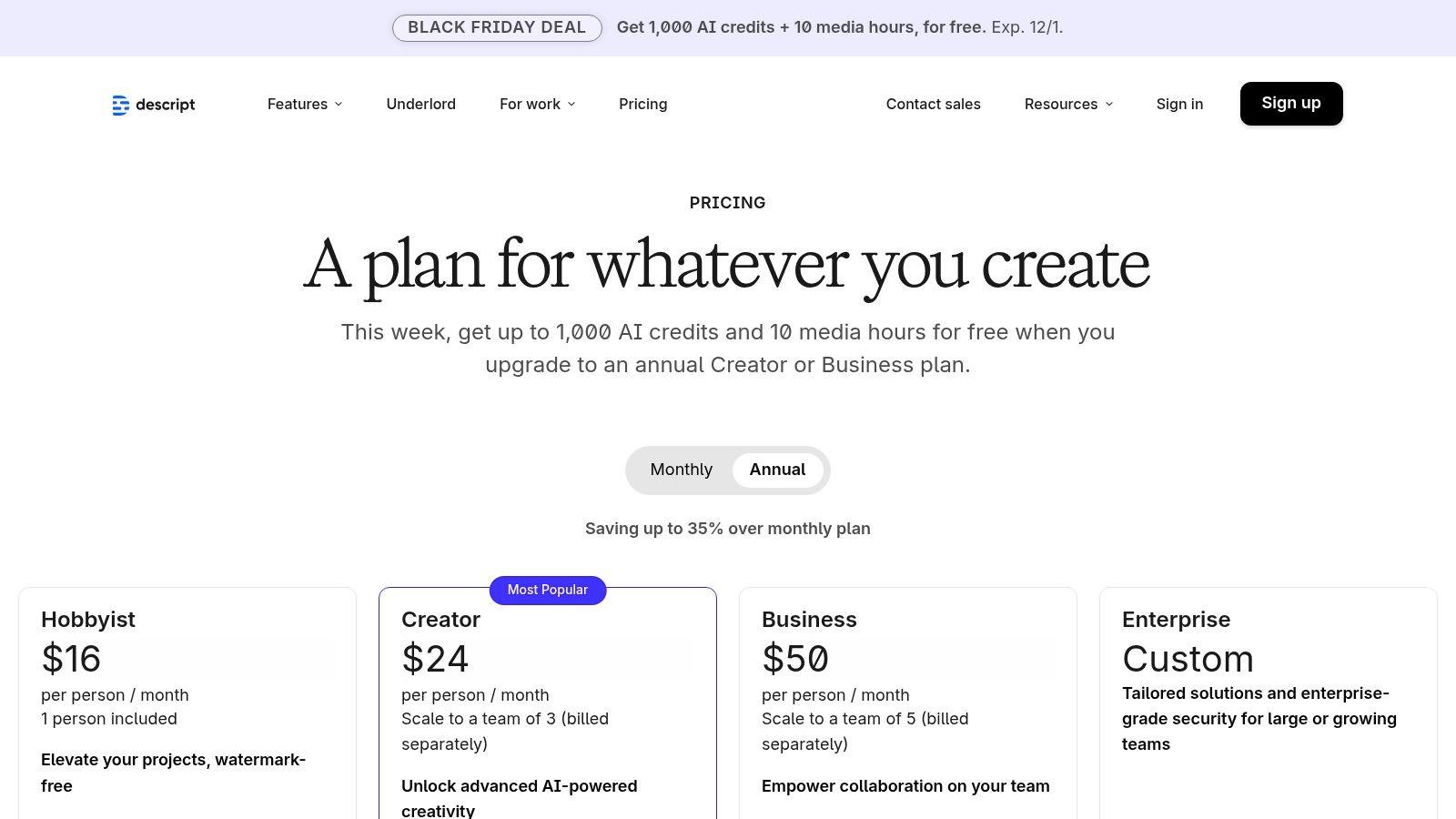
The platform integrates powerful AI features directly into the editing timeline. Studio Sound enhances voice recordings to professional quality with a single click, while Overdub allows you to create an AI clone of your voice to correct words or add new sentences without re-recording. Features like automatic filler-word removal ("um," "uh") and one-click caption generation further streamline post-production. It's an indispensable part of a modern toolkit, especially when you're exploring how to create AI video from start to finish.
Key Features & Use Cases
- Text-Based Editing: Edit video and audio by manipulating the transcript, making post-production intuitive and fast.
- AI Audio Enhancement: Use Studio Sound for noise reduction and Overdub for AI voice cloning to fix errors.
- Automated Transcription & Captions: Get highly accurate transcripts and generate stylized captions for social media content.
- Screen Recording & Publishing: An all-in-one solution for recording, editing, and exporting videos up to 4K resolution on paid plans.
| Pro | Con |
|---|---|
| Very fast rough-cut workflows for creators. | Large/heavy projects can tax modest hardware. |
| All-in-one toolset for solo creators and small teams. | Transcription hours and advanced features are metered by plan. |
Website: https://www.descript.com/price?utm_source=openai
6. CapCut
Originally the default editor for TikTok, CapCut has evolved into a powerful, AI-enabled video editing suite that dramatically simplifies creating short-form social content. Its cross-platform availability (web, desktop, and mobile) with cloud sync makes it incredibly flexible for creators who work on the go. The platform is specifically designed to accelerate the production of Reels, Shorts, and TikToks, offering a massive library of templates, trending audio, and AI-powered effects that make polished content accessible to everyone, regardless of technical skill.
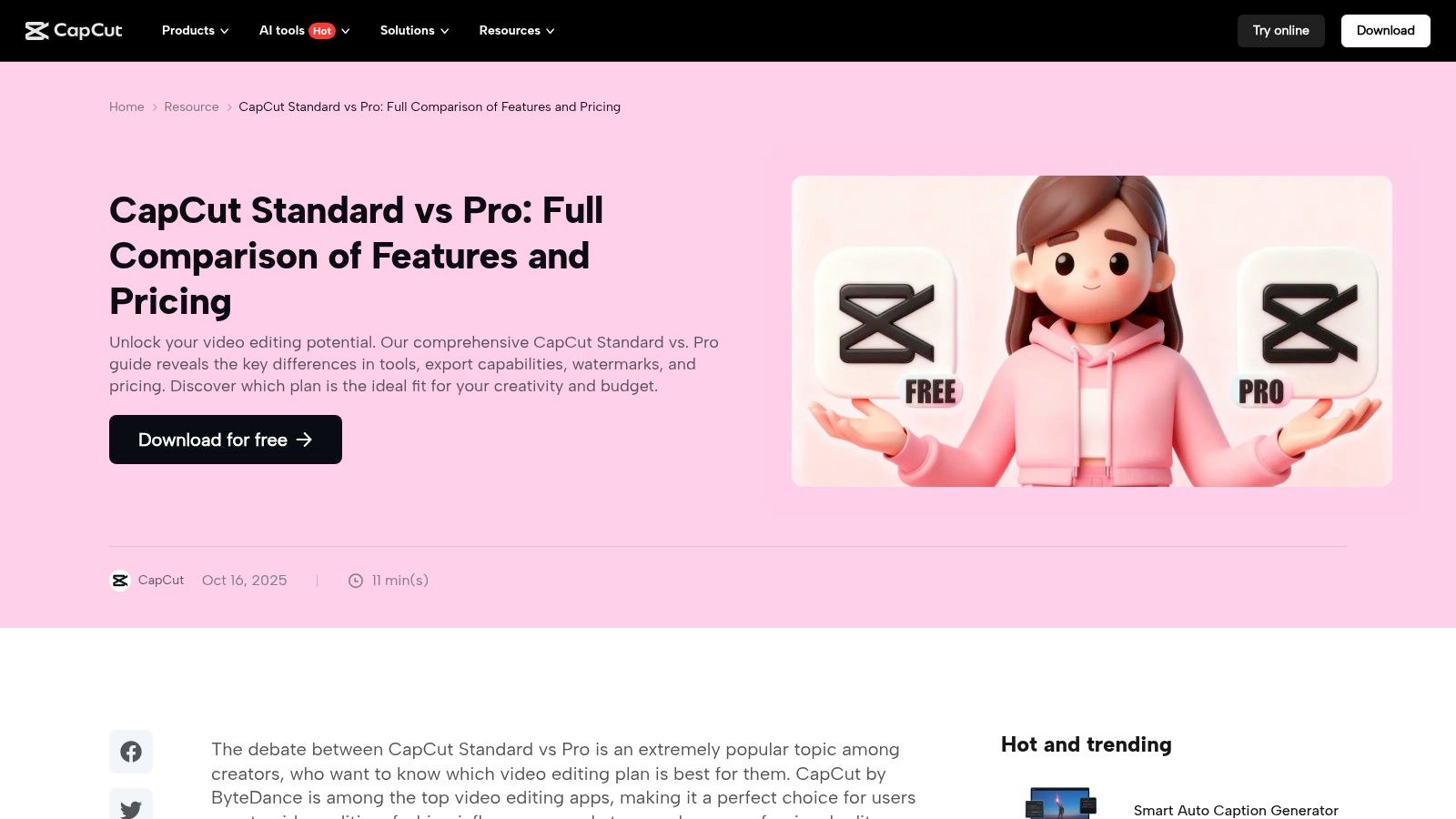
CapCut stands out as one of the best AI tools for content creators by integrating smart features directly into the editing timeline. AI tools like one-click background removal, auto-captions with custom styles, and motion tracking automate tasks that would otherwise be tedious and time-consuming. This focus on efficiency allows creators to batch-produce high volumes of content without sacrificing quality, making it an essential tool for maintaining a consistent presence on fast-paced social platforms. The Pro subscription unlocks more advanced AI features, more cloud storage, and an expanded effects library.
Key Features & Use Cases
- Cross-Platform Editing: Start a project on your phone and finish it on your desktop with seamless cloud synchronization between apps.
- Template & Effects Library: Access a vast marketplace of ready-to-use templates, filters, and effects to quickly create engaging videos.
- Integrated AI Tools: Utilize features like AI-powered captioning, background removal, noise reduction, and video stabilization to enhance quality.
- Social-First Presets: Export videos in perfect formats for TikTok, Instagram Reels, and YouTube Shorts with a single click.
| Pro | Con |
|---|---|
| Very low barrier to entry and quick results. | Pro features are behind a subscription and vary by region/platform. |
| Excellent for batching social content and short-form workflows. | Less suitable for complex, long-form editing projects. |
Website: https://www.capcut.com/resource/capcut-standard-vs-pro?utm_source=openai
7. Jasper
Jasper has established itself as a premier AI marketing co-pilot, specifically engineered to generate on-brand content that converts. It moves beyond general-purpose text generation by focusing on the entire marketing content lifecycle, from initial blog posts and landing pages to nuanced email campaigns and ad copy. For content creators monetizing their work, Jasper provides an ecosystem designed to maintain a consistent voice and message, making it one of the best AI tools for creators focused on brand growth.
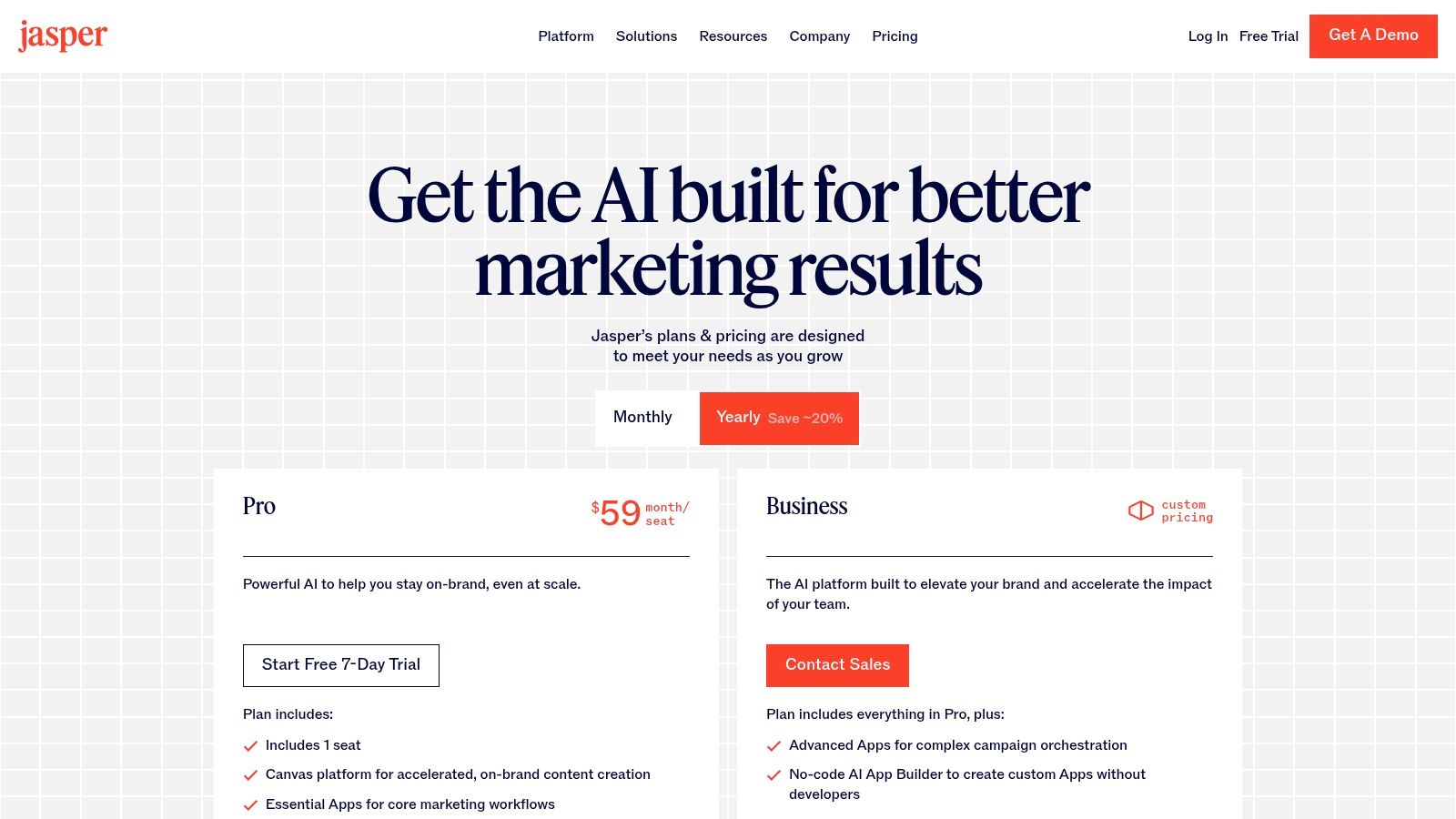
The platform's core strength is its ability to learn a specific brand voice, retain knowledge about products or services, and apply that context across all generated content. Features like the free-form Canvas allow for long-form content creation and document editing, while its extensive library of templates provides structured starting points for common marketing assets. This combination of flexibility and guidance helps creators produce high-quality, relevant content efficiently, whether they are solo entrepreneurs or part of a larger team.
Key Features & Use Cases
- Brand Voice & Knowledge: Train Jasper on your style guides, product catalogs, and company information to ensure all output is consistently on-brand.
- Canvas Editor: A long-form document editor for drafting, editing, and collaborating on articles, ebooks, and scripts with AI assistance.
- Marketing Templates: Access over 50 pre-built templates for tasks like writing compelling ad copy, generating video scripts, and optimizing blog post introductions.
- Campaign Workflows: Create comprehensive marketing campaigns, from initial concept to final copy, all within a single, streamlined workflow.
| Pro | Con |
|---|---|
| Highly focused on producing on-brand marketing content. | Higher entry price compared to general-purpose chat tools. |
| Scales from solo creators to teams with governance controls. | Best value is realized with consistent, frequent publishing. |
Website: https://www.jasper.ai/pricing?utm_source=openai
8. Copy.ai
Copy.ai positions itself as more than just a writing assistant; it's an AI-powered automation platform designed for building repeatable content pipelines. Its standout feature is the Workflow Builder, which allows creators to construct multi-step processes, such as researching a topic, drafting an article, and then repurposing it into social media posts, all within a single, automated flow. This makes it one of the best AI tools for content creators looking to systematize their operations rather than just generate one-off pieces.
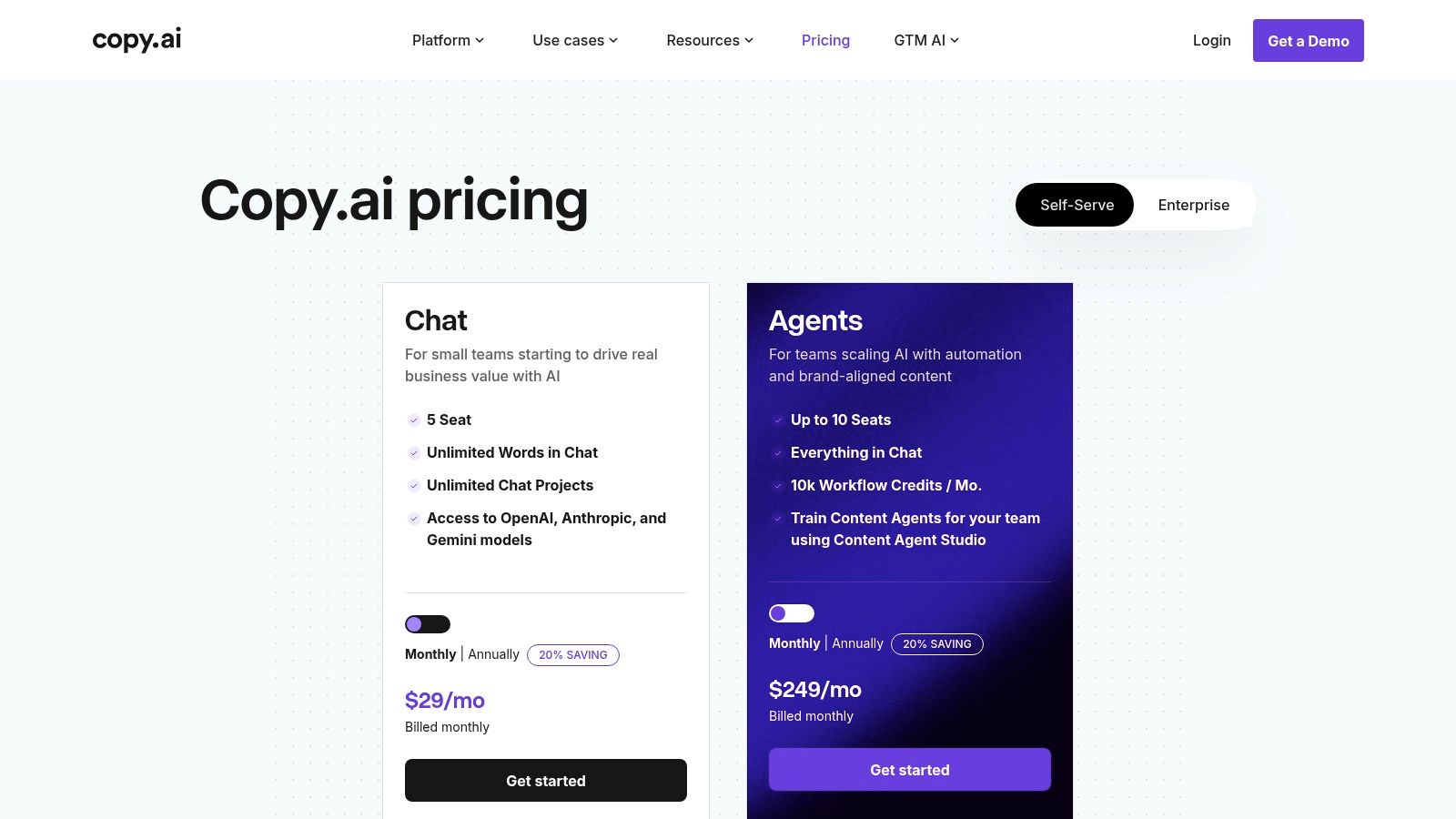
The platform offers flexibility by giving users a choice between leading AI models from providers like OpenAI, Anthropic, and Google, ensuring you can select the best engine for a specific task. While a free plan exists for individuals to test the waters, the true power of its 'Content Agents' and advanced workflows is unlocked in the paid tiers (Pro, Team, Enterprise). These plans are structured with seat and credit limits, making it scalable for teams but requiring careful monitoring of usage to manage costs effectively.
Key Features & Use Cases
- Workflow Builder: Create custom, multi-step "Content Agents" that automate entire content creation cycles from research to final draft.
- Model Choice: Select the most suitable LLM for your task, with access to models from OpenAI (GPT-4), Anthropic (Claude), and Google (Gemini).
- Team Collaboration: Designed with seat and credit structures that facilitate team-based content operations and project management.
- Chat Interface: A familiar chat experience for quick tasks, with unlimited word counts available on paid plans for unrestricted ideation and drafting.
| Pro | Con |
|---|---|
| Strong automation concepts for content operations. | Best features (Agents) are tied to higher-tier plans. |
| Clear seat and credit structures for teams. | Workflow credits and usage limits need monitoring. |
Website: https://www.copy.ai/prices?utm_source=openai
9. Grammarly (Grammarly Pro)
While known primarily as a grammar and spelling checker, Grammarly has evolved into a comprehensive AI writing partner that is essential for maintaining brand consistency and quality. Its real-time suggestions go beyond basic corrections to encompass style, tone, and clarity, ensuring every piece of content is polished and professional. The introduction of generative AI features transforms it from a proofreading tool into an active creative assistant, capable of rewriting, summarizing, and brainstorming directly within the platforms creators use every day.
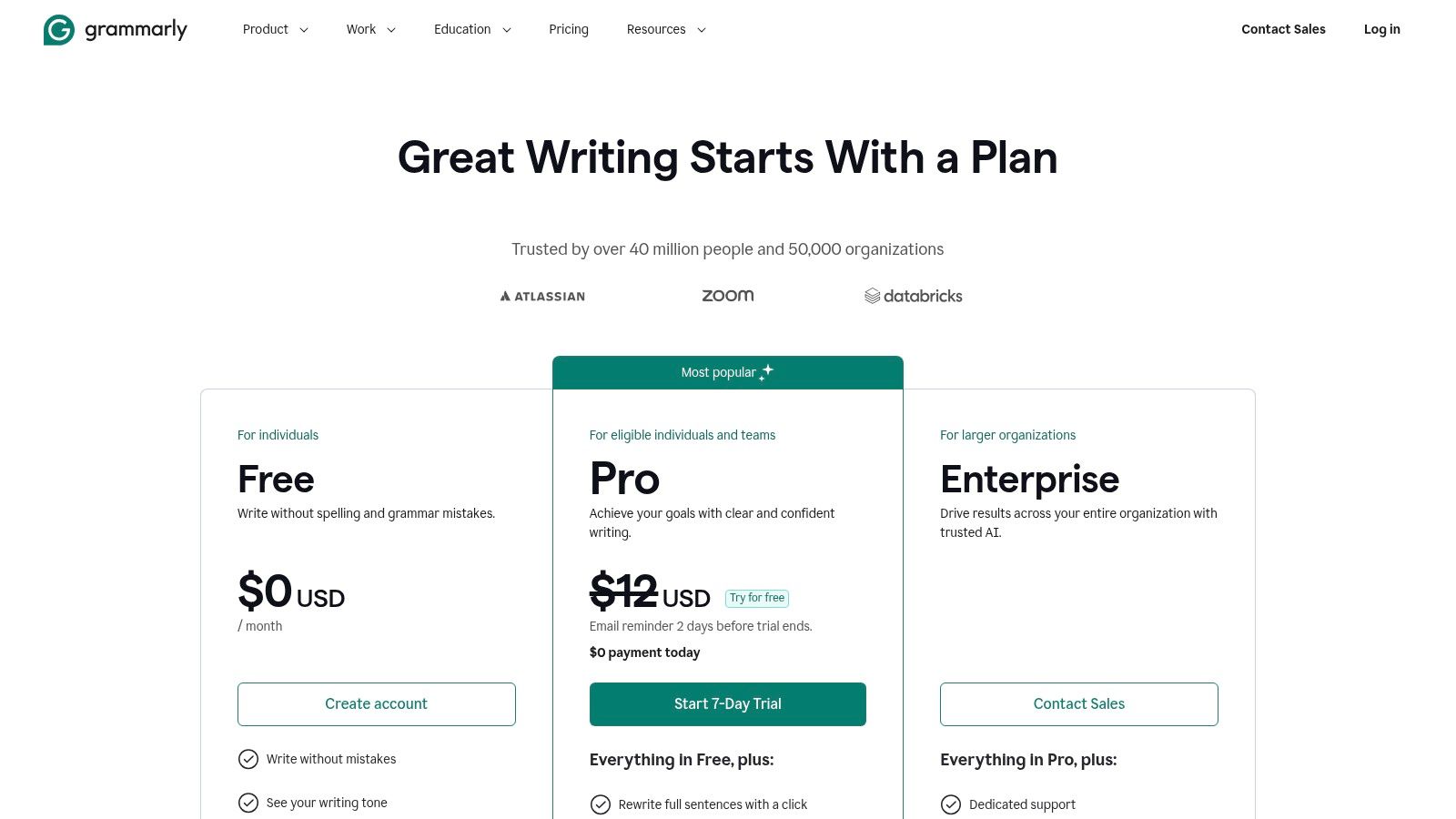
The Grammarly Pro plan is where it becomes one of the best AI tools for content creators, consolidating premium features and providing a substantial allowance of 2,000 generative prompts per month. This tier allows teams to establish and enforce style guides, brand tones, and snippets, ensuring a unified voice across all written materials, from social media posts to long-form blog articles. Its strength lies in its seamless integration across browsers and applications, making high-quality writing assistance an ambient part of the creative workflow rather than a separate, disruptive step.
Key Features & Use Cases
- Real-time Assistance: Get instant suggestions for grammar, spelling, punctuation, clarity, and tone as you write.
- Generative AI Prompts: Use up to 2,000 monthly prompts (Pro plan) for rewriting, ideation, and composing content on the fly.
- Brand Tones & Style Guides: Define and maintain a consistent brand voice across all team members and content channels.
- Wide Integration: Works across desktop apps, browser extensions (Chrome, Safari, Firefox), and mobile keyboards for universal coverage.
| Pro | Con |
|---|---|
| Combines polishing and generation in one tool. | Not a full content strategy or long-form content IDE. |
| Strong cross-app coverage for everyday writing. | Team governance/controls are lighter than full CMS/workflow suites. |
Website: https://www.grammarly.com/plans
10. Notion
Notion solidifies its place as an essential all-in-one workspace for creators by integrating powerful AI features directly into its project management and documentation ecosystem. It excels at centralizing the entire content lifecycle, from initial brainstorming in documents and databases to publishing final pieces. Notion AI acts as a built-in assistant that can summarize lengthy research, draft initial outlines for blog posts or scripts, and instantly generate action items from meeting notes, making it one of the best AI tools for content creators focused on organization.
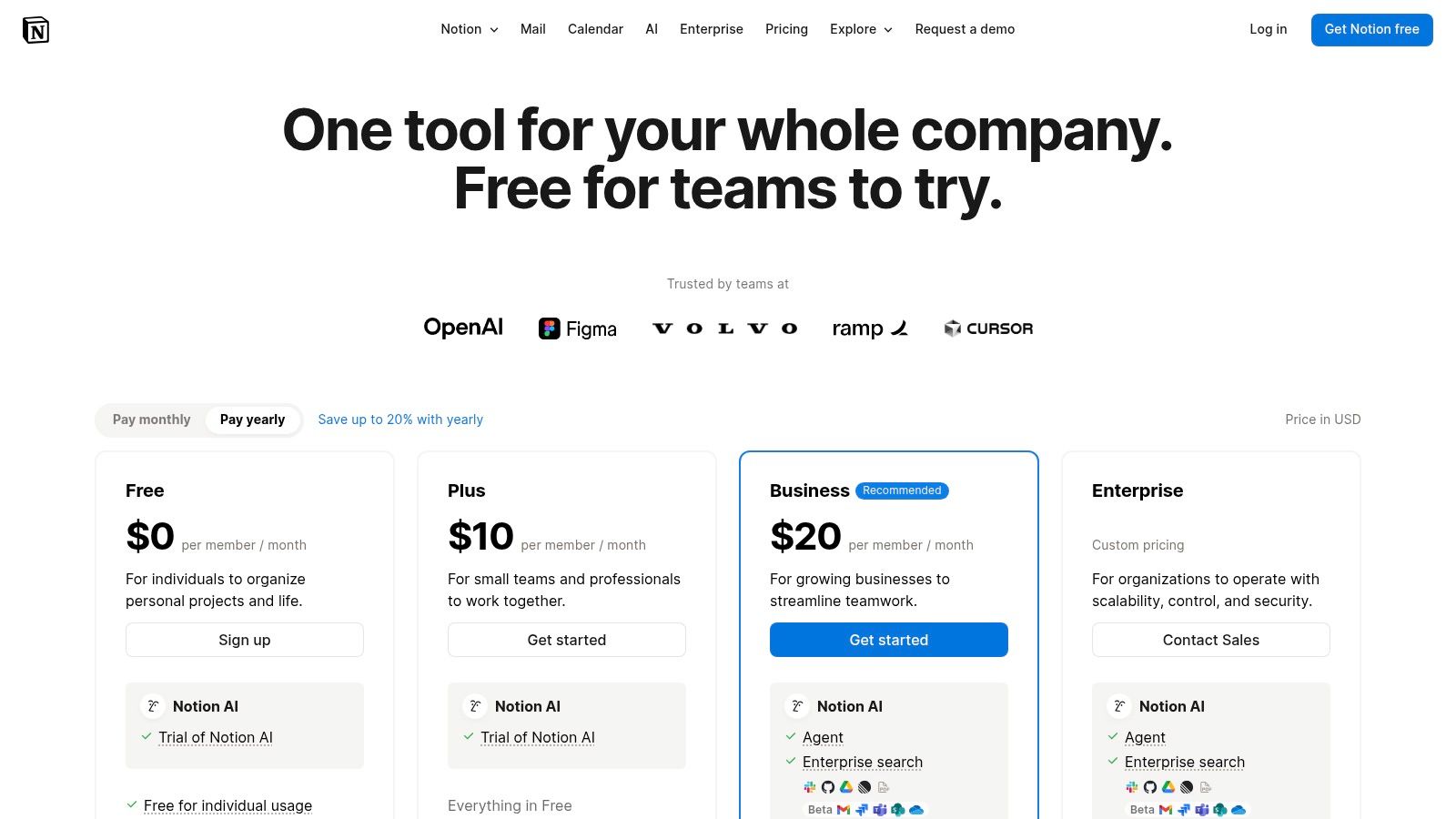
The platform's core strength is its unparalleled flexibility. Creators can build comprehensive content calendars, manage asset metadata, and create internal knowledge hubs. With Notion AI, these workflows become smarter; for instance, you can automatically tag content based on a summary or draft social media copy directly from a project brief. While the AI add-on is being phased out for new Free and Plus users, it is now fully integrated into the Business and Enterprise plans, which also offer enhanced admin and security options.
Key Features & Use Cases
- Integrated AI Suite: Use AI to summarize, draft content, brainstorm ideas, and translate text without leaving your workspace.
- Customizable Databases: Organize content calendars, track project status, and manage digital assets with powerful filtering and sorting.
- Web Publishing: Turn any Notion page into a live website, portfolio, or public knowledge base with a single click.
- Centralized Knowledge Hub: Consolidate all brand guidelines, research, and standard operating procedures in one accessible location for your team.
| Pro | Con |
|---|---|
| Centralizes content operations and asset metadata. | AI add-on discontinued for new Free/Plus users. |
| Flexible pages can be published as sites or portfolios. | Complex workspaces may require a learning curve. |
Website: https://www.notion.com/pricing?utm_source=openai
11. Runway
Runway has positioned itself at the forefront of AI video generation, offering a suite of powerful tools that transform text and images into dynamic video content. For creators focused on visual storytelling, concept videos, or unique B-roll, Runway provides a platform for rapid iteration and creative exploration. Its flagship models, like Gen-4 Turbo and Gen-3, are engineered to produce high-quality, coherent video clips, making it one of the best AI tools for content creators looking to push visual boundaries without complex VFX software.
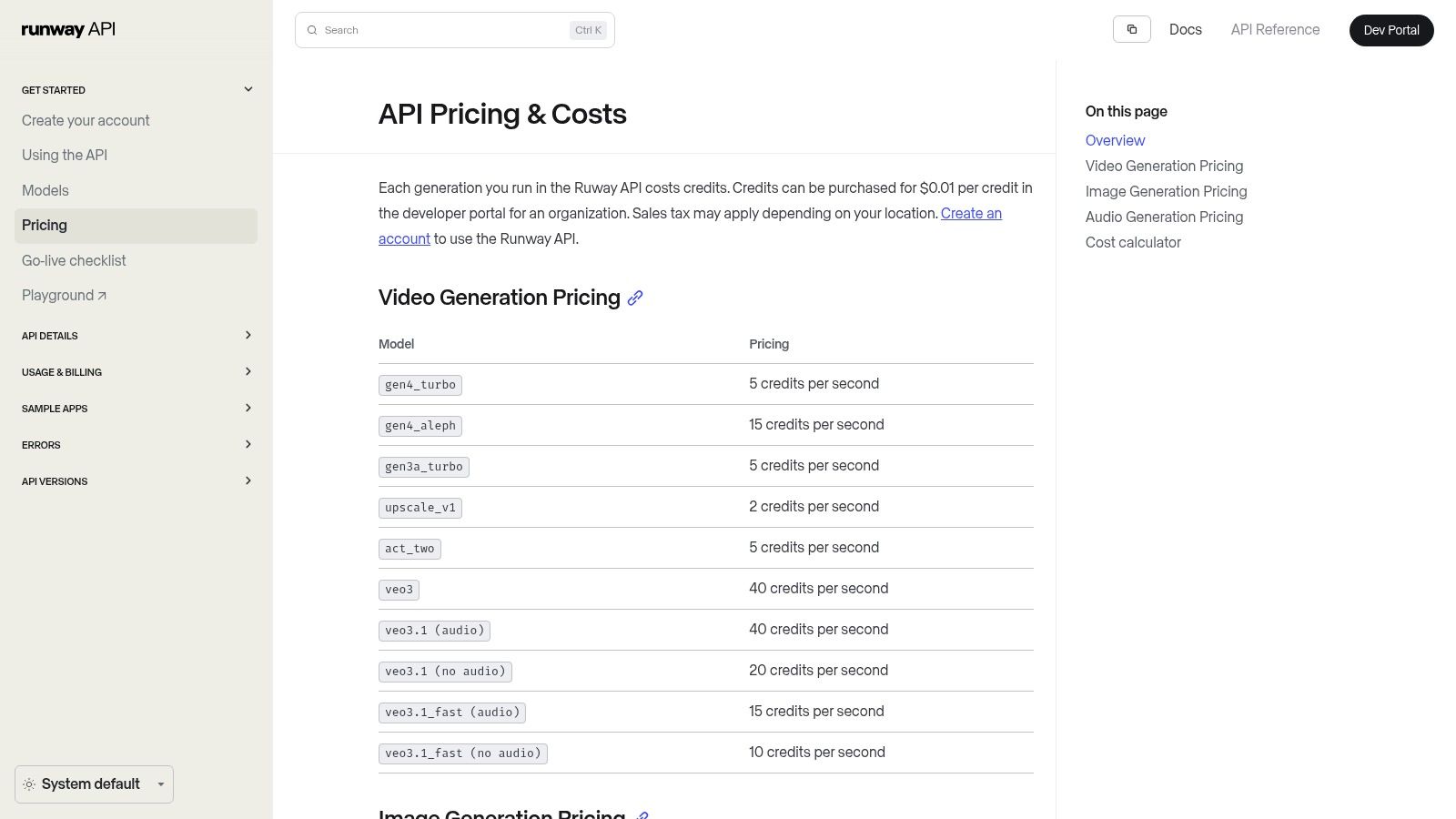
The platform operates on a credit-based system, which allows for flexibility whether using the intuitive web app or integrating its capabilities programmatically via the API. Beyond core video generation, Runway bundles other valuable features, including image generation, video upscaling, and AI-powered dubbing and translation. This makes it a comprehensive hub for creators who need to produce diverse visual assets quickly and efficiently, from initial idea to final polished clip.
Key Features & Use Cases
- Advanced Video Models: Access cutting-edge models like Gen-4 Turbo and Aleph for text-to-video and image-to-video generation.
- Comprehensive Visual Toolkit: Includes tools for image generation, upscaling, motion brush, and AI-powered translation/dubbing.
- Credit-Based System: Flexible pricing with monthly credit bundles and top-up options accommodates varying usage levels, from experimentation to heavy production.
- Developer API: Integrate Runway's generative capabilities directly into custom workflows and applications for programmatic video creation.
| Pro | Con |
|---|---|
| Enables fast iteration for visual storytelling. | Credit costs can add up quickly with heavy, high-res use. |
| API allows for automated video production pipelines. | Fine control over output quality is still evolving with prompts. |
Website: https://docs.dev.runwayml.com/guides/pricing?utm_source=openai
12. Product Hunt
While not a tool itself, Product Hunt is an essential discovery platform for any creator looking to stay on the bleeding edge of AI innovation. It’s a community-driven site where new tech products, including a massive number of AI tools, are launched and ranked daily. For content creators, this makes it an invaluable resource for finding niche solutions for writing, video editing, design, social media management, and SEO before they become mainstream.
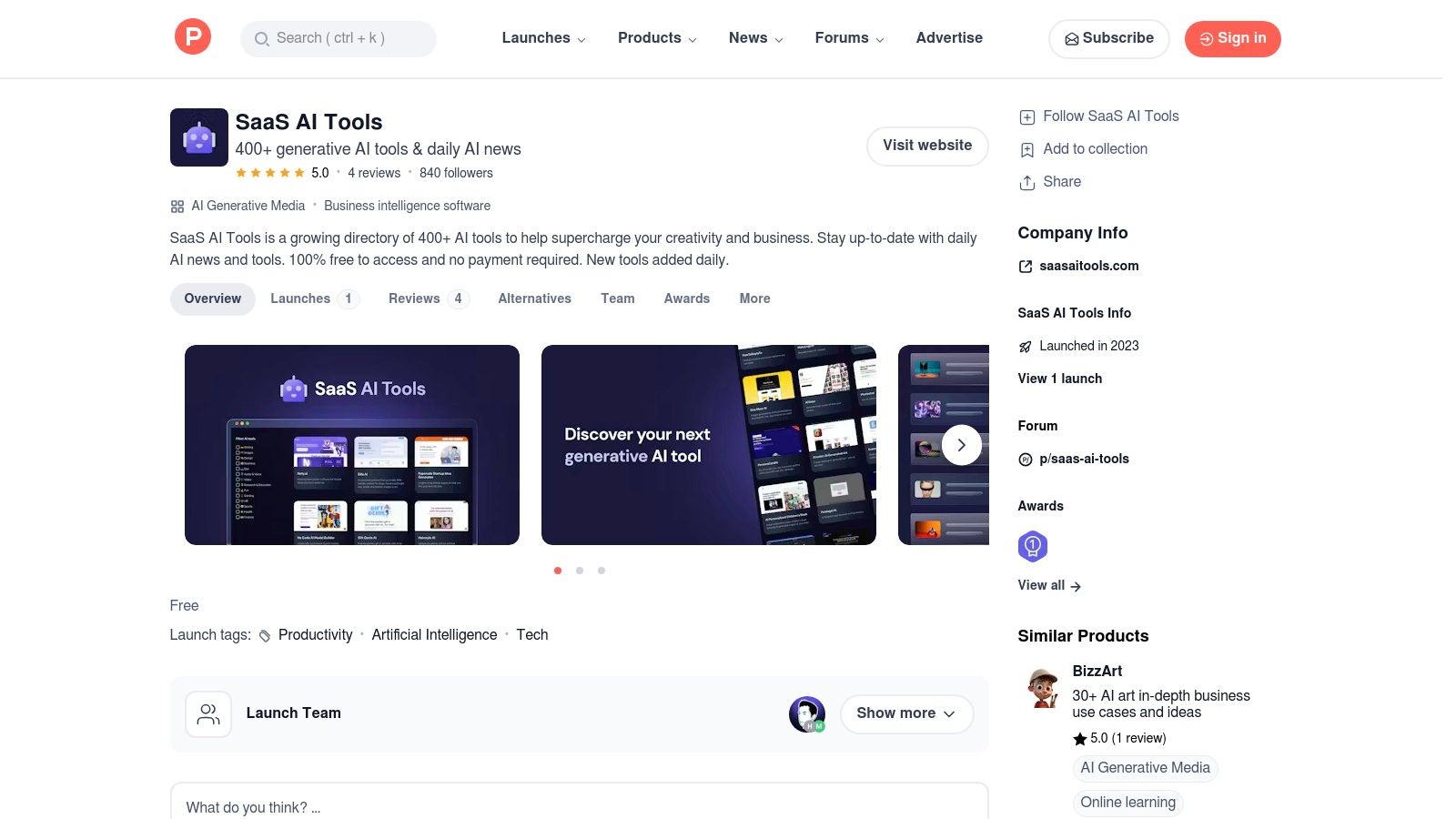
The platform’s strength lies in its community feedback. Each listing features upvotes, reviews, and direct comments from early adopters and even the product makers themselves. This unfiltered commentary provides real-world context that marketing materials often lack, helping you research alternatives and gauge a tool's practical value. By browsing curated collections and daily leaderboards, you can efficiently identify emerging and potentially powerful AI tools for content creators that fit your specific workflow.
Key Features & Use Cases
- Curated AI Collections: Discover top-voted tools organized by category (e.g., writing, video, design), making it easy to find relevant solutions.
- Daily Launches & Leaderboards: Stay current with the newest AI-powered apps as soon as they are released to the public.
- Community Reviews & Discussions: Read authentic feedback, ask makers questions, and understand how others are using a tool before you commit.
- Free Research Hub: Browse listings, compare features, and access vendor sites directly without any subscription fees.
| Pro | Con |
|---|---|
| Great for staying current on emerging tools. | Signal varies and some listings can be promotional. |
| Community commentary provides real-world context. | Pricing and availability change quickly; always verify on vendor sites. |
Website: https://www.producthunt.com/posts/saas-ai-tools?utm_source=openai
Top 12 AI Tools for Content Creators — Quick Comparison
| Product | Core features | UX / Quality | Price & Value | Target audience | Unique selling point |
|---|---|---|---|---|---|
| PromptDen 🏆 | Text/image/video prompt library, marketplace, PromptForge, browser extensions | ★★★★☆ community-curated, trending prompts | 💰 Marketplace fees unclear, strong creator monetization | 👥 Prompt engineers, creators, marketers, devs, digital artists | ✨ All-in-one discovery + sell marketplace, workflow integration 🏆 |
| OpenAI | ChatGPT tiers, Custom GPTs, multimodal tools, developer API | ★★★★★ reliable, fast iteration | 💰 Clear per-model pricing, can scale costly | 👥 Developers, teams, creators building custom workflows | ✨ Custom GPTs & Agent tooling, broad ecosystem |
| Adobe (Creative Cloud + Firefly) | Photoshop/Premiere/AE + Firefly AI for image/video/audio | ★★★★☆ pro-grade fidelity, enterprise-ready | 💰 Premium pricing, enterprise plans/credits | 👥 Designers, studios, enterprises | ✨ Industry toolchain + commercial-safe outputs |
| Canva (Magic Studio) | Web editor, Magic Studio AI, templates, stock assets, brand kit | ★★★★☆ very easy, collaborative | 💰 Freemium → Business for higher AI limits | 👥 Solo creators, small teams, social marketers | ✨ Fast templates + brand management |
| Descript | Transcript-based audio/video editing, Overdub, Studio Sound | ★★★★☆ fast rough-cuts, intuitive for creators | 💰 Subscription tiers, metered transcription hours | 👥 Podcasters, video creators, educators | ✨ Text-first editing + AI voice cloning |
| CapCut | Short-form video editor, templates, AI cleanup, cloud sync | ★★★★☆ very quick for social content | 💰 Low barrier; pro features behind subscription | 👥 TikTok/Reels creators, social teams | ✨ Social-first templates & export presets |
| Jasper | Long-form Canvas, brand voice, marketing templates, workflows | ★★★★☆ focused on on-brand marketing | 💰 Premium pricing for teams, best with frequent use | 👥 Marketers, agencies, product creators | ✨ Brand controls + templates for marketing pipelines |
| Copy.ai | Writing + Workflow Builder, multi-model choice, Content Agents | ★★★☆☆ strong automation, requires tuning | 💰 Seat/credit pricing; Agents on higher tiers | 👥 Content ops, marketing teams | ✨ Workflow automation and model selection |
| Grammarly (Pro) | Real-time grammar/style, generative rewriting, tone controls | ★★★★★ excellent polishing across apps | 💰 Freemium → Pro consolidates features | 👥 Writers, teams, professionals | ✨ Polishing + generative rewriting in one tool |
| Notion | Notes, databases, publishing, Notion AI summarization/agents | ★★★★☆ flexible workspace, onboarding required | 💰 Freemium; AI included in Business/Enterprise | 👥 Content ops, teams, creators managing workflows | ✨ Centralized content ops + public pages/portfolios |
| Runway | Gen‑4/Gen‑3 video & image models, upscaling, dubbing, API | ★★★★☆ cutting-edge visuals, evolving controls | 💰 Credit-based pricing, can add up | 👥 VFX artists, filmmakers, visual storytellers | ✨ State-of-the-art video generation + API pipelines |
| Product Hunt | Launches, curated collections, reviews, upvotes | ★★★☆☆ great discovery, variable signal | 💰 Free to browse | 👥 Early adopters, researchers, tool hunters | ✨ Community-driven discovery for emerging tools |
Choosing Your AI Co-Creator: Final Thoughts
Navigating the expansive landscape of AI can feel overwhelming, but as we've explored, the right tools can fundamentally reshape your creative process for the better. We've journeyed through a curated selection of the best AI tools for content creators, from foundational models like OpenAI's ChatGPT to specialized video editors like Descript and comprehensive design suites like Adobe Firefly and Canva's Magic Studio. The goal isn't to master every single platform, but to strategically build a personalized AI toolkit that amplifies your unique skills and eliminates your most significant bottlenecks.
The central takeaway is that there is no single "best" tool; there is only the best tool for you. Your ideal AI stack is deeply personal, shaped by your primary content medium, your budget, and your technical comfort level. A video podcaster's essential toolkit featuring Descript and Runway will look vastly different from a blogger's stack centered around Jasper, Copy.ai, and Grammarly.
Building Your Personalized AI Stack
To get started, think about your workflow and identify the most time-consuming or creatively draining part of your process. Is it scripting? Generating visual assets? Editing audio? Your answer is the key to choosing your first AI co-creator.
- For the Bottlenecked Writer: If drafting copy is your biggest hurdle, start with a dedicated writing assistant like Jasper or integrate ChatGPT into your workflow. Use these tools for brainstorming, outlining, and generating first drafts, allowing you to focus on refining and adding your unique voice.
- For the Visually-Focused Creator: If you produce graphics, social media posts, or presentations, a platform like Canva's Magic Studio or Adobe Firefly is a logical entry point. These tools can automate design tasks, generate unique visuals from text prompts, and maintain brand consistency with minimal effort.
- For the Video and Audio Producer: If editing is your main time sink, a tool like Descript is a game-changer. Its text-based editing, automatic transcription, and AI-powered features like Studio Sound can cut your post-production time in half, freeing you up to create more content.
A Mindset for AI Integration
Adopting AI is more than just learning new software; it's about shifting your mindset from a solo creator to a director of creative intelligence. Treat these tools not as replacements for your creativity, but as collaborators that handle the repetitive tasks, spark new ideas, and push the boundaries of what you thought was possible. The most successful AI-powered creators are those who learn the art of collaboration, mastering prompt engineering and workflow automation to guide their digital partners effectively.
This list of the best AI tools for content creators is your starting point. Begin with one or two platforms that resonate with your immediate needs. Experiment, iterate, and integrate them deeply into your daily routine. As you grow more comfortable, your AI stack will evolve with you, transforming from a simple set of tools into an indispensable extension of your creative mind. The future of content creation is here, and it's a partnership between human ingenuity and artificial intelligence.
Ready to supercharge your AI toolkit? The quality of your output depends on the quality of your input. Discover thousands of high-quality, tested prompts and ready-to-use workflows for tools like ChatGPT, Midjourney, and more on PromptDen. Visit PromptDen to find the perfect prompts to accelerate your learning curve and unlock the full potential of your new AI co-creators.