
Your Ultimate Midjourney Prompt Guide
If you want to unlock the real power of Midjourney, you have to master the art of the prompt. This comprehensive midjourney prompt guide is your roadmap, designed to take you from a curious beginner to a confident creator who can generate truly breathtaking AI art.
Your Gateway to Mastering Midjourney Prompts
Think of yourself as a film director and Midjourney as your star actor. The prompt is your script. The more detailed and precise your instructions, the more compelling the final performance will be.
A vague idea like "a knight" might give you a generic, cookie-cutter image. But a well-crafted prompt can conjure something incredible: “a stoic female knight with intricate silver armor, standing in a misty forest at dawn, cinematic lighting.” That's the difference we're here to master.
This guide will give you the skills to write that perfect script every single time. It's about moving beyond simple commands to create art that's unique, intentional, and truly yours.
The simple, prompt-driven interface is the secret to Midjourney's massive appeal, helping its community grow to over 21 million users by early 2025. This huge user base is constantly pushing the creative boundaries of what’s possible with just a few words.
What You Will Learn
We’ll start with the absolute basics—the core components of a prompt—and build our way up to more advanced techniques. We're covering everything you need to take full control of your creative output.
Before diving in, it helps to have a general sense of how these tools work. If you're completely new to this, getting a feel for how to use an AI image generator to create stunning art provides a solid foundation.
Our goal here is to give you a clear, structured path to prompt mastery. We'll be walking through essential topics like:
- Prompt Anatomy: We’ll break down the fundamental building blocks of every effective prompt.
- Essential Parameters: You'll learn the commands that control aspect ratio, style, and randomness.
- Creative Workflow: We'll explore a step-by-step process for coming up with ideas and refining them.
- Inspiring Examples: You'll get plenty of inspiration from ready-to-use prompts across various artistic styles.
By the time you're done with this guide, you’ll have the confidence and the know-how to translate any creative vision into a stunning visual reality.
The Anatomy of a Perfect Midjourney Prompt
To get truly stunning images out of Midjourney, you have to learn how to "speak its language." Think of your prompt as a recipe. The subject is your main ingredient, sure, but it’s the descriptive details, artistic style, and lighting that are the spices and cooking techniques that turn a simple dish into something unforgettable.
Tossing in a simple prompt like "a castle" is a start, but you’re leaving almost everything up to the AI's imagination. You might get a photorealistic castle, a cartoon one, or something totally out of left field. To get the reins back, you need to be more specific.
This section is all about breaking down the essential building blocks of a great prompt. Once you get the hang of this repeatable framework, you'll be able to go from a vague idea to a rich, detailed vision like, "an ethereal crystal castle perched on a floating island, bioluminescent flora, cinematic lighting."
Let’s look at the core elements that make up a powerful prompt. Think of these as the 5 key ingredients you can mix and match to get exactly what you want.
| The 5 Core Elements of a Midjourney Prompt | |||
|---|---|---|---|
| Element | Purpose | Simple Example | Detailed Example |
| 1. The Subject | The main focus—who or what the image is about. | a dragon | a wise, ancient red dragon |
| 2. Descriptive Details | Adds context, action, and environment. | in a cave | guarding a treasure hoard in a cavern filled with glowing crystals |
| 3. Artistic Style | Defines the overall look and feel. | painting | hyperrealistic digital painting |
| 4. Lighting | Sets the mood and atmosphere. | dark | dramatic backlighting from a single torch |
| 5. Composition | Controls the camera angle and framing. | full body shot | extreme close-up on its glowing amber eyes |
By combining these elements, you move from a generic concept to a specific, intentional work of art. Now, let’s dig into each one.
The Core Subject: Who or What?
Every great prompt starts with a crystal-clear subject. This is the star of your show—the "who" or "what" you want Midjourney to create. It could be a person, an animal, an object, or a location.
You can start with a single word like dragon, but specificity is your best friend here. Instead of just "dragon," try "a wise, ancient red dragon with glowing amber eyes." That simple addition gives the AI crucial direction.
- Vague:
a car - Specific:
a vintage 1960s muscle car
The more concrete your subject is, the better Midjourney can interpret your vision. It's best to stick to tangible nouns and avoid abstract concepts like "happiness" as your main subject, as those can produce some pretty wild and unpredictable results.
Descriptive Details: Bringing Your Subject to Life
Okay, you've got your subject. Now it's time to paint a picture with your words by adding descriptive details. This is where you provide context about what the subject is doing, what it looks like, and the world it lives in.
Think about the details that will add depth and a story to your image:
- Action: What is the subject doing? (e.g., "reading a book," "soaring through the clouds")
- Environment: Where is the subject located? (e.g., "in a cozy library," "above a snowy mountain range")
- Appearance: What are its key physical features? (e.g., "wearing intricate silver armor," "with iridescent scales")
A well-described prompt acts as a detailed creative brief for the AI. By specifying the setting, action, and mood, you steer Midjourney toward the precise outcome you're imagining, cutting down on the randomness and cranking up your creative control.
Defining the Artistic Style and Medium
Next up, you need to define the overall aesthetic. This part tells Midjourney how to render the image. Do you want a photograph, an oil painting, or a 3D model? Nailing down the style is one of the most powerful ways to influence the final look and feel.
You can do this by referencing:
- Art Mediums:
oil painting,watercolor sketch,3D render,pixel art - Artistic Movements:
impressionism,surrealism,steampunk,vaporwave aesthetic - Artist Influences: Naming a famous artist can be a great shortcut to blend their signature style into your creation.
This element is what takes you beyond generic AI art and into a specific creative territory. If you want to go even deeper on this, our guide on how to write prompts for better AI results offers some more advanced strategies.
Setting the Scene with Lighting and Composition
Finally, let’s talk about lighting and composition. These elements are what give your images that professional, cinematic quality. They direct the viewer's eye and completely establish the mood. It’s time to think like a photographer or a cinematographer.
Describe the light source, its quality, and its direction. Is it soft morning light or the harsh glare of a midday sun? Is the scene lit by buzzing neon signs or a single flickering candle?
- Lighting Examples:
cinematic lighting,soft rim light,dramatic backlighting,golden hour - Composition Examples:
wide shot,close-up portrait,from a low angle,macro shot
When you pull all of these elements together, you're giving Midjourney a complete blueprint. You're transforming a simple idea into a detailed, intentional, and often breathtaking piece of art.
How to Control Your Art with Midjourney Parameters
If the main parts of your prompt are the creative ingredients, then parameters are the technical controls on your oven. They’re the commands that let you fine-tune the temperature, cooking time, and even the presentation, giving you precise control over the final image. Getting a handle on these simple codes is a huge leap forward for anyone serious about creating with Midjourney.
Parameters are special instructions you tack onto the end of your prompt, always starting with a double hyphen (--). They don't describe what is in the image, but rather how the image should be made. Think of them as the director's technical notes scribbled on a script.
These little commands control everything from the shape of your canvas to the level of artistic freedom the AI is allowed. Understanding them is what separates a casual user from someone who can produce consistently amazing, intentional art. Let's break down the most essential parameters you'll find yourself using every single day.
Shaping Your Canvas with Aspect Ratio
One of the most fundamental and frequently used parameters is Aspect Ratio, which you control with the --ar command. By default, Midjourney pumps out square images (a 1:1 aspect ratio), but let's be honest, the world isn't always square. You’re going to need different shapes for different purposes.
The --ar parameter lets you define the width-to-height ratio of your image. This is absolutely critical for creating art that fits perfectly on a specific social media platform or for nailing a certain compositional vibe.
--ar 16:9is your go-to for cinematic widescreen shots, YouTube thumbnails, and desktop wallpapers.--ar 9:16is the vertical format that’s perfect for Instagram Stories, TikTok videos, or phone backgrounds.--ar 4:5is a common vertical ratio you see all over Instagram feed posts.
Take this prompt, for example: a lone astronaut gazing at a nebula --ar 16:9. It will produce a completely different feeling than the same prompt with --ar 9:16. The first feels expansive and cinematic, while the second feels tall, narrow, and maybe even a bit imposing.
Dialing Up Creativity with Stylize
Ever notice that Midjourney has its own distinct, artistic flair? The Stylize parameter, or --s, lets you control just how strongly that default aesthetic gets applied to your image. I like to think of it as a "creativity dial."
The value for --s can range from 0 to 1000.
- A low stylize value (like
--s 50) tells Midjourney to stick very closely to your prompt, even if the result feels a little less artistic. - A high stylize value (like
--s 750) gives the AI more freedom to get creative and make something beautiful, even if it strays a bit from your exact words.
The default stylize value is 100. If your images feel a bit flat or generic, try cranking up the stylize value. If the AI is getting way too artistic and ignoring your prompt, dial it back down.
Embracing the Unexpected with Chaos
Sometimes, the best results come from a little bit of randomness. That's where the Chaos parameter (--c) comes in. It's your "inspiration slider," controlling how varied and unexpected your initial image grid will be. Its value ranges from 0 to 100.
A low chaos value (--c 0) will produce four initial images that are very similar to each other—just slight variations on a single theme. This is great when you have a clear vision and are just looking for minor tweaks.
A high chaos value (--c 50), on the other hand, will generate four very different images. It will explore wildly unique compositions, styles, and subjects all based on your one prompt. This is fantastic for brainstorming when you feel stuck or want to discover a creative direction you hadn't even considered.
Achieving Consistency with Seed
The Seed parameter (--seed) is one of the most powerful tools for keeping your generations consistent. Every image grid Midjourney creates starts from a random noise pattern, which is identified by a unique seed number. By reusing that same seed number, you can force new images to start from a very similar place, leading to similar compositions.
This is an invaluable trick for creating consistent characters or styles across multiple images. To find the seed of an image you like, just react to the job with the envelope emoji (✉️) in Discord. Midjourney will DM you the job details, including the precious seed number.
Once you have it, you can add --seed [number] to a new prompt to influence its outcome. It won't produce an identical image, but it will guide the new generation to have a similar structure—a key technique for more advanced creators. If you want to dive deeper into this and other technical tricks, exploring a guide to Midjourney image generation can provide even more detail.
Removing Unwanted Elements with Negative Prompts
Finally, what if you want to tell Midjourney what not to include? That’s where the Negative Prompt parameter, --no, comes in. This super useful command allows you to specify elements you want to exclude from your final image.
It's a simple but incredibly effective way to clean up your results. For instance, if you're generating a forest scene but keep getting strange buildings in the background, you could add --no buildings, structures to banish them.
Common uses for the --no parameter include:
- Removing Text:
--no text, words, letters - Avoiding Crowds:
--no people, crowds - Fixing Common Issues:
--no extra limbs, poorly formed hands
By combining these parameters with a well-structured prompt, you gain an incredible amount of control, allowing you to move from simply generating images to truly designing them.
A Practical Workflow for Crafting and Refining Prompts
The most stunning AI art rarely springs from a single, perfect prompt. It's almost always the result of iteration and refinement. Think of yourself less as a magician casting a spell and more like a sculptor. You start with a rough block of clay—your core idea—and gradually shape it into a masterpiece.
Getting comfortable with this back-and-forth process is the real secret to consistently great results. It’s all about building your prompt in layers, testing ideas, and using Midjourney’s own tools to explore creative avenues you might not have considered. Let’s walk through the steps, using a sci-fi book cover as our project.
Start With a Simple Core Idea
Every great image starts with a clear subject. Don't overthink it at this stage. Your only goal is to get a baseline image on the canvas that you can react to and build upon. Keep it short, direct, and focused on the single most important element.
For our sci-fi book cover, the core concept is a lone astronaut finding something mysterious.
Initial Prompt Example:
a lone astronaut on a strange alien planet
This simple phrase gives Midjourney a clear starting point. The first results will probably be generic, but that's fine. We now have a visual foundation to work from.
Layer in Stylistic and Descriptive Details
With your initial grid of images ready, it's time to add the fun stuff. This is where you inject personality, mood, and a specific aesthetic into the scene. Ask yourself some guiding questions: What does this planet actually look like? What style am I going for?
Let's add some of those details to our astronaut prompt to give it a more distinct feel. We can get specific about the planet’s environment and aim for a particular artistic vibe.
Refined Prompt Example:
a lone astronaut on a desert planet with two suns, giant crystal formations, vintage sci-fi book cover art, retrofuturism
By adding "desert planet with two suns," "giant crystal formations," and style keywords like "vintage sci-fi book cover art," we’re giving Midjourney much more specific instructions. The results will now have a clearer mood, moving far beyond that generic first attempt.
Define Lighting and Composition
Okay, let's start thinking like a cinematographer. Lighting and composition are what separate a good image from a great one. How is the scene framed? What’s the quality of the light? These details can completely transform the atmosphere of your work.
We want our book cover to feel epic and cinematic, so let's add keywords to push it in that direction.
Further Refined Prompt Example:
cinematic wide shot, a lone astronaut on a desert planet with two suns, giant crystal formations, dramatic lighting from the suns casting long shadows, vintage sci-fi book cover art, retrofuturism
Adding "cinematic wide shot" tells Midjourney to pull the camera back, showing the sheer scale of the landscape. "Dramatic lighting" and "long shadows" dial up the mood and tension, making the image way more compelling.
Experiment With Parameters and Variations
Once you have a prompt that’s getting close, it’s time to fine-tune with parameters. This is where you can dial in the image's shape, creativity level, and overall consistency. You can also use Midjourney's built-in variation buttons (V1, V2, V3, V4) to explore slightly different takes on an image you like.
The infographic below gives you a good sense of how key parameters can steer your final output.
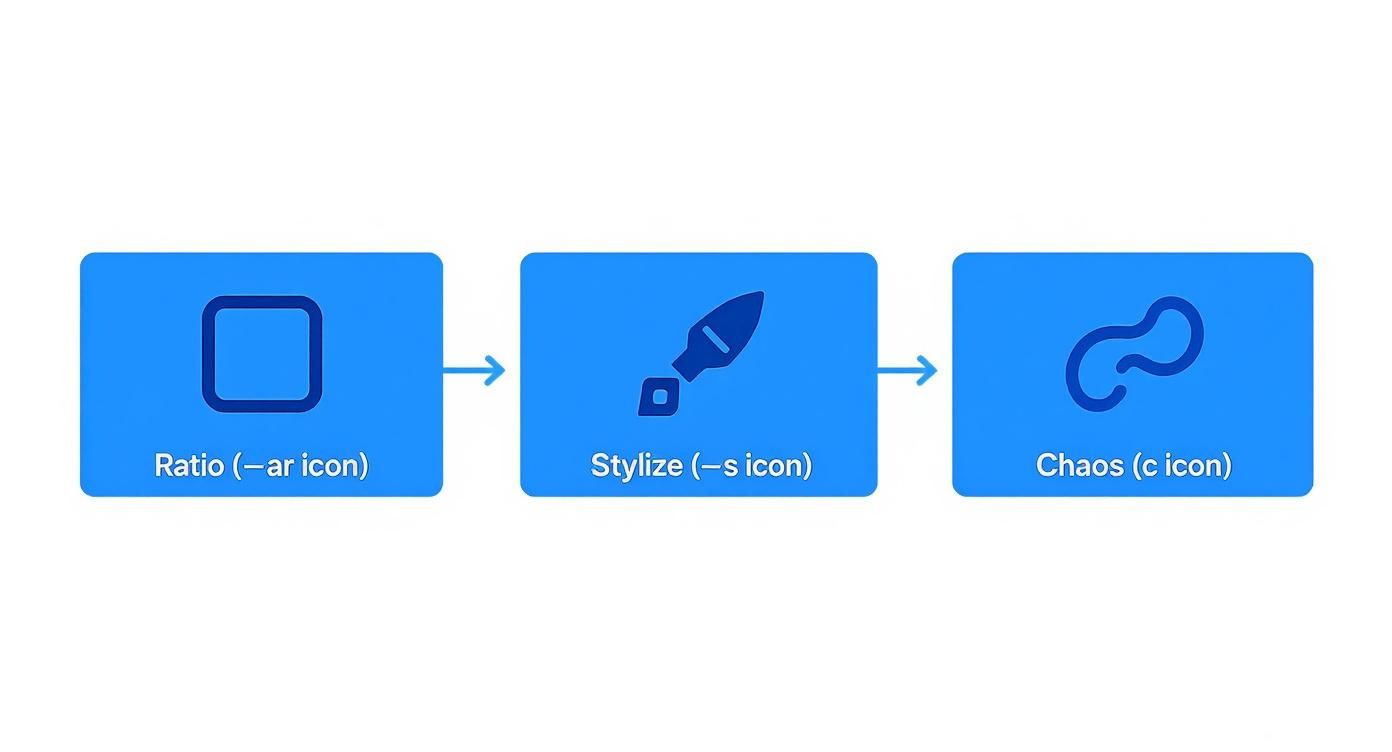
This visual shows how parameters are applied to control the final generation, from framing the shot all the way to the artistic interpretation.
Let's apply this to our prompt. We need a vertical book cover, so we'll use --ar 2:3. We also want a highly artistic result, so we can bump up the stylize value.
Final Prompt with Parameters:
cinematic wide shot, a lone astronaut on a desert planet with two suns, giant crystal formations, dramatic lighting from the suns casting long shadows, vintage sci-fi book cover art, retrofuturism --ar 2:3 --s 250
Pro Tip: Iteration is your most powerful tool. Don't be afraid to generate dozens of images. Each one is a piece of feedback that helps you refine your prompt and inch closer to that perfect result.
This workflow—start simple, layer details, define the shot, and fine-tune—is a repeatable process you can use for any project. If you're looking to play around with prompt ideas outside of Discord, checking out a dedicated AI generation tool can be a really helpful step.
Inspiring Prompt Examples for Different Artistic Styles
Reading about prompt theory is one thing, but seeing it in action is where the real learning happens. Let's move from the abstract to the concrete with a visual lookbook of expertly crafted prompts. This will give you both ready-to-use examples and a clear breakdown of why they work so well.
We'll dive into four distinct artistic styles, providing the complete prompt for each. Think of these as your creative launchpad. You can copy and paste them directly into Midjourney to get a feel for how they perform, or better yet, use them as a foundation. Swap out the subjects, tweak the artist names, and adjust the parameters to start developing your own signature style.
Creating Photorealistic Portraits
Achieving that uncanny, lifelike realism isn't about just asking for a "realistic photo." It requires you to think and speak like a professional photographer. This means specifying not just the subject, but also the camera equipment, lighting techniques, and the desired image quality. You're giving Midjourney the vocabulary of a photo shoot.
Example Prompt:
Close-up portrait of a thoughtful elderly man with deep wrinkles and a gentle smile, captured on a Canon EOS R5 with an 85mm f/1.2 lens, soft window lighting, extremely detailed skin texture, ultra realistic, sharp focus --ar 4:5 --style raw
Why It Works:
- Specific Subject: "Thoughtful elderly man with deep wrinkles" provides clear, evocative direction.
- Camera & Lens: Mentioning a "Canon EOS R5 with an 85mm f/1.2 lens" signals a professional portrait look with that creamy, blurred background (bokeh).
- Lighting: "Soft window lighting" is a classic portraiture technique that creates natural, flattering light.
- Quality Keywords: Terms like "extremely detailed skin texture" and "sharp focus" push the AI to obsess over the fine details, avoiding a soft, airbrushed look.
- Parameters:
--ar 4:5is a traditional portrait aspect ratio, and--style rawtones down Midjourney's default artistic opinion, aiming for a more photographic result.
Generating Epic Fantasy Landscapes
For fantasy art, your keywords need to scream scale, wonder, and imagination. Referencing famous fantasy artists or classical landscape painters helps Midjourney tap into a massive visual library of established aesthetics. The goal is to build a rich, atmospheric scene that tells a story.
Example Prompt:
Vast, epic fantasy landscape of a forgotten kingdom with crumbling towers and glowing runes, matte painting, style of Albert Bierstadt and Caspar David Friedrich, atmospheric mist, cinematic lighting, wide angle shot, volumetric light --ar 16:9
Why It Works:
- Atmospheric Subject: "Forgotten kingdom with crumbling towers and glowing runes" immediately sets a mystical, ancient tone.
- Artist Influence: Naming masters like "Albert Bierstadt" and "Caspar David Friedrich" guides the AI toward dramatic, Romantic-era compositions full of awe.
- Medium & Style: "Matte painting" is a term from filmmaking for hyper-detailed, realistic backgrounds, telling Midjourney to crank up the detail.
- Lighting & Composition: "Cinematic lighting," "volumetric light," and "wide angle shot" all work together to create a sense of grandeur and epic depth.
- Parameters:
--ar 16:9is the quintessential widescreen format for a sprawling, cinematic landscape.
Designing Vintage Sci-Fi Posters
To nail that retro-futuristic feel, you have to use the language of that era's design and printing. Keywords related to specific art movements, color palettes, and graphic design styles are your best friends for capturing that wonderful, nostalgic vibe.
Example Prompt:
Vintage 1950s sci-fi movie poster of a rocket ship landing on Mars, a heroic astronaut in a silver suit, pulp art style, bold typography, limited color palette, screen print texture, retrofuturism --ar 2:3
This prompt is a perfect example of how combining a time period ("1950s"), a medium ("movie poster"), and an art movement ("pulp art style") creates a powerful, cohesive aesthetic that Midjourney understands instantly.
Why It Works:
- Clear Genre: "Vintage 1950s sci-fi movie poster" is an incredibly strong directive that sets the entire scene.
- Style Keywords: "Pulp art style" and "retrofuturism" are direct pointers to the desired aesthetic.
- Technical Details: Adding "limited color palette" and "screen print texture" brilliantly mimics the physical printing limitations of the time, adding a layer of authenticity.
- Parameters:
--ar 2:3is a standard aspect ratio for posters, reinforcing the prompt's intent.
Need even more ideas to get the gears turning? You can find a curated collection of 10 masterful Midjourney prompt examples for 2025 that explore an even wider range of styles and advanced techniques.
Crafting Abstract Watercolor Art
When it comes to abstract art, the prompt needs to shift its focus. Instead of describing a concrete subject, you want to describe emotion, color, and texture. Your goal is to articulate the feeling and technique behind the artwork, giving the AI the creative freedom to be expressive.
Example Prompt:
Abstract watercolor painting of a storm at sea, chaotic energy, splashes of indigo and turquoise, wet-on-wet technique, heavy paper texture, minimalist, expressive brushstrokes --ar 1:1
Why It Works:
- Conceptual Subject: "Abstract watercolor...of a storm at sea" provides a theme without demanding a literal, photorealistic boat in a storm.
- Emotional Language: Words like "chaotic energy" and "expressive brushstrokes" guide the mood and style.
- Medium & Technique: Specifying "watercolor," "wet-on-wet technique," and "heavy paper texture" gives Midjourney critical information about the physical medium.
- Color Palette: "Splashes of indigo and turquoise" ensures color harmony while reinforcing the stormy theme.
- Parameters:
--ar 1:1provides a simple, balanced square canvas that works beautifully for abstract compositions.
A Quick Guide to Popular Art Styles
Sometimes, you know the look you want, but you don't know the words to describe it. This table is a quick reference guide to help you match popular art styles with the keywords and artist names that will get you there.
Prompt Keywords for Popular Artistic Styles
| Artistic Style | Key Keywords | Influential Artist/Medium Examples |
|---|---|---|
| Cyberpunk | Neon-drenched, dystopian, futuristic cityscape, high-tech low-life, holographic ads | Syd Mead, Blade Runner, Ghost in the Shell |
| Impressionism | Visible brushstrokes, soft focus, emphasis on light, outdoor scenes, vibrant colors | Claude Monet, Edgar Degas, Pierre-Auguste Renoir |
| Art Nouveau | Intricate floral patterns, flowing curved lines, decorative, organic forms, elegant | Alphonse Mucha, Gustav Klimt |
| Surrealism | Dreamlike, bizarre, illogical scenes, unexpected juxtapositions, subconscious imagery | Salvador Dalí, René Magritte, Max Ernst |
| Ukiyo-e | Japanese woodblock print, bold outlines, flat areas of color, scenes of daily life | Hokusai, Hiroshige |
| Pop Art | Bold colors, everyday objects, comic book style, screen printing, mass culture | Andy Warhol, Roy Lichtenstein |
Use this table as a starting point. Mix and match artists, combine keywords, and see what happens when you blend different influences together. That's where the real magic begins.
Common Midjourney Prompt Questions Answered
Even with a solid grip on prompting, you're going to hit a wall sometimes. It happens to everyone. Let's walk through some of the most common snags and how to get yourself unstuck so you can get back to creating.
Sometimes, a prompt just completely misses the mark. If your images are a confusing mess, the best first move is always to simplify. Cut your prompt down to the absolute essentials: just the core subject and a single style keyword. If that works, you can start adding your other ideas back in, one by one, to see what's throwing the AI for a loop.
How Do I Get Consistent Characters?
This is one of the holy grails of AI art: creating the same character across different scenes. It's tricky, but definitely not impossible. The key is a two-pronged attack.
First, you need to lean on the --seed parameter. When you get an image you like, grab its seed number. Reusing that seed in your next prompt gives Midjourney a familiar starting point, which helps maintain a similar feel and composition.
Second, you have to get incredibly specific with how you describe your character. Don't just say "a wizard." Give them a name and a story. A repeatable, detailed description like "a wizard named Elara with long silver hair, a crescent moon tattoo under her left eye, and a dark purple robe" is far more powerful. The more unique details you lock in, the better chance Midjourney has of remembering them.
What Is the Best Way to Use Negative Prompts?
Think of the negative prompt (--no) as your tool for surgical removal. It excels at getting rid of simple, concrete things that you don't want cluttering up your image.
The --no parameter is basically the bouncer for your image. Its job is to keep specific, unwanted guests out of the final picture. It works best when you give it a clear list, like --no text, watermarks, signature.
For instance, if you're trying to generate a pristine, untouched landscape, adding --no buildings, cars, people is a fantastic way to clear the scene. It's also great for cleanup, using commands like --no extra fingers, blurry faces to fix common AI quirks. Stick to subtracting specific nouns rather than vague ideas for the sharpest results.
Ready to discover, share, and even sell your best creations? Join the PromptDen community to access thousands of high-quality prompts for Midjourney and other AI tools. Explore our marketplace and use PromptForge to build your next masterpiece. Get started at https://promptden.com.